
.ASK 文件扩展名
askSam Database
| 开发者 | askSam Systems |
| 受欢迎程度 |
3.7 | 16 票 |
什么是 ASK 文件?
File created by askSam, a program used for organizing digital information; stores a searchable database of webpages, email messages, .PDF files, and text documents; used by researchers and business professionals.
可打开 ASK 文件的程序
Ableton Live Skin
| 开发者 | Ableton |
| 受欢迎程度 |
2.7 | 7 票 |
更多信息
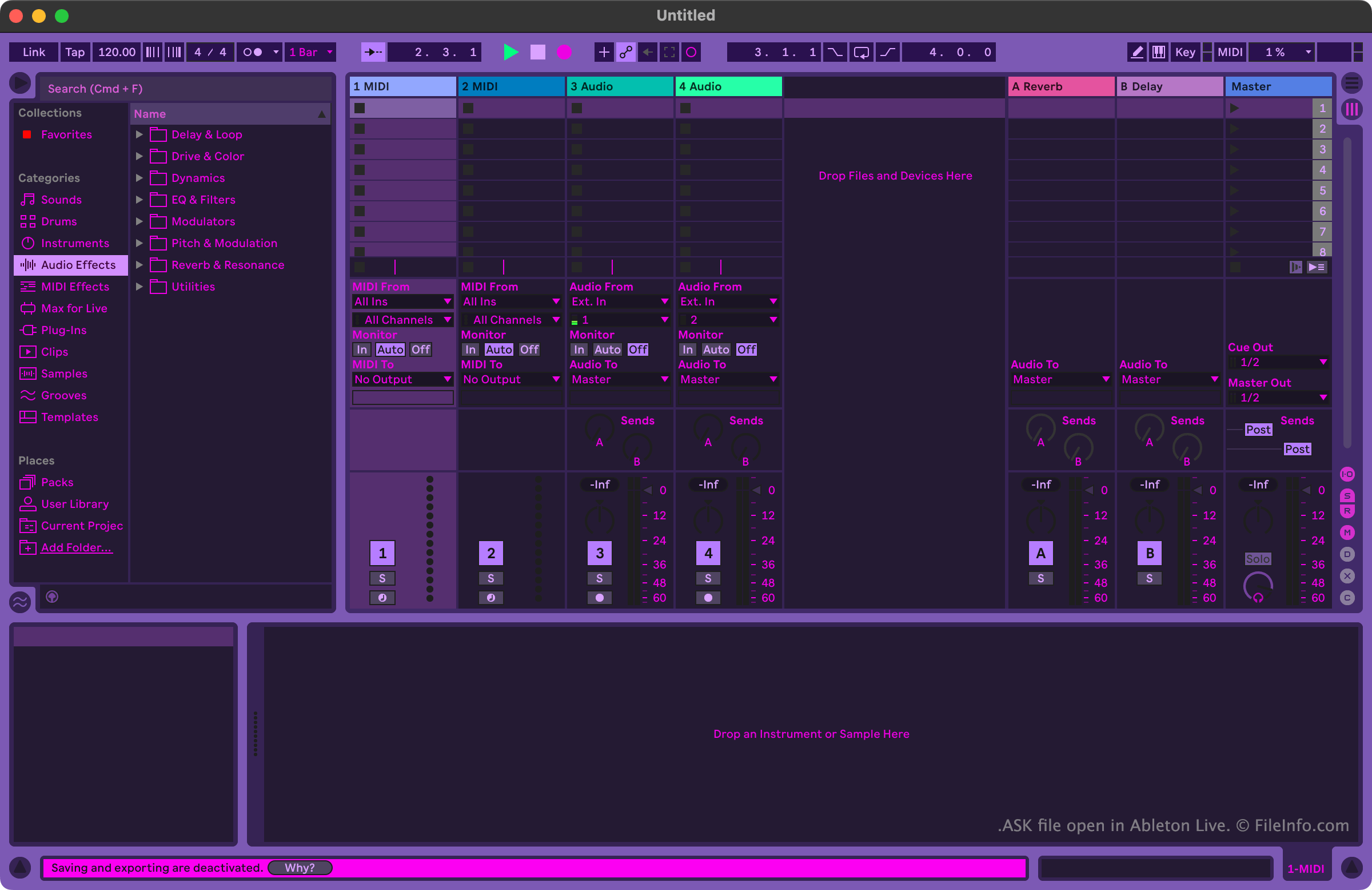
Musicians and music producers use Ableton Live to create and edit music. The program includes many tools that allow users to record, import, arrange, and apply effects to musical tracks, before exporting those tracks as a song.
Users who want to customize Ableton Live's appearance can do so using ASK files. These files are alternately referred to as Ableton Live skins or Ableton Live themes. Ableton Live includes a handful of default ASK files, which allow users to choose between variations of light and dark modes. Other ASK files, which contain more varied themes, are available online from various Ableton Live-related websites.
如何打开 ASK 文件
You can open an ASK file with Ableton Live (Windows, Mac). To do so, first place your file in the program's Themes directory. In Windows, this directory is located at:
~/Ableton/Live # Suite/Resources/Themes
In macOS, this directory is located in Ableton Live's app package. To access it, locate Ableton Live in your Applications folder, right-click it, and select Show Package Contents. Then, in the window that appears, navigate to App-Resources/Themes.
After you place your ASK file in Ableton Live's Themes directory, you can apply the skin it contains from within the program. To do so:
- Open Live's Preferences menu.
- On the Look Feel tab, select your ASK file from the Theme dropdown menu.
