.ASK 파일 확장자

2개의 파일 유형.ask 확장자를 사용합니다.

askSam Database

개발사 askSam Systems
인기도
3.7  |  16 투표
 

ASK 파일이란 무엇인가요?

File created by askSam, a program used for organizing digital information; stores a searchable database of webpages, email messages, .PDF files, and text documents; used by researchers and business professionals.

File Viewer Plus(으)로 400개 이상의 파일 형식을 여세요.무료 다운로드

ASK 파일을 여는 프로그램

Windows
무료 체험판

Ableton Live Skin

개발사 Ableton
인기도
2.7  |  7 투표
 

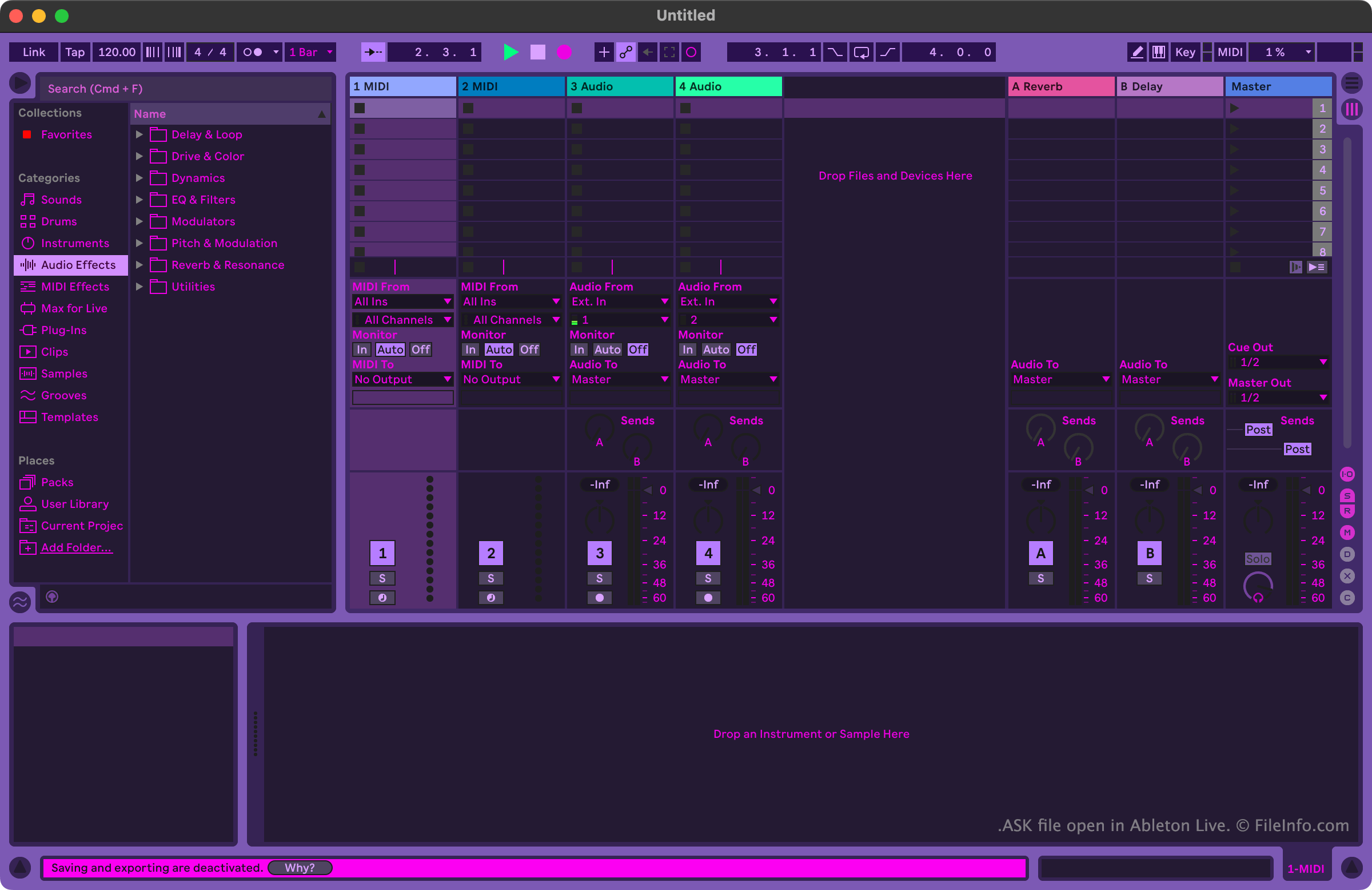
An ASK file is a skin used by Ableton Live, a digital audio workstation (DAW). It contains settings used to alter the program's appearance. For example, an ASK file can change the colors of Ableton Live's buttons, menus, and other user interface (UI) elements.

추가 정보

Ableton Live에서 열린 .ask 파일의 스크린샷
Ableton Live에서 열린 ASK 파일

Musicians and music producers use Ableton Live to create and edit music. The program includes many tools that allow users to record, import, arrange, and apply effects to musical tracks, before exporting those tracks as a song.

Users who want to customize Ableton Live's appearance can do so using ASK files. These files are alternately referred to as Ableton Live skins or Ableton Live themes. Ableton Live includes a handful of default ASK files, which allow users to choose between variations of light and dark modes. Other ASK files, which contain more varied themes, are available online from various Ableton Live-related websites.

ASK 파일을 여는 방법

You can open an ASK file with Ableton Live (Windows, Mac). To do so, first place your file in the program's Themes directory. In Windows, this directory is located at:

~/​Ableton/​Live # Suite/​Resources/​Themes

In macOS, this directory is located in Ableton Live's app package. To access it, locate Ableton Live in your Applications folder, right-click it, and select Show Package Contents. Then, in the window that appears, navigate to App-Resources/​Themes.

After you place your ASK file in Ableton Live's Themes directory, you can apply the skin it contains from within the program. To do so:

  1. Open Live's Preferences menu.
  2. On the Look Feel tab, select your ASK file from the Theme dropdown menu.

ASK 파일을 여는 프로그램

Windows
무료 체험판
Mac
무료 체험판
카테고리: 설정
업데이트: 2022-11-03

검증자 FileInfo.com

FileInfo.com 팀 이 페이지에 나열된 모든 파일 형식과 소프트웨어 프로그램을 독자적으로 조사했습니다. 저희의 목표는 100% 정확성이며, 검증한 파일 유형에 대한 정보만 게시합니다.

이 페이지에 추가하거나 업데이트할 내용을 제안하고 싶으시면 알려 주세요.