

.ASK Dateiendung
Ableton Live-Design
| Entwickler | Ableton |
| Beliebtheit |
2,7 | 7 Stimmen |
Eine ASK-Datei ist ein Design, das von Ableton Live, einer digitalen Audio-Workstation (DAW), verwendet wird. Sie enthält Einstellungen, mit denen sich das Erscheinungsbild des Programms ändern lässt. Eine ASK-Datei kann beispielsweise die Farben der Schaltflächen, Menüs und anderer Elemente der Benutzeroberfläche (UI) von Ableton Live ändern.
Weitere Informationen
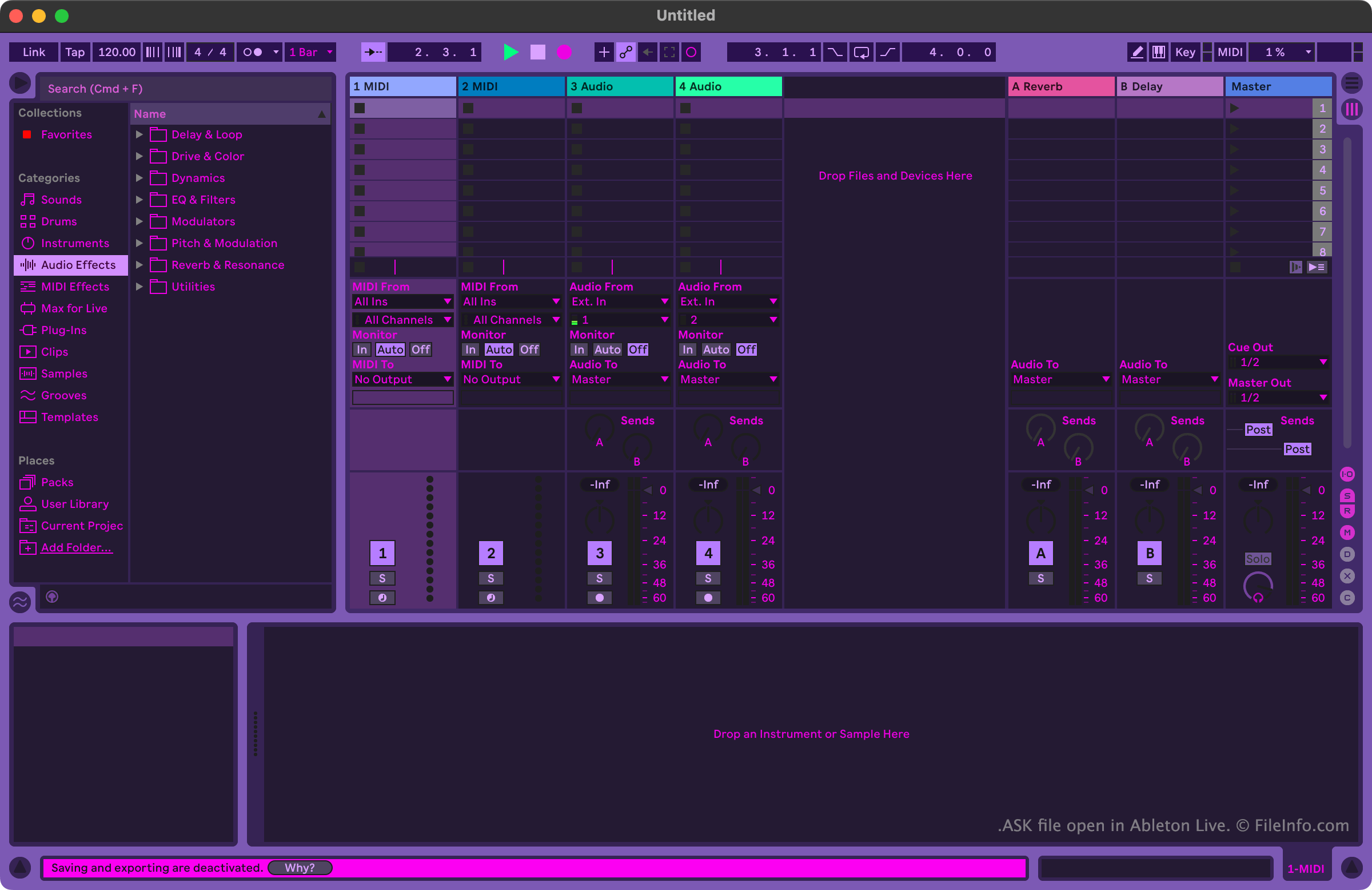
Musiker und Musikproduzenten verwenden Ableton Live, um Musik zu erstellen und zu bearbeiten. Das Programm enthält viele Werkzeuge, mit denen Benutzer Musikspuren aufnehmen, importieren, arrangieren und mit Effekten versehen können, bevor sie diese Spuren als Song exportieren.
Benutzer, die das Erscheinungsbild von Ableton Live anpassen möchten, können dies mithilfe von ASK-Dateien tun. Diese Dateien werden auch als Ableton Live-Designs oder Ableton Live-Designvorlagen bezeichnet. Ableton Live enthält einige standardmäßige ASK-Dateien, mit denen Benutzer zwischen verschiedenen Varianten des hellen und dunklen Modus wählen können. Andere ASK-Dateien mit abwechslungsreicheren Designs sind online auf verschiedenen Websites rund um Ableton Live verfügbar.
So öffnen Sie eine ASK-Datei
Sie können eine ASK-Datei mit Ableton Live (Windows, Mac) öffnen. Verschieben Sie dazu zunächst Ihre Datei in das Verzeichnis Themes des Programms. Unter Windows befindet sich dieses Verzeichnis hier:
~/Ableton/Live # Suite/Resources/Themes
Unter macOS befindet sich dieses Verzeichnis im Programmpaket von Ableton Live. Um darauf zuzugreifen, suchen Sie Ableton Live in Ihrem Ordner Applications, klicken Sie mit der rechten Maustaste darauf und wählen Sie . Navigieren Sie dann in dem daraufhin angezeigten Fenster zu App-Resources/Themes.
Nachdem Sie Ihre ASK-Datei im Verzeichnis Themes von Ableton Live abgelegt haben, können Sie das darin enthaltene Design im Programm anwenden. Gehen Sie dazu wie folgt vor:
- Öffnen Sie das Menü von Live.
- Wählen Sie auf der Registerkarte Look Feel Ihre ASK-Datei aus dem Dropdown-Menü aus.