

.XLSM 파일 확장자
Microsoft Excel 매크로 사용 스프레드시트
| 개발사 | Microsoft |
| 인기도 |
3.8 | 132 표 |
XLSM 파일이란 무엇인가요?
XLSM 파일은 널리 사용되는 스프레드시트 프로그램이자 Microsoft Office 제품군에 포함된 Microsoft Excel로 만든 매크로 사용 스프레드시트입니다. 이 파일에는 행과 열로 배열된 셀의 워크시트와 Visual Basic for Applications(VBA) 언어로 프로그래밍된 내장 매크로가 포함되어 있습니다. XLSM 파일은 Microsoft Office 2007에서 도입된 Open XML 형식으로 저장됩니다.
추가 정보
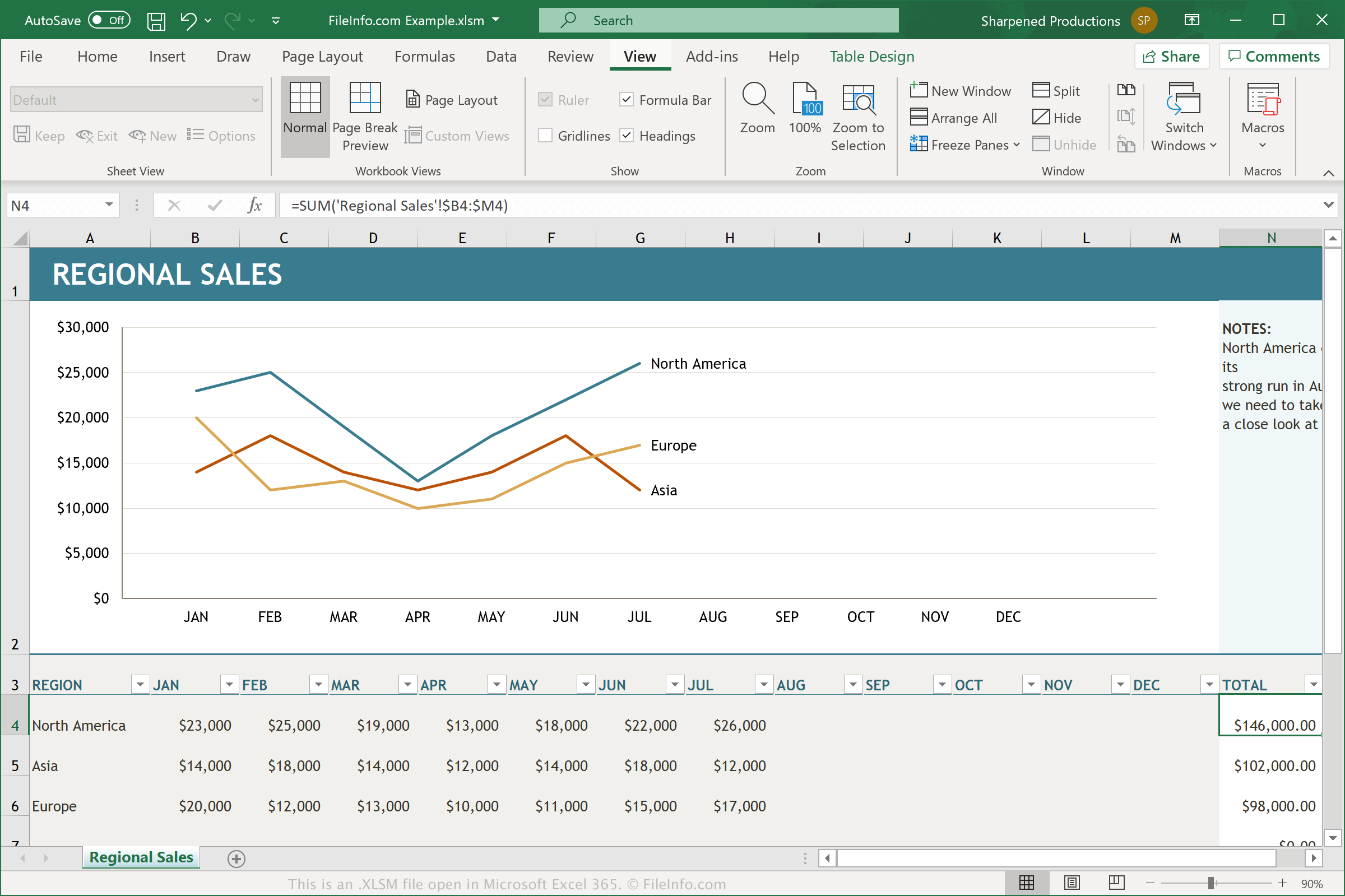
XLSM 파일은 매크로가 사용 설정된 .XLSX 파일입니다. 매크로는 스크립트처럼 작동하는 유용한 기능으로, 사용자가 반복 작업을 자동화할 수 있게 합니다. Excel에는 수백 개의 매크로가 기본으로 포함되어 있지만, 특정 작업을 실행하는 키 입력과 마우스 클릭으로 구성된 사용자 고유의 매크로를 기록한 다음 편집하여 일부를 변경할 수도 있습니다. 매크로 기능의 예로는 스프레드시트에서 선택한 열의 데이터 서식을 지정하거나 데이터에 특정 수학 방정식을 적용하는 것이 있습니다.
매크로를 사용하여 Excel 스프레드시트를 만든 사용자가 문서를 다시 열거나 공유할 때 해당 매크로를 유지하려면 문서를 XLSM 파일로 저장해야 합니다. XLSM 파일은 XLSX 파일에 사용되는 것과 동일한 Open XML 기반 형식으로 저장되지만, XLSM 파일은 매크로를 저장할 수 있고 XLSX 파일은 저장할 수 없습니다. Microsoft Excel에서 출처가 불분명한 XLSM 파일을 열면 일반적으로 매크로를 사용 설정할지 묻는 메시지가 표시됩니다.
XLSM 파일을 여는 방법
Microsoft Excel(Windows, Mac, Web, Android)에서 XLSM 파일을 열 수 있습니다. Excel 2007 이상 버전은 기본적으로 XLSM 파일을 열 수 있으며, 이전 버전은 Microsoft Office 호환 기능 팩을 설치한 경우 XLSM 파일을 열 수 있습니다. 보안상의 이유로 Excel은 기본적으로 XLSM 파일의 매크로를 사용 설정하지 않습니다. XLSM 파일에서 매크로를 사용 설정하려면 메시지가 표시될 때 를 클릭합니다.
Corel Quattro Pro(Windows), MobiSystems OfficeSuite Pro(iOS, Android), Google Sheets(웹, iOS, Android, Chrome OS)를 비롯한 다른 스프레드시트 애플리케이션에서도 XLSM 파일을 열 수 있습니다.
XLSM 파일을 변환하는 방법
Microsoft Excel과 Corel Quattro Pro를 비롯한 다양한 스프레드시트 애플리케이션에서 XLSM 파일을 다른 형식으로 변환할 수 있습니다.
예를 들어 Windows 및 Mac 버전의 Microsoft Excel에서 를 선택하면 XLSM 파일을 다음 형식 중 하나로 변환할 수 있습니다.
- .XLSX - Microsoft Excel 스프레드시트
- .XLS - Microsoft Excel 스프레드시트(레거시)
- .XLSB - Microsoft Excel 이진 스프레드시트
- .ODS - OpenDocument 스프레드시트
- .CSV - 쉼표로 구분된 값
- .DIF - 데이터 교환 형식
- .PDF - Portable Document Format
- .RTF - 서식 있는 텍스트 형식
- .TXT - 일반 텍스트
- .HTM, .HTML - HTML 웹 페이지
- .XML - 확장 가능한 마크업 언어
- .MHT, .MHTML - MIME HTML 아카이브
- .XPS - XML Paper Specification(Windows만 해당)
경고
XLSM 파일은 일반적으로 정상적인 Microsoft Excel 스프레드시트이지만, 피해자의 컴퓨터에 악성 코드를 배포하고 실행하는 데 사용될 수도 있습니다. 악성 XLSM 공격으로부터 보호하려면 XLSM 파일의 출처와 정상 여부를 확인할 수 있는 경우가 아니라면 해당 파일을 열거나 그 안의 매크로를 사용 설정하지 마십시오.