

.XLSB 파일 확장자
Microsoft Excel 바이너리 스프레드시트
| 개발사 | Microsoft |
| 인기도 |
3.7 | 108 표 |
XLSB 파일이란 무엇인가요?
XLSB 파일은 스프레드시트를 만들고 편집하는 데 사용하는 프로그램인 Microsoft Excel로 만든 스프레드시트 통합 문서입니다. 행과 열의 격자로 배열된 셀이 있는 하나 이상의 스프레드시트를 포함하며, 차트, 그래프 및 서식을 포함할 수 있습니다. XLSB 파일은 바이너리 형식으로 저장됩니다.
추가 정보
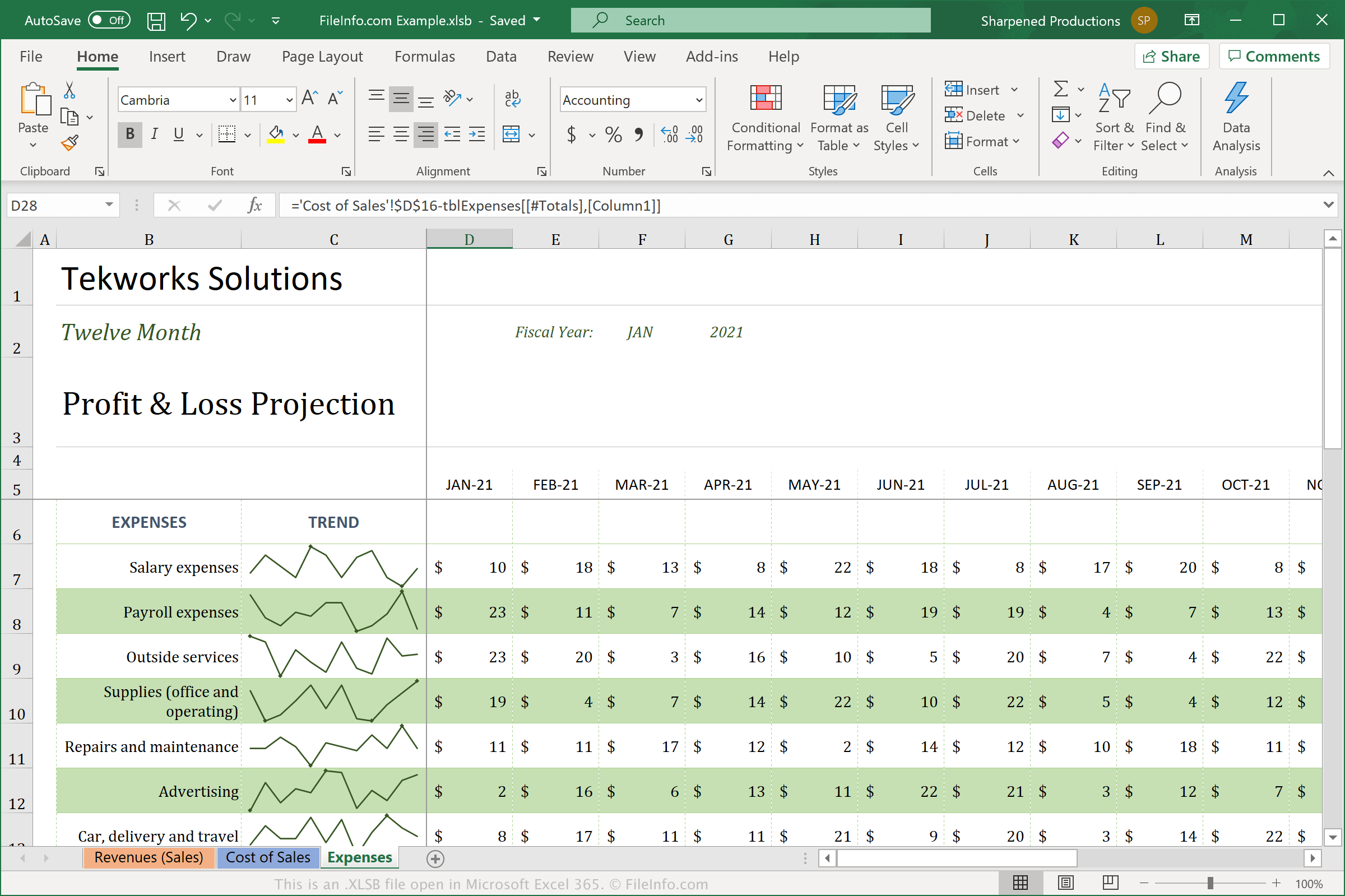
XLSB 파일은 바이너리 형식(BIFF12)으로 스프레드시트를 저장하기 때문에 표준 Open XML 형식(.XLSX) 스프레드시트와 다릅니다. XLSX 파일은 공간을 절약하도록 압축되고 다른 사용자와 공유하기 더 쉽기 때문에 XLSX 파일을 더 자주 보고 사용하게 될 가능성이 높습니다. XLSB 파일은 압축되지 않으므로 XLSX 파일보다 큽니다. 그러나 XLSB 파일은 더 큰 바이너리 형식으로 저장되기 때문에 Excel에서 더 효율적으로 작동할 수 있습니다.
Excel에서 XLSB 파일을 만들려면 를 선택한 다음 파일 형식 드롭다운 메뉴에서 "Excel Binary Workbook (*.xlsb)"를 선택합니다. 사용 중인 운영 체제에 따라 Excel은 기본적으로 다음 위치에 XLSB 파일을 저장합니다:
Windows Vista, 7, & 10:
C:\Users\<user name>\AppData\Local\Microsoft\Excel\XLStart
Windows XP:
C:\Documents and Settings\Application Data\Microsoft\Excel\XLStart
macOS:
~/Library/Containers/com.microsoft.Excel/Data/Library/Application Support/Microsoft/Roaming/Excel/
XLSB 파일을 여는 방법
Windows와 macOS에서는 Microsoft Excel로 XLSB 파일을 열 수 있습니다. 또한 OpenOffice Calc(다중 플랫폼)로도 XLSB 파일을 열 수 있습니다.
그러나 Excel은 XLSB 파일을 열 때 가장 좋은 선택입니다. 그래프와 데이터 필드 사이의 간격을 포함할 수 있는 Excel 스프레드시트의 서식을 완전히 지원하기 때문입니다. Excel에서 XLSB 파일을 열려면 를 선택한 다음 열려는 XLSB 파일을 선택합니다.
XLSB 파일을 변환하는 방법
Microsoft Excel은 XLSB 파일을 다양한 형식으로 변환할 수 있습니다. Windows 및 Mac 버전에서는 를 선택하고 다음 형식 중 하나를 선택합니다:
- .XLSX - Microsoft Excel 스프레드시트
- .XLS - Microsoft Excel 스프레드시트(레거시)
- .ODS - OpenDocument 스프레드시트
- .CSV - 쉼표로 구분된 값
- .DIF - 데이터 교환 형식
- .PDF - Portable Document Format
- .XPS - XML Paper Specification(Windows 전용)
- .RTF - 서식 있는 텍스트 형식
- .TXT - 일반 텍스트
- .HTM, .HTML - HTML 웹페이지
- .XML - Extensible Markup Language
- .MHT, .MHTML - MIME HTML 아카이브
경고
XLSB 파일은 일반적으로 정상적인 스프레드시트이지만, 사이버 범죄자는 피해자의 컴퓨터에 악성 코드 공격을 배포하고 실행하기 위해 XLSB 파일을 사용할 수도 있습니다. 예를 들어 QakBot 악성 코드는 사용자가 이메일에 첨부된 XLSB 파일을 열 때 실행되는 매크로를 XLSB 스프레드시트에 삽입할 수 있습니다. 악의적인 Windows 공격으로부터 보호하려면 출처가 합법적인지 확인할 수 없는 한 인터넷에서 받은 XLSB 파일을 절대 열지 마십시오.