

.XLS 파일 확장자
Microsoft Excel 스프레드시트(이전 버전)
| 개발사 | Microsoft |
| 인기도 |
3.8 | 810 표 |
XLS 파일이란 무엇인가요?
XLS 파일은 Microsoft Excel에서 만들거나 OpenOffice Calc 또는 Apple Numbers와 같은 다른 스프레드시트 프로그램에서 내보낸 스프레드시트 파일입니다. 하나 이상의 워크시트가 포함되어 있으며, 데이터는 표 형식으로 저장됩니다. 또한 수학 함수, 차트, 스타일 및 서식이 포함될 수 있습니다. Microsoft는 Excel 2007을 출시하면서 XLS 파일을 .XLSX 파일로 대체했지만, Excel 및 다른 스프레드시트 애플리케이션에서는 여전히 XLS 파일을 열 수 있습니다.
추가 정보
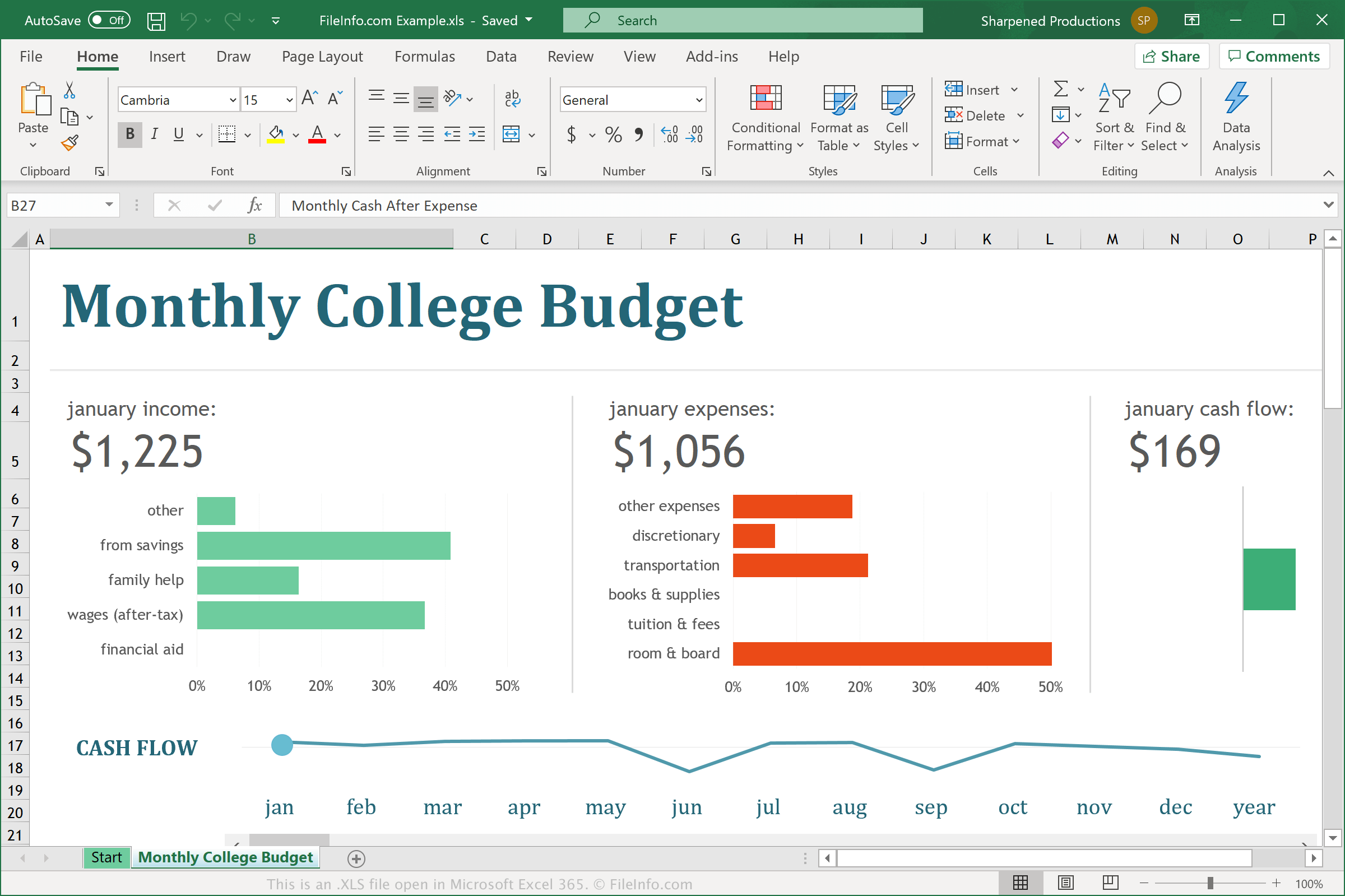
Microsoft는 1987년에 Excel을 출시하면서 Excel 스프레드시트(XLS) 바이너리 형식을 도입했습니다. XLS 형식은 스프레드시트를 구성하는 하나 이상의 워크시트와 행 및 열의 셀로 이루어진 표를 저장합니다. 또한 표의 셀에는 직접 입력한 데이터나 다른 셀의 데이터에서 계산된 결과가 포함될 수 있습니다.
Microsoft는 XLS 파일을 XLSX 파일로 대체합니다
Microsoft가 1987년에 XLS 파일을 도입한 후, 이 파일 형식은 Excel 2007이 출시될 때까지 스프레드시트를 저장하는 가장 일반적인 형식 중 하나였습니다. Excel 2007이 출시되면서 Microsoft는 Microsoft Excel Open XML 스프레드시트(XLSX) 형식을 도입했습니다. XLSX 형식으로 저장된 스프레드시트 파일은 .xlsx 파일 확장자를 사용하며, .xls 파일 확장자를 대체합니다.
XLS 파일은 예전만큼 흔하지 않지만, 데이터를 정리, 분석, 조작 또는 시각화할 때 가정, 학교 및 업무 환경에서 여전히 접할 수 있습니다. 예를 들어 동료가 1990년대의 재무 데이터를 저장한 XLS 스프레드시트를 보낼 수 있습니다.
일반적인 .XLS 파일 이름
Workbook1.xls - Excel 2007 이전에 Microsoft Excel이 새 스프레드시트에 지정하는 기본 파일 이름입니다. Excel 2007부터는 새 스프레드시트에 Workbook1.xlsx 파일 이름이 지정됩니다.
XLS 파일을 여는 방법
Windows 및 macOS에서는 Microsoft Excel로 XLS 파일을 열 수 있습니다. Excel은 데이터 필드와 그래프를 포함한 Excel 스프레드시트의 서식을 완벽하게 지원하므로 XLS 파일을 열 때 가장 적합한 프로그램입니다. Excel은 Android 및 iOS 기기에서도 사용할 수 있습니다.
다른 여러 스프레드시트 프로그램에서도 XLS 파일을 열고 편집할 수 있지만, XLS 스프레드시트의 서식을 완벽하게 지원하지 않을 수 있습니다. 대체 프로그램으로는 Corel Quattro Pro(Windows), Apple Numbers(Mac) 및 OpenOffice Calc(크로스 플랫폼)이 있습니다.
다양한 웹 프로그램을 사용해 XLS 파일을 열 수도 있습니다. Google Sheets는 XLS 파일을 업로드하여 스프레드시트를 보고, 편집하고, 저장하고, 변환할 수 있는 훌륭한 무료 옵션입니다.
XLS 파일을 변환하는 방법
Microsoft Excel, Corel Quattro Pro 및 OpenOffice Calc를 비롯한 다양한 스프레드시트 애플리케이션에서 XLS 파일을 다른 형식으로 변환할 수 있습니다.
예를 들어 Microsoft Excel의 Windows 및 Mac 버전에서는 를 선택하여 XLS 파일을 다음 형식 중 하나로 변환할 수 있습니다.