.ODS 파일 확장자

OpenDocument Spreadsheet

개발사 OASIS
인기도
3.5  |  285 투표
 

ODS 파일이란 무엇인가요?

An ODS file is a spreadsheet created by Calc, a spreadsheet program included with the LibreOffice and Apache OpenOffice suites. It stores data in cells organized into rows and columns, similar to .XLSX spreadsheets, and it may also contain charts, mathematical functions, and formatting. Several programs can open, edit, save, and convert ODS files, including the Calc apps in the LibreOffice and Apache OpenOffice suites and Microsoft Excel.

추가 정보

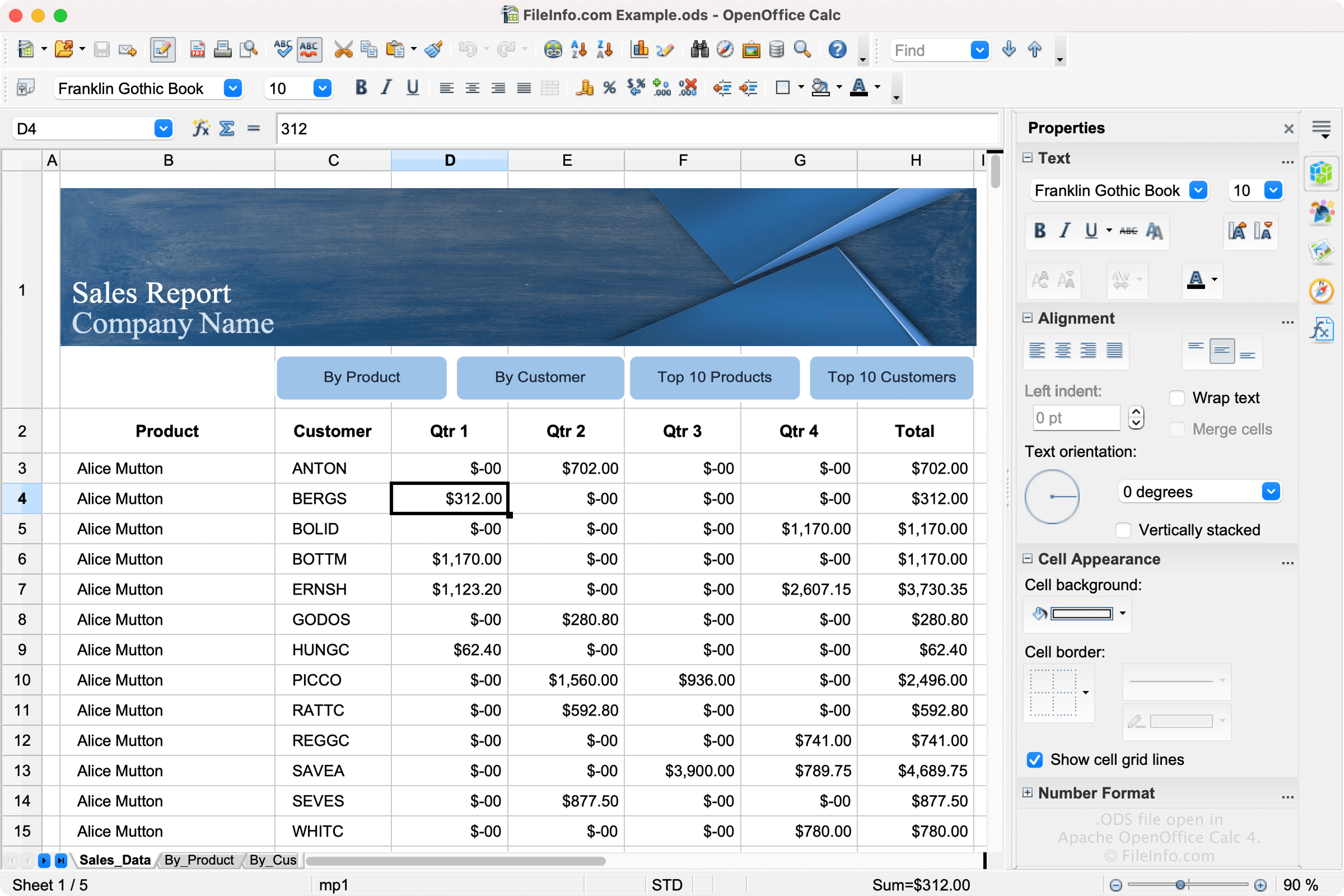
Apache OpenOffice Calc 4에서 열린 .ods 파일의 스크린샷
Apache OpenOffice Calc 4에서 열린 ODS 파일

LibreOffice and Apache OpenOffice are open-source alternatives to Microsoft Office. Calc is included with LibreOffice and Apache OpenOffice and the equivalent to Microsoft Excel.

The software allows users to create spreadsheets to save project trackers, budgets, to-do lists, and other spreadsheet types. Calc saves users' spreadsheets as ODS files by default. To create an ODS file in Calc, select File → New → Spreadsheet, then select File → Save As.

ODS Format

ODS files are formatted using the OASIS OpenDocument XML-based standard, which The Organization for the Advancement of Structured Information Standards (OASIS) maintains. LibreOffice, OpenOffice, and other variants, all of which save spreadsheets as ODS files, use this standard.

ODS 파일을 여는 방법

You can open an ODS file with OpenOffice Calc and LibreOffice Calc. Calc is the best option for opening ODS files because it fully supports the formatting of OpenDocument spreadsheets, which may include the spacing of data fields, graphs, etc.

Various other spreadsheet applications can open and edit ODS files, but they may not fully support the formatting of the original spreadsheets. Alternative programs include Microsoft Excel and Google Sheets.

ODS 파일을 변환하는 방법

Several spreadsheet applications, including OpenOffice Calc and Microsoft Excel, can convert ODS files to other formats.

For example, OpenOffice Calc can convert ODS files to many file types, including the following formats:

  • .OTS - OpenDocument Spreadsheet Template
  • .XLS - Microsoft Excel Spreadsheet (Legacy)
  • .XLT - Microsoft Excel Template (Legacy)
  • .CSV - Comma-Separated Values
  • .DIF - Data Interchange Format
  • .PDF - Portable Document Format
  • .UOS - Uniform Office Spreadsheet
  • .PXL - Pocket Excel File
  • .SXC - StarOffice Calc Spreadsheet
  • .STC - StarOffice Calc Spreadsheet Template
File Viewer Plus(으)로 400개 이상의 파일 형식을 여세요.무료 다운로드

ODS 파일을 여는 프로그램

Outlook Express 5 Mailbox

개발사 Microsoft
인기도
3.1  |  21 투표
 

An ODS file is a mailbox created by Microsoft Outlook Express 5. It contains email messages and mailbox settings. ODS files have names like Messages.ods.

추가 정보

Microsoft Outlook Express is a discontinued email and news client that was bundled with Internet Explorer versions 4 through 6. Version 5 of Outlook Express saves mailboxes as ODS files.

Outlook Express 5 also uses a file named Folders.ods, which contains an index of your mailboxes. If this file is deleted, Outlook Express 5 will automatically recreate it at startup.

참고: Other versions of Outlook Express use mailboxes saved as .DBX folders.

ODS 파일을 여는 방법

Versions 4 and 5 of Microsoft Outlook Express are the only programs that can open ODS folders. Because these programs are discontinued, you likely will not be able to open your ODS files.

ODS 파일을 여는 프로그램

Windows
카테고리: 데이터
업데이트: 2022-06-02

검증자 FileInfo.com

FileInfo.com 팀 이 페이지에 나열된 모든 파일 형식과 소프트웨어 프로그램을 독자적으로 조사했습니다. 저희의 목표는 100% 정확성이며, 검증한 파일 유형에 대한 정보만 게시합니다.

이 페이지에 추가하거나 업데이트할 내용을 제안하고 싶으시면 알려 주세요.