

.ODS Bestandsextensie
OpenDocument-spreadsheet
| Ontwikkelaar | OASIS |
| Populariteit |
3,5 | 286 stemmen |
Wat is een ODS-bestand?
Een ODS-bestand is een spreadsheet dat is gemaakt met Calc, een spreadsheetprogramma dat onderdeel is van de suites LibreOffice en Apache OpenOffice. Het bestand slaat gegevens op in cellen die zijn georganiseerd in rijen en kolommen, vergelijkbaar met .XLSX-spreadsheets, en kan ook grafieken, wiskundige functies en opmaak bevatten. Verschillende programma's kunnen ODS-bestanden openen, bewerken, opslaan en converteren, waaronder de Calc-apps in de suites LibreOffice en Apache OpenOffice en Microsoft Excel.
Meer informatie
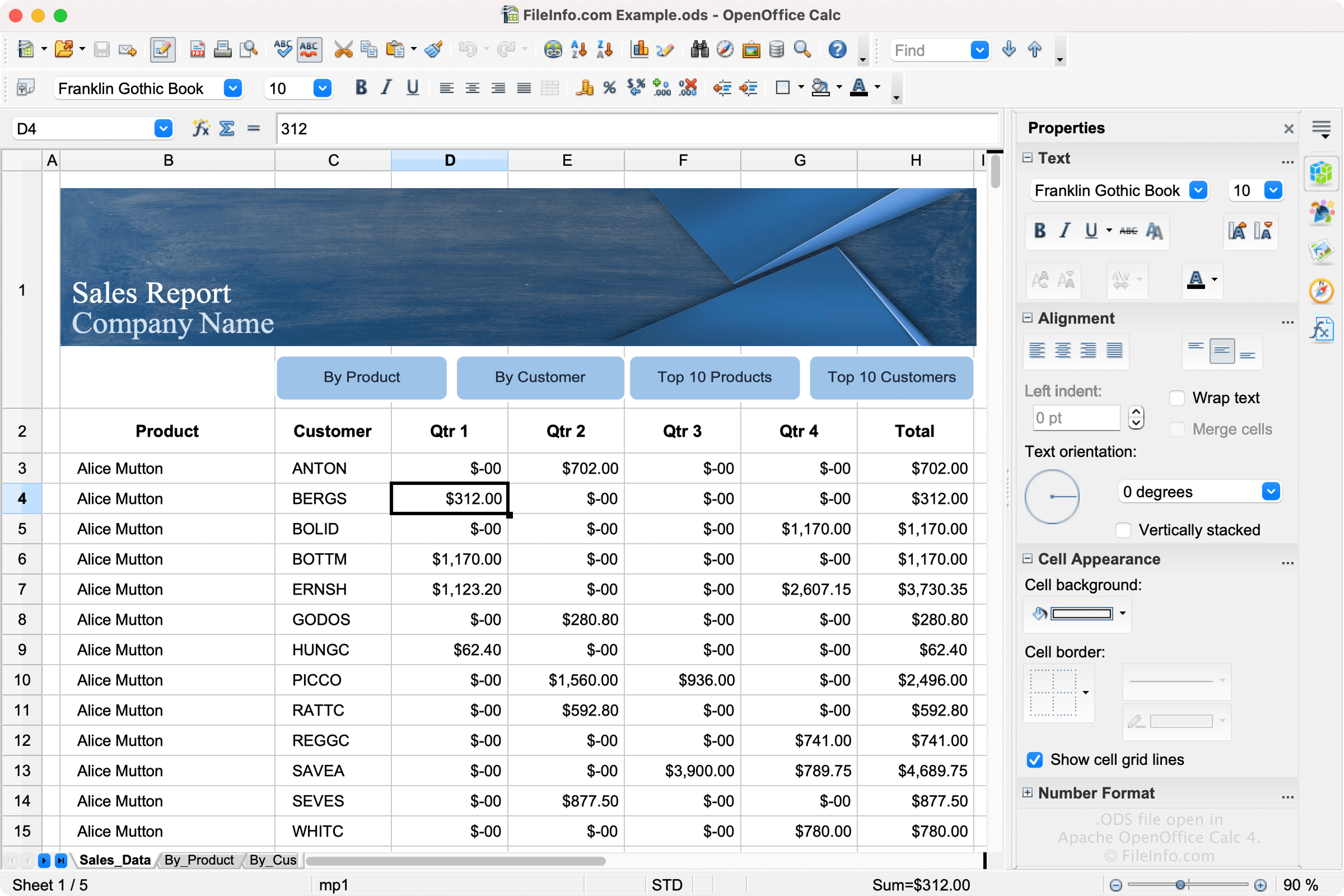
LibreOffice en Apache OpenOffice zijn opensource-alternatieven voor Microsoft Office. Calc is inbegrepen bij LibreOffice en Apache OpenOffice en is het equivalent van Microsoft Excel.
Met de software kunnen gebruikers spreadsheets maken om projectoverzichten, budgetten, takenlijsten en andere typen spreadsheets in op te slaan. Calc slaat de spreadsheets van gebruikers standaard op als ODS-bestanden. Om een ODS-bestand te maken in Calc, selecteer je en selecteer je vervolgens .
ODS-indeling
ODS-bestanden worden opgemaakt met de op XML gebaseerde OASIS OpenDocument-standaard, die wordt onderhouden door The Organization for the Advancement of Structured Information Standards (OASIS). LibreOffice, OpenOffice en andere varianten, die spreadsheets allemaal opslaan als ODS-bestanden, gebruiken deze standaard.
Een ODS-bestand openen
Je kunt een ODS-bestand openen met OpenOffice Calc en LibreOffice Calc. Calc is de beste optie voor het openen van ODS-bestanden, omdat het de opmaak van OpenDocument-spreadsheets volledig ondersteunt. Die opmaak kan onder andere de afstand tussen gegevensvelden en grafieken bevatten.
Verschillende andere spreadsheetprogramma's kunnen ODS-bestanden openen en bewerken, maar ondersteunen mogelijk niet de volledige opmaak van de oorspronkelijke spreadsheets. Alternatieve programma's zijn onder andere Microsoft Excel en Google Sheets.
Een ODS-bestand converteren
Verschillende spreadsheetprogramma's, waaronder OpenOffice Calc en Microsoft Excel, kunnen ODS-bestanden naar andere indelingen converteren.
OpenOffice Calc kan ODS-bestanden bijvoorbeeld converteren naar veel bestandstypen, waaronder de volgende indelingen:
- .OTS - OpenDocument-spreadsheettemplate
- .XLS - Microsoft Excel-spreadsheet (verouderd)
- .XLT - Microsoft Excel-template (verouderd)
- .CSV - Door komma's gescheiden waarden
- .DIF - Data Interchange Format
- .PDF - Portable Document Format
- .UOS - Uniform Office Spreadsheet
- .PXL - Pocket Excel-bestand
- .SXC - StarOffice Calc-spreadsheet
- .STC - StarOffice Calc-spreadsheettemplate