

.CSV Bestandsextensie
Bestand met door komma's gescheiden waarden
| Ontwikkelaar | N.v.t. |
| Populariteit |
3,4 | 1822 stemmen |
Wat is een CSV-bestand?
Een CSV-bestand is een bestand met door komma's gescheiden waarden dat vaak wordt gebruikt door spreadsheet-programma's zoals Microsoft Excel of OpenOffice Calc. Het bevat gegevenssets in platte tekst die door komma's zijn gescheiden. Elke nieuwe regel in het CSV-bestand staat voor een nieuwe databaseregel en elke databaseregel bestaat uit een of meer velden die door een komma zijn gescheiden.
Meer informatie
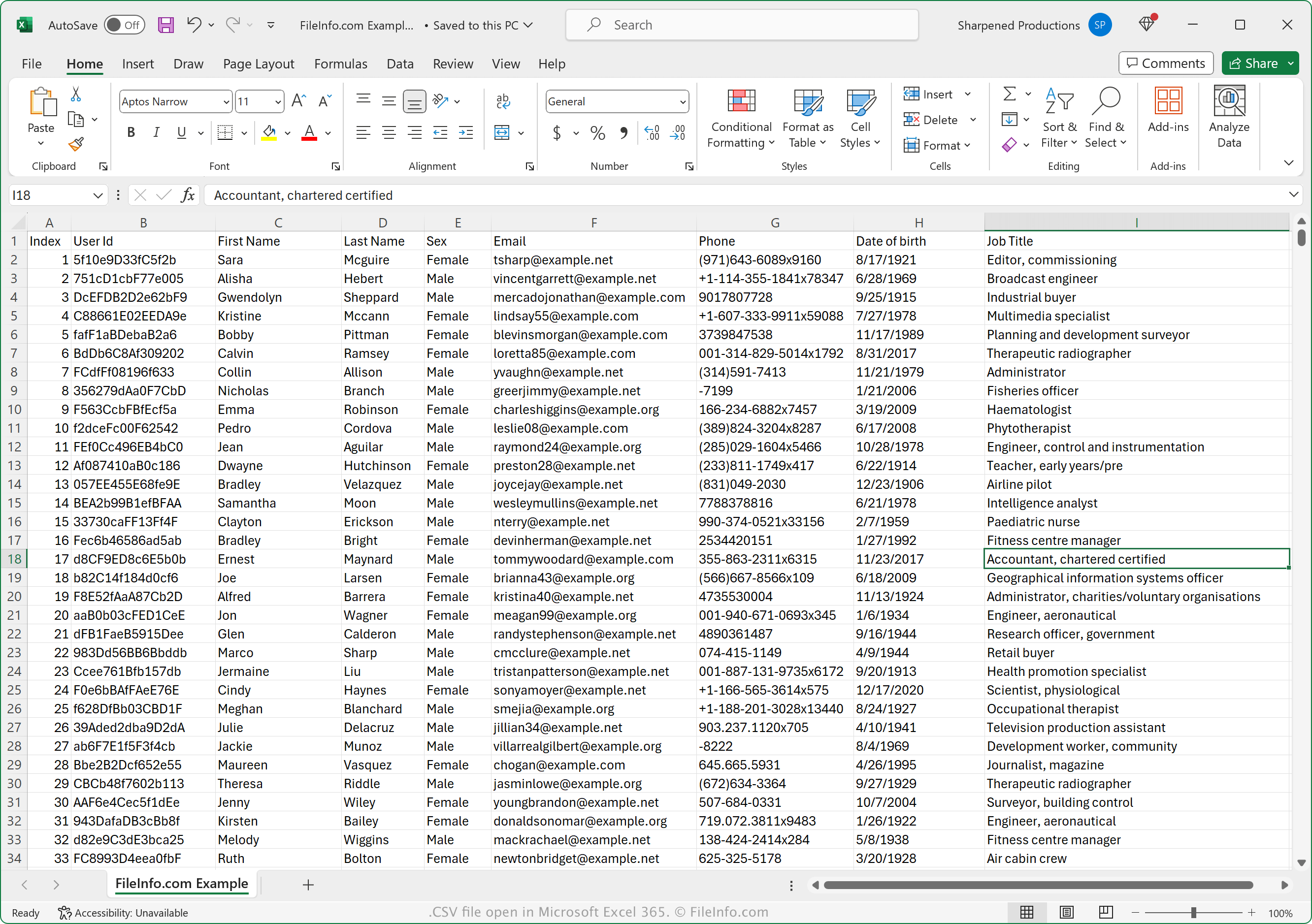
Het CSV-gegevensuitwisselingsformaat wordt door veel programma's voor persoonlijk, zakelijk en wetenschappelijk gebruik ondersteund. Het formaat is vooral handig voor het overbrengen van tabelgegevens tussen programma's en databases, omdat het zo breed wordt ondersteund.
Het bestand is ook handig voor het overbrengen van gegevens die in een eigen formaat zijn opgeslagen, zoals een .XLSX-bestand, naar een ander programma dat het XLSX-formaat niet ondersteunt. Je kunt bijvoorbeeld financiële gegevens in een XLSX-bestand dat in Microsoft Excel is geopend, exporteren naar een CSV-bestand om ze naar een online dienst voor financieel beheer te uploaden. Je kunt ook duizenden contacten uit een e-maildienst exporteren naar een CSV-bestand en het bestand vervolgens importeren in een adresboekprogramma of een andere e-maildienst.
Een CSV-bestand openen
Je kunt CSV-bestanden openen met een groot aantal toepassingen, waaronder Microsoft Excel (voor meerdere platforms), OpenOffice Calc (voor meerdere platforms), Corel Quattro Pro (Windows) en Apple Numbers. Je kunt CSV-bestanden uploaden naar Google Sheets en de bestanden bekijken, bewerken, opslaan en converteren. Je kunt CSV-bestanden ook openen met verschillende mobiele apps, waaronder Microsoft Excel (Android en iOS), Apple Numbers (iOS) en Google Sheets (Android en iOS).
Omdat CSV-bestanden als platte tekst worden opgeslagen, kun je ze openen met een teksteditor, zoals Microsoft Notepad (Windows) en Apple TextEdit (macOS).
Een CSV-bestand converteren
Verschillende toepassingen, waaronder Microsoft Excel, Apple Numbers en LibreOffice Calc, kunnen CSV-bestanden naar andere indelingen converteren.
Je kunt bijvoorbeeld selecteren in de Windows- en Mac-versies van Microsoft Excel om CSV-bestanden naar een van de volgende indelingen te converteren:
- .XLSX - Microsoft Excel-spreadsheet
- .XLS - Microsoft Excel-spreadsheet (verouderd)
- .XLSB - Microsoft Excel Binary Spreadsheet
- .ODS - OpenDocument Spreadsheet
- .DIF - Data Interchange Format
- .PDF - Portable Document Format
- .RTF - Rich Text Format
- .TXT - Platte tekst
- .HTM, .HTML - HTML-webpagina
- .XML - Extensible Markup Language
- .MHT, .MHTML - MIME HTML Archive
- .XPS - XML Paper Specification (alleen Windows)