

.CSV Rozszerzenie pliku
Plik wartości rozdzielanych przecinkami
| Deweloper | Brak danych |
| Popularność |
3,4 | 1822 Głosy |
Czym jest plik CSV?
Plik CSV to plik wartości rozdzielanych przecinkami, powszechnie używany przez programy do obsługi arkuszy kalkulacyjnych, takie jak Microsoft Excel lub OpenOffice Calc. Zawiera zestawy danych w postaci zwykłego tekstu rozdzielane przecinkami, przy czym każdy nowy wiersz w pliku CSV reprezentuje nowy wiersz bazy danych, a każdy wiersz bazy danych składa się z co najmniej jednego pola rozdzielonego przecinkiem.
Więcej informacji
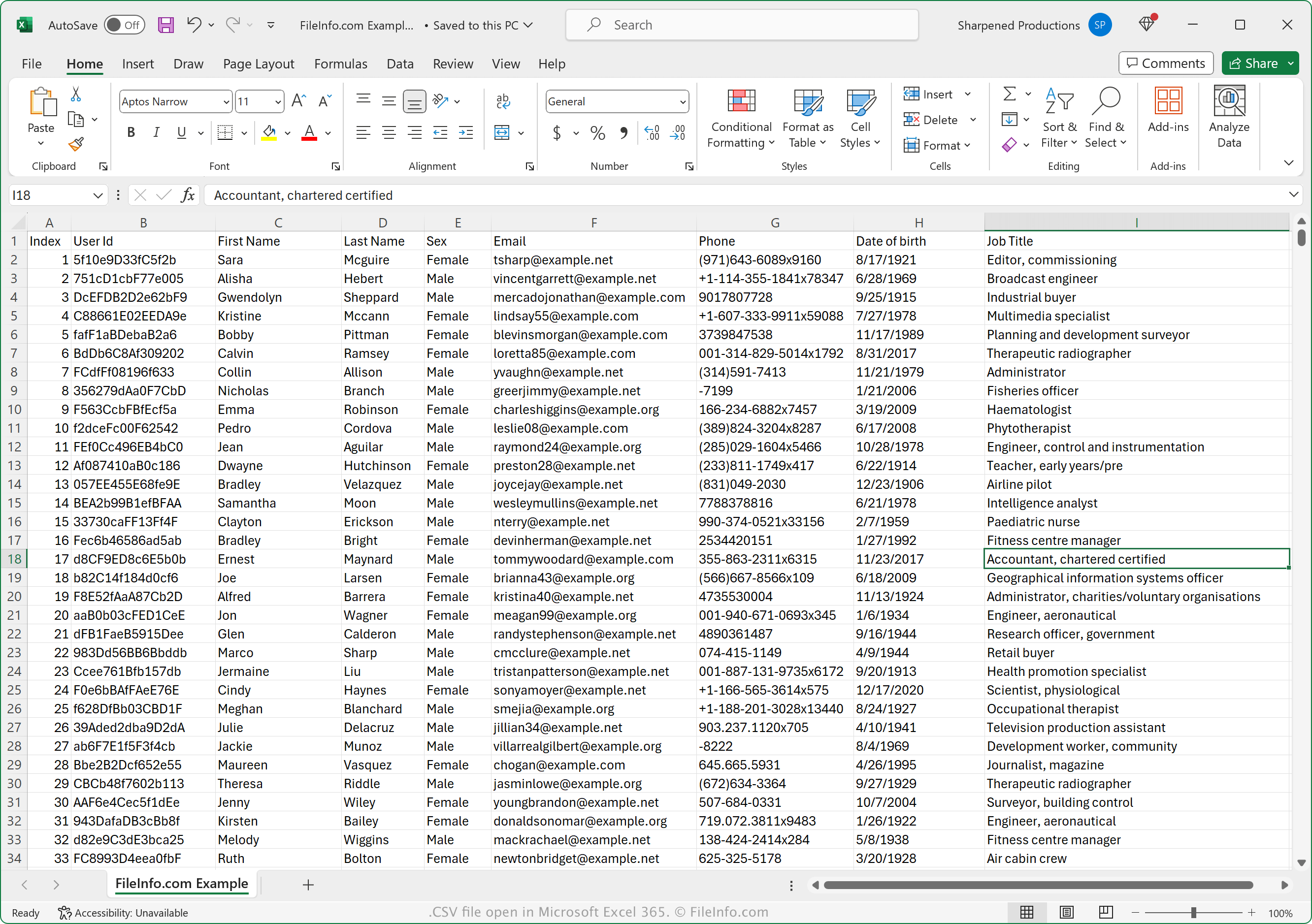
Format wymiany danych CSV jest obsługiwany przez wiele programów do użytku osobistego, biznesowego i naukowego. Format ten jest szczególnie przydatny do przesyłania danych tabelarycznych między programami i bazami danych ze względu na jego szerokie wsparcie.
Plik jest również pomocny przy przenoszeniu danych zapisanych w zastrzeżonym formacie, takim jak plik .XLSX, do innego programu, który nie obsługuje formatu XLSX. Możesz na przykład wyeksportować dane finansowe z pliku XLSX otwartego w programie Microsoft Excel do pliku CSV, aby przesłać je do internetowej usługi zarządzania finansami. Możesz też wyeksportować tysiące kontaktów z usługi pocztowej do pliku CSV, a następnie zaimportować ten plik do organizera adresów lub innej usługi pocztowej.
Jak otworzyć plik CSV
Pliki CSV możesz otwierać w wielu aplikacjach, w tym Microsoft Excel (wieloplatformowy), OpenOffice Calc (wieloplatformowy), Corel Quattro Pro (Windows) i Apple Numbers. Pliki CSV możesz przesyłać do Google Sheets, a następnie wyświetlać, edytować, zapisywać i konwertować. Pliki CSV możesz też otwierać za pomocą różnych aplikacji mobilnych, w tym Microsoft Excel (Android i iOS), Apple Numbers (iOS) oraz Google Sheets (Android i iOS).
Ponieważ pliki CSV są zapisywane jako zwykły tekst, możesz je otwierać za pomocą edytora zwykłego tekstu, takiego jak Microsoft Notepad (Windows) i Apple TextEdit (macOS).
Jak przekonwertować plik CSV
Kilka aplikacji, w tym Microsoft Excel, Apple Numbers i LibreOffice Calc, może konwertować pliki CSV na inne formaty.
Na przykład w wersjach programu Microsoft Excel dla systemów Windows i Mac możesz wybrać opcję , aby przekonwertować pliki CSV do jednego z następujących formatów:
- .XLSX - arkusz kalkulacyjny Microsoft Excel
- .XLS - arkusz kalkulacyjny Microsoft Excel (starsza wersja)
- .XLSB - binarny arkusz kalkulacyjny Microsoft Excel
- .ODS - arkusz kalkulacyjny OpenDocument
- .DIF - format wymiany danych
- .PDF - Portable Document Format
- .RTF - Rich Text Format
- .TXT - zwykły tekst
- .HTM, .HTML - strona internetowa HTML
- .XML - Extensible Markup Language
- .MHT, .MHTML - archiwum MIME HTML
- .XPS - XML Paper Specification (tylko Windows)