

.XLSB Rozszerzenie pliku
Binarny arkusz kalkulacyjny programu Microsoft Excel
| Deweloper | Microsoft |
| Popularność |
3,7 | 108 Głosów |
Czym jest plik XLSB?
Plik XLSB to skoroszyt arkusza kalkulacyjnego utworzony w programie Microsoft Excel, który służy do tworzenia i edytowania arkuszy kalkulacyjnych. Zawiera jeden lub więcej arkuszy kalkulacyjnych z komórkami ułożonymi w siatkę wierszy i kolumn, a także może zawierać wykresy, diagramy i formatowanie. Pliki XLSB są zapisywane w formacie binarnym.
Więcej informacji
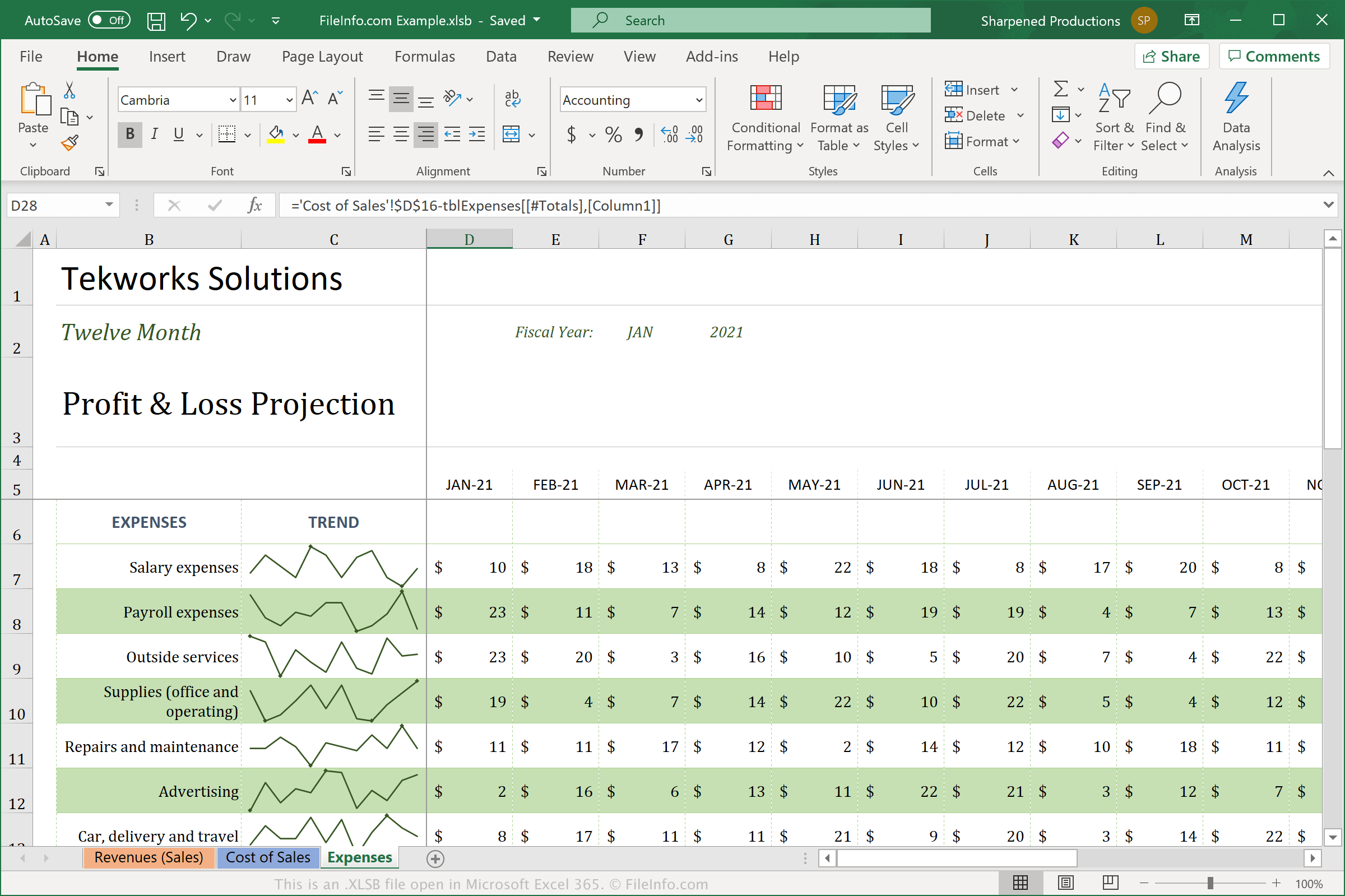
Pliki XLSB różnią się od arkuszy kalkulacyjnych w standardowym formacie Open XML (.XLSX), ponieważ zapisują arkusz kalkulacyjny w formacie binarnym (BIFF12). Najprawdopodobniej częściej będziesz spotykać pliki XLSX i z nich korzystać, ponieważ są skompresowane, aby zajmować mniej miejsca, i łatwiej udostępniać je innym użytkownikom. Pliki XLSB nie są skompresowane, przez co są większe niż pliki XLSX. Jednak pliki XLSB mogą działać wydajniej w programie Excel, ponieważ są zapisywane w większym formacie binarnym.
Aby utworzyć plik XLSB w programie Excel, wybierz , a następnie wybierz pozycję "Excel Binary Workbook (*.xlsb)" z rozwijanego menu typów plików. W zależności od używanego systemu operacyjnego Excel domyślnie zapisuje pliki XLSB w następujących lokalizacjach:
Windows Vista, 7, & 10:
C:\Users\<user name>\AppData\Local\Microsoft\Excel\XLStart
Windows XP:
C:\Documents and Settings\Application Data\Microsoft\Excel\XLStart
macOS:
~/Library/Containers/com.microsoft.Excel/Data/Library/Application Support/Microsoft/Roaming/Excel/
Jak otworzyć plik XLSB
Pliki XLSB można otwierać za pomocą programu Microsoft Excel w systemach Windows i macOS. Można je także otwierać za pomocą programu OpenOffice Calc (wieloplatformowego).
Jednak Excel jest najlepszym wyborem do otwierania plików XLSB, ponieważ w pełni obsługuje formatowanie arkuszy kalkulacyjnych programu Excel, które może obejmować wykresy i odstępy między polami danych. Aby otworzyć plik XLSB w programie Excel, wybierz , a następnie wybierz plik XLSB, który chcesz otworzyć.
Jak przekonwertować plik XLSB
Program Microsoft Excel może konwertować pliki XLSB do różnych formatów. W wersjach dla systemów Windows i Mac wybierz i wybierz jeden z następujących formatów:
- .XLSX - arkusz kalkulacyjny programu Microsoft Excel
- .XLS - arkusz kalkulacyjny programu Microsoft Excel (starszy format)
- .ODS - arkusz kalkulacyjny OpenDocument
- .CSV - wartości rozdzielane przecinkami
- .DIF - format wymiany danych
- .PDF - Portable Document Format
- .XPS - XML Paper Specification (tylko Windows)
- .RTF - Rich Text Format
- .TXT - zwykły tekst
- .HTM, .HTML - strona internetowa HTML
- .XML - Extensible Markup Language
- .MHT, .MHTML - archiwum MIME HTML
Ostrzeżenie
Pliki XLSB są zazwyczaj prawidłowymi arkuszami kalkulacyjnymi, ale cyberprzestępcy mogą również używać ich do rozpowszechniania złośliwego oprogramowania i przeprowadzania ataków na komputery ofiar. Na przykład złośliwe oprogramowanie QakBot może osadzać makra w arkuszach kalkulacyjnych XLSB, które uruchamiają się po otwarciu przez użytkownika pliku XLSB dołączonego do wiadomości e-mail. Aby chronić się przed złośliwymi atakami w systemie Windows, nigdy nie otwieraj pliku XLSB z Internetu, chyba że możesz zweryfikować wiarygodność jego źródła.