

.XLSB Extensão de arquivo
Planilha binária do Microsoft Excel
| Desenvolvedor | Microsoft |
| Popularidade |
3,7 | 108 Votos |
O que é um arquivo XLSB?
Um arquivo XLSB é uma planilha criada pelo Microsoft Excel, um programa usado para criar e editar planilhas. Ele contém uma ou mais planilhas com células organizadas em uma grade de linhas e colunas, e pode incluir gráficos, diagramas e formatação. Os arquivos XLSB são salvos em um formato binário.
Mais informações
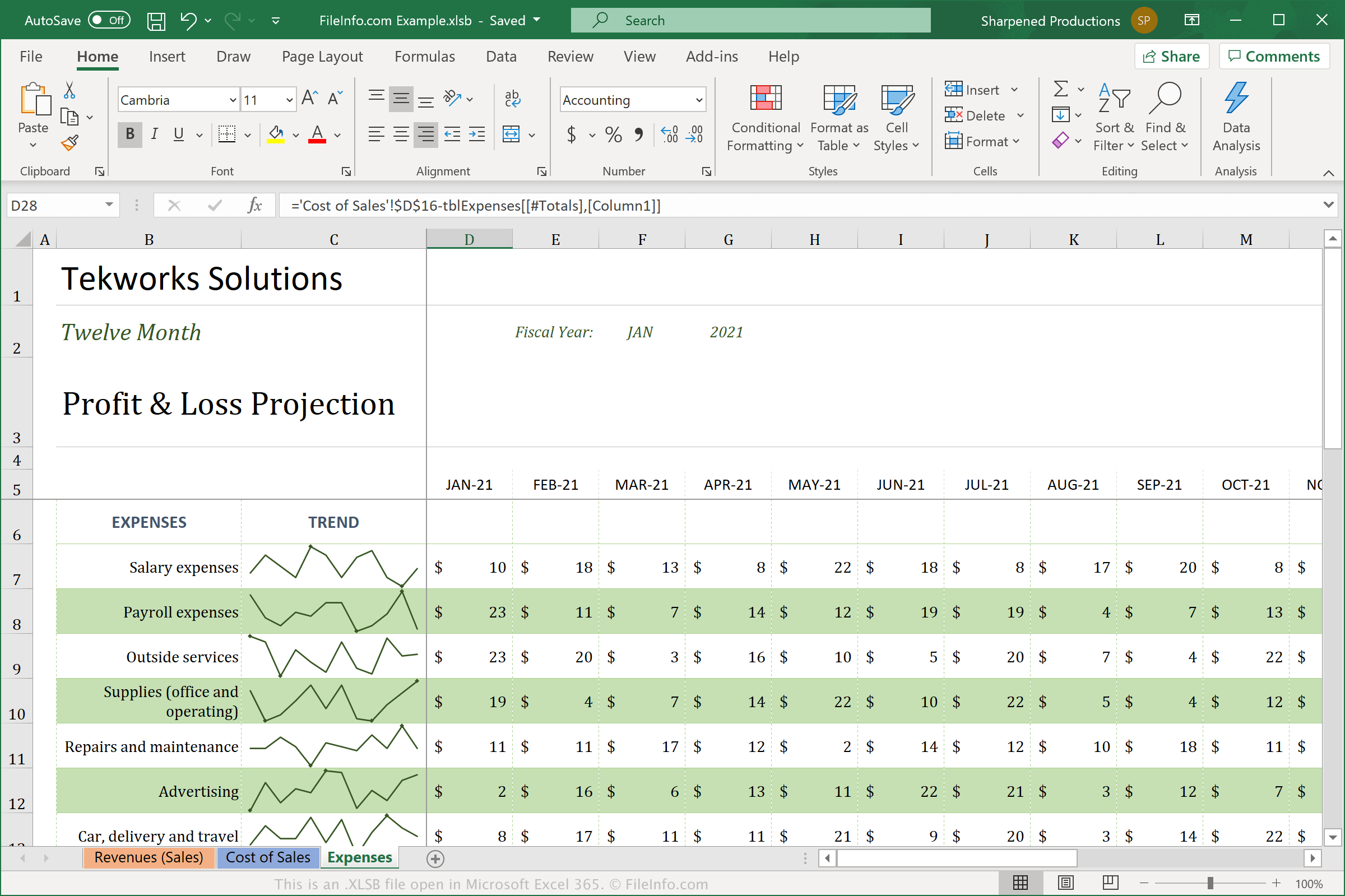
Os arquivos XLSB diferem das planilhas no formato Open XML (.XLSX) padrão porque armazenam a planilha usando um formato binário (BIFF12). É mais provável que você veja e use o arquivo XLSX com mais frequência, pois ele é compactado para economizar espaço e é mais fácil de compartilhar com outros usuários. Os arquivos XLSB não são compactados, o que os torna maiores que os arquivos XLSX. No entanto, os arquivos XLSB podem ter um desempenho mais eficiente no Excel porque são salvos no formato binário maior.
Para criar um arquivo XLSB com o Excel, selecione e selecione "Excel Binary Workbook (*.xlsb)" no menu suspenso de tipos de arquivo. Dependendo do sistema operacional que você está usando, o Excel salva os arquivos XLSB nos seguintes locais por padrão:
Windows Vista, 7, e 10:
C:\Users\<user name>\AppData\Local\Microsoft\Excel\XLStart
Windows XP:
C:\Documents and Settings\Application Data\Microsoft\Excel\XLStart
macOS:
~/Library/Containers/com.microsoft.Excel/Data/Library/Application Support/Microsoft/Roaming/Excel/
Como abrir um arquivo XLSB
Você pode abrir arquivos XLSB com o Microsoft Excel no Windows e no macOS. Você também pode abrir arquivos XLSB com o OpenOffice Calc (multiplataforma).
No entanto, o Excel é a melhor opção para abrir arquivos XLSB porque oferece suporte completo à formatação das planilhas do Excel, que pode incluir gráficos e o espaçamento dos campos de dados. Para abrir um arquivo XLSB com o Excel, selecione e escolha o arquivo XLSB que deseja abrir.
Como converter um arquivo XLSB
O Microsoft Excel pode converter arquivos XLSB para vários formatos. Nas versões para Windows e Mac, selecione e escolha um dos seguintes formatos:
- .XLSX - Planilha do Microsoft Excel
- .XLS - Planilha do Microsoft Excel (legada)
- .ODS - Planilha OpenDocument
- .CSV - Valores separados por vírgulas
- .DIF - Formato de intercâmbio de dados
- .PDF - Portable Document Format
- .XPS - XML Paper Specification (somente Windows)
- .RTF - Rich Text Format
- .TXT - Texto simples
- .HTM, .HTML - Página da Web HTML
- .XML - Extensible Markup Language
- .MHT, .MHTML - Arquivo HTML MIME
Aviso
Os arquivos XLSB geralmente são planilhas legítimas, mas cibercriminosos também podem usá-los para distribuir e executar ataques de malware nos computadores das vítimas. Por exemplo, o malware QakBot pode incorporar macros em planilhas XLSB que são executadas quando um usuário abre um arquivo XLSB anexado a um e-mail. Para se proteger contra ataques maliciosos no Windows, nunca abra um arquivo XLSB da Internet, a menos que você possa verificar a legitimidade da fonte.