

.XLSM Přípona souboru
Tabulka Microsoft Excel s podporou maker
| Vývojář | Microsoft |
| Popularita |
3,8 | 132 hlasů |
Co je soubor XLSM?
Soubor XLSM je tabulka s podporou maker vytvořená v programu Microsoft Excel, široce používaném tabulkovém programu, který je součástí sady Microsoft Office. Obsahuje listy s buňkami uspořádanými do řádků a sloupců a také vložená makra naprogramovaná v jazyce Visual Basic for Applications (VBA). Soubory XLSM se ukládají ve formátu Open XML představeném v Microsoft Office 2007.
Další informace
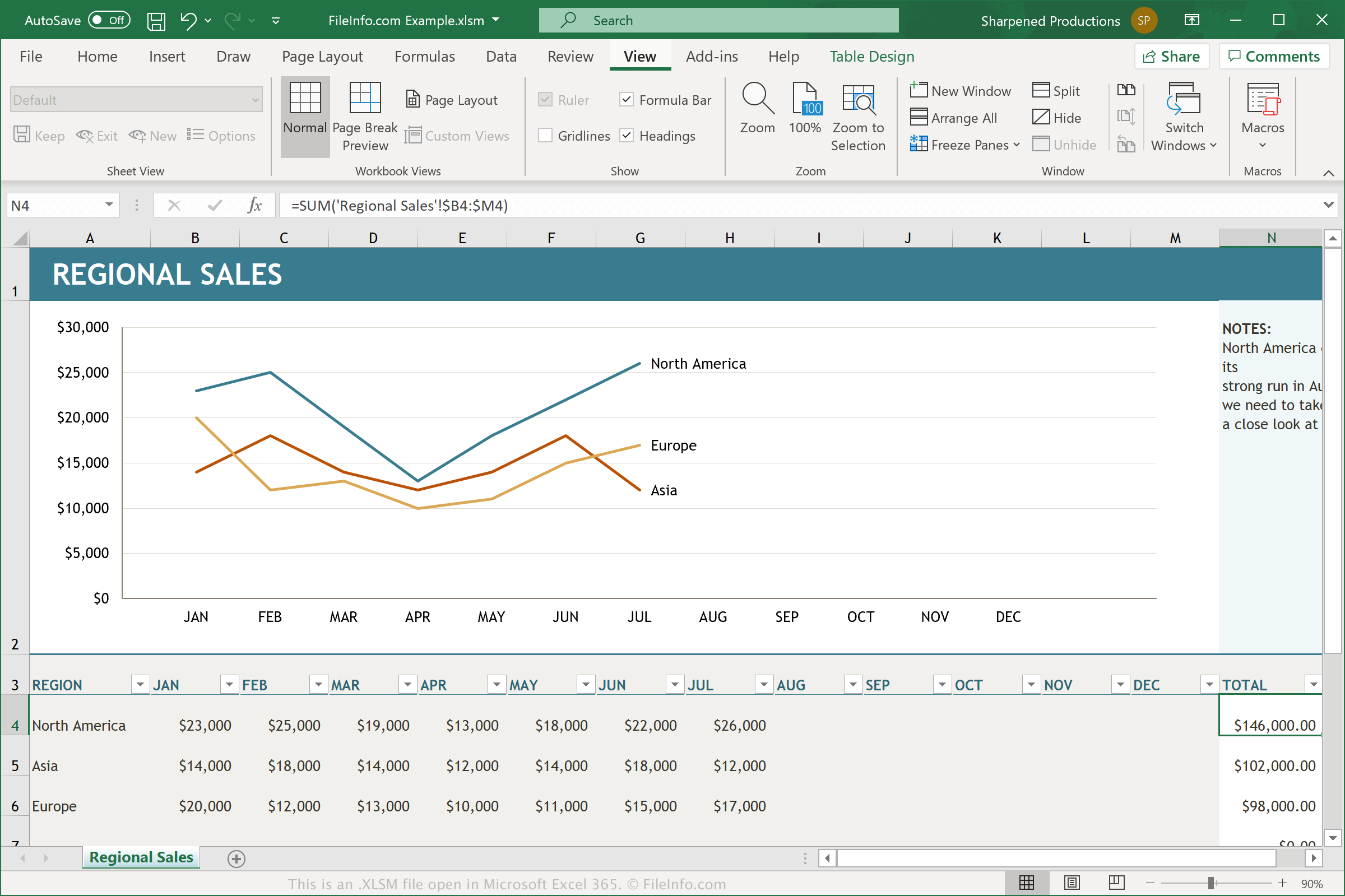
Soubory XLSM jsou soubory .XLSX s povolenými makry. Makro je užitečná funkce, která funguje jako skript a umožňuje uživatelům automatizovat opakující se úlohy. Excel obsahuje stovky maker, ale můžete také zaznamenat vlastní makra, která se skládají z úhozů kláves a kliknutí myší provádějících konkrétní akci, a upravit je tak, abyste provedli drobné změny. Mezi příklady funkcí maker patří formátování dat ve vybraném sloupci tabulky nebo použití konkrétních matematických rovnic na data.
Pokud chce uživatel, který pomocí maker vytvořil tabulku Excelu, tato makra zachovat při opětovném otevření nebo sdílení dokumentu, musí dokument uložit jako soubor XLSM. Soubory XLSM se ukládají pomocí stejného formátu založeného na Open XML, který používají soubory XLSX, ale soubory XLSM mohou ukládat makra, zatímco soubory XLSX nikoli. Když otevřete neznámý soubor XLSM v programu Microsoft Excel, program se vás obvykle zeptá, zda chcete povolit makra.
Jak otevřít soubor XLSM
Soubory XLSM můžete otevřít v programu Microsoft Excel (Windows, Mac, Web, Android). Excel 2007 a novější verze mohou soubory XLSM ve výchozím nastavení otevřít a starší verze je mohou otevřít, pokud máte nainstalovaný Microsoft Office Compatibility Pack. Z bezpečnostních důvodů Excel ve výchozím nastavení nepovoluje makra v souborech XLSM. Chcete-li makra v souboru XLSM povolit, po zobrazení výzvy klikněte na .
Soubory XLSM můžete otevřít také v dalších tabulkových aplikacích, včetně programů Corel Quattro Pro (Windows), MobiSystems OfficeSuite Pro (iOS, Android) a Google Sheets (web, iOS, Android, Chrome OS).
Jak převést soubor XLSM
Různé tabulkové aplikace, včetně programů Microsoft Excel a Corel Quattro Pro, mohou převádět soubory XLSM do jiných formátů.
Chcete-li například v převést soubory XLSM v mobilních a počítačových verzích programu Microsoft Excel pro Windows a Mac do jednoho z následujících formátů, vyberte možnost :
- .XLSX - tabulka Microsoft Excel
- .XLS - tabulka Microsoft Excel (starší)
- .XLSB - binární tabulka Microsoft Excel
- .ODS - tabulka OpenDocument
- .CSV - hodnoty oddělené čárkami
- .DIF - formát pro výměnu dat
- .PDF - Portable Document Format
- .RTF - formát Rich Text
- .TXT - prostý text
- .HTM, .HTML - webová stránka HTML
- .XML - Extensible Markup Language
- .MHT, .MHTML - archiv MIME HTML
- .XPS - XML Paper Specification (pouze Windows)
Upozornění
Ačkoli jsou soubory XLSM obvykle legitimními tabulkami Microsoft Excel, mohou být také použity k šíření a provádění útoků malwaru na počítačích obětí. Chcete-li se chránit před škodlivými útoky prostřednictvím souborů XLSM, nikdy soubor XLSM neotevírejte ani v něm nepovolujte makra, pokud nemůžete ověřit jeho legitimitu a zdroj.