

.XLSM ファイル拡張子
Microsoft Excelマクロ有効スプレッドシート
| 開発元 | Microsoft |
| 人気度 |
3.8 | 132 票 |
XLSMファイルとは?
XLSMファイルは、Microsoft Officeスイートに含まれる広く使われている表計算プログラム、Microsoft Excelで作成されたマクロ有効スプレッドシートです。行と列に配置されたセルのワークシートに加え、Visual Basic for Applications(VBA)言語でプログラミングされた埋め込みマクロが含まれています。XLSMファイルは、Microsoft Office 2007で導入されたOpen XML形式で保存されます。
詳細情報
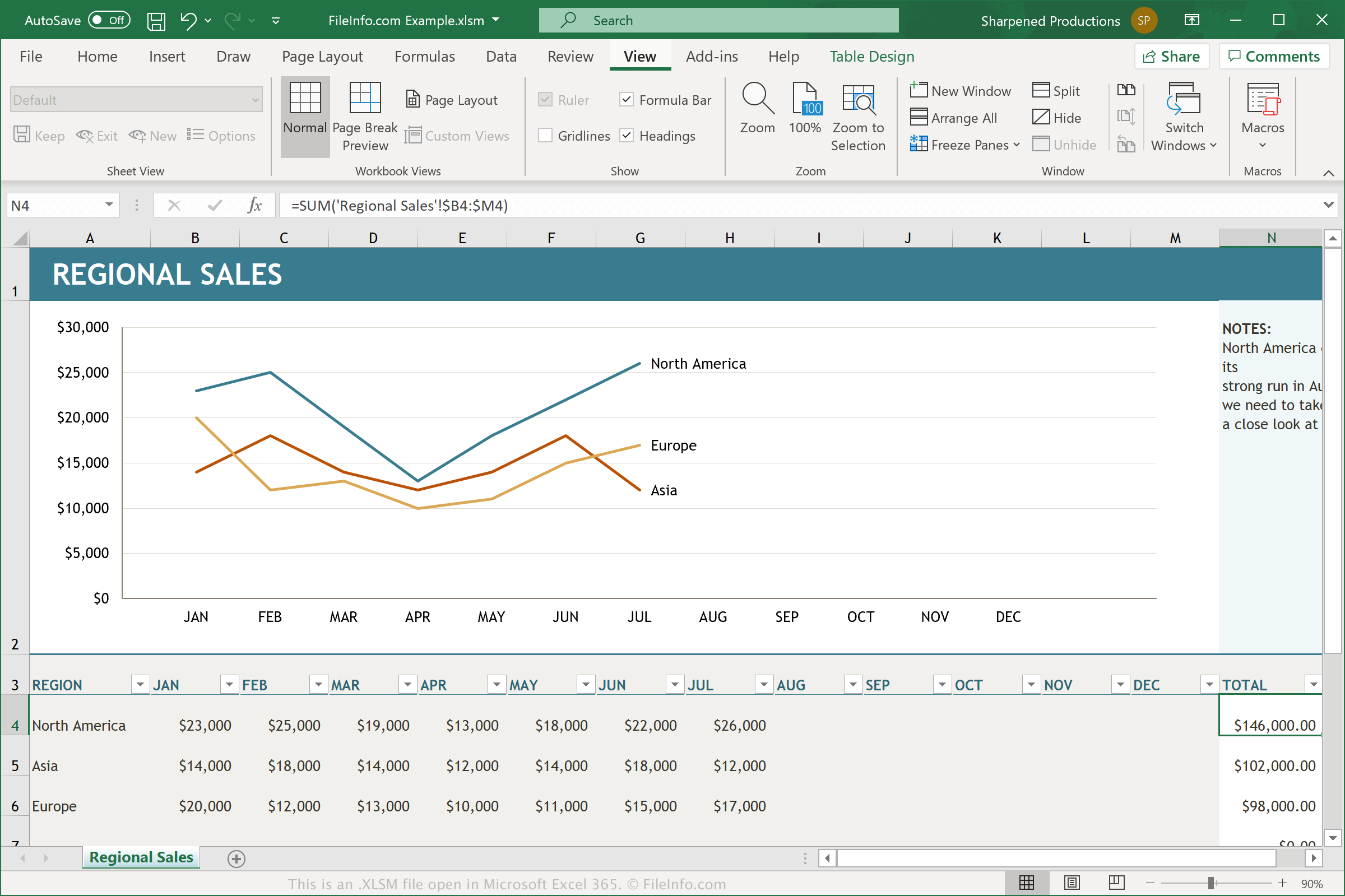
XLSMファイルは、マクロが有効になった.XLSXファイルです。マクロはスクリプトのように機能する便利な機能で、ユーザーは反復的な作業を自動化できます。Excelには数百種類のマクロがあらかじめ用意されていますが、特定の操作を実行するキー入力やマウスクリックで構成された独自のマクロを記録し、編集して小さな変更を加えることもできます。マクロの機能の例としては、スプレッドシートで選択した列のデータの書式設定や、データへの特定の数式の適用などがあります。
マクロを使用してExcelスプレッドシートを作成したユーザーが、文書を再び開いたり共有したりするときにそのマクロを保持したい場合は、文書をXLSMファイルとして保存する必要があります。XLSMファイルはXLSXファイルと同じOpen XMLベースの形式で保存されますが、XLSMファイルにはマクロを保存できるのに対し、XLSXファイルには保存できません。Microsoft Excelで見慣れないXLSMファイルを開くと、通常はマクロを有効にするかどうかを確認するメッセージが表示されます。
XLSMファイルの開き方
Microsoft Excel(Windows、Mac、Web、Android)でXLSMファイルを開けます。Excel 2007以降のバージョンでは、デフォルトでXLSMファイルを開けます。以前のバージョンでは、Microsoft Office互換機能パックをインストールしていればXLSMファイルを開けます。セキュリティ上の理由から、ExcelはデフォルトでXLSMファイルのマクロを有効にしません。XLSMファイルでマクロを有効にするには、確認メッセージが表示されたときにをクリックします。
Corel Quattro Pro(Windows)、MobiSystems OfficeSuite Pro(iOS、Android)、Google Sheets(Web、iOS、Android、Chrome OS)など、ほかの表計算アプリケーションでもXLSMファイルを開けます。
XLSMファイルの変換方法
Microsoft ExcelやCorel Quattro Proなど、さまざまな表計算アプリケーションでXLSMファイルをほかの形式に変換できます。
たとえば、Microsoft ExcelのWindows版およびMac版でを選択すると、XLSMファイルを次のいずれかの形式に変換できます。
- .XLSX - Microsoft Excelスプレッドシート
- .XLS - Microsoft Excelスプレッドシート(旧形式)
- .XLSB - Microsoft Excelバイナリスプレッドシート
- .ODS - OpenDocumentスプレッドシート
- .CSV - カンマ区切り値
- .DIF - データ交換形式
- .PDF - Portable Document Format
- .RTF - Rich Text Format
- .TXT - プレーンテキスト
- .HTM, .HTML - HTML Webページ
- .XML - Extensible Markup Language
- .MHT, .MHTML - MIME HTMLアーカイブ
- .XPS - XML Paper Specification(Windowsのみ)
警告
XLSMファイルは通常、正規のMicrosoft Excelスプレッドシートですが、被害者のコンピューターにマルウェア攻撃を配布して実行するために使われることもあります。悪意のあるXLSM攻撃から身を守るため、正当性と入手元を確認できない限り、XLSMファイルを開いたり、その中のマクロを有効にしたりしないでください。