.LDOC 파일 확장자

CutOut Project

개발사 FRANZIS
인기도
2.0  |  1 투표
 

LDOC 파일이란 무엇인가요?

An LDOC file is a project created by FRANZIS CutOut, an app for cutting out objects in images. It stores an image with layers, masks, text, and other edits a CutOut user applies to a project.

추가 정보

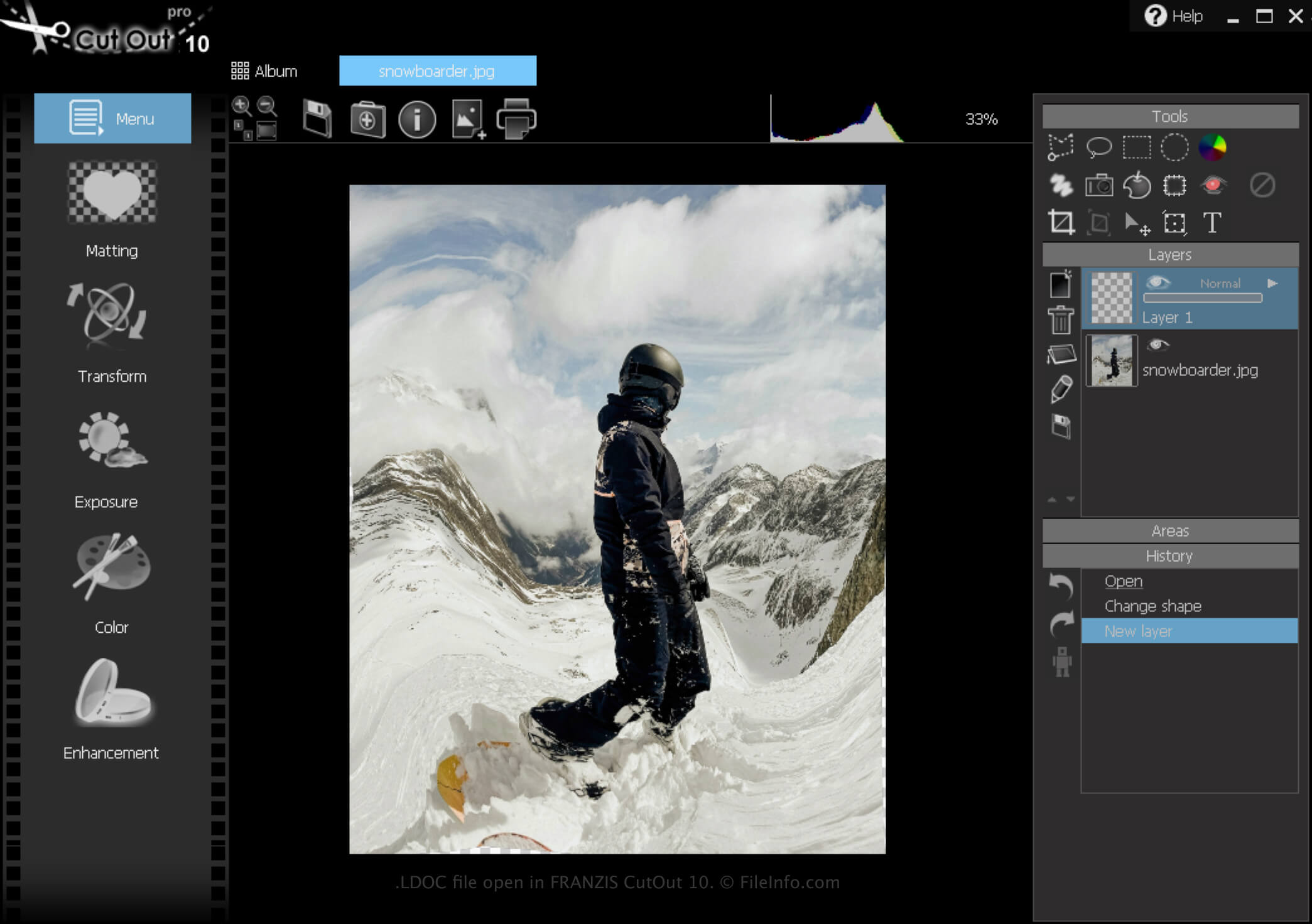
FRANZIS CutOut 10에서 열린 .ldoc 파일의 스크린샷
FRANZIS CutOut 10에서 열린 LDOC 파일

CutOut is a Windows app that provides various tools for removing images' backgrounds and composing photo collages. In addition, the software allows you to save projects, close them, then re-open them for further editing.

How to create an LDOC file

To create an LDOC file with CutOut:

  1. Click the Menu icon
  2. Select File → Save as...
  3. Choose "Project file"

After you finish editing your project, you can save it in a widely supported image format, such as .JPEG or .TIFF.

LDOC 파일을 여는 방법

You can open an LDOC file with FRANZIS CutOut in Windows by clicking the Menu icon, then selecting Load project....

LDOC 파일을 변환하는 방법

CutOut can convert an LDOC file to the following image formats:

  • .JPG - JPEG Image
  • .PNG - Portable Network Graphic
  • .TIF - Tagged Image File Format
  • .GIF - Graphical Interchange Format
  • .BMP - Bitmap Image
  • .PCX - Paintbrush Bitmap Image
File Viewer Plus(으)로 400개 이상의 파일 형식을 여세요.무료 다운로드

LDOC 파일을 여는 프로그램

Windows
무료 체험판

검증자 FileInfo.com

FileInfo.com 팀 이 페이지에 나열된 CutOut Project 파일 형식과 Windows 앱을 독자적으로 조사했습니다. 저희의 목표는 100% 정확성이며, 검증한 파일 유형에 대한 정보만 게시합니다.

이 페이지에 추가하거나 업데이트할 내용을 제안하고 싶으시면 알려 주세요.