

.LDOC Přípona souboru
Projekt CutOut
| Vývojář | FRANZIS |
| Popularita |
2,0 | 1 hlas |
Co je soubor LDOC?
Soubor LDOC je projekt vytvořený v aplikaci FRANZIS CutOut pro vyřezávání objektů z obrázků. Ukládá obrázek s vrstvami, maskami, textem a dalšími úpravami, které uživatel aplikace CutOut v projektu provede.
Další informace
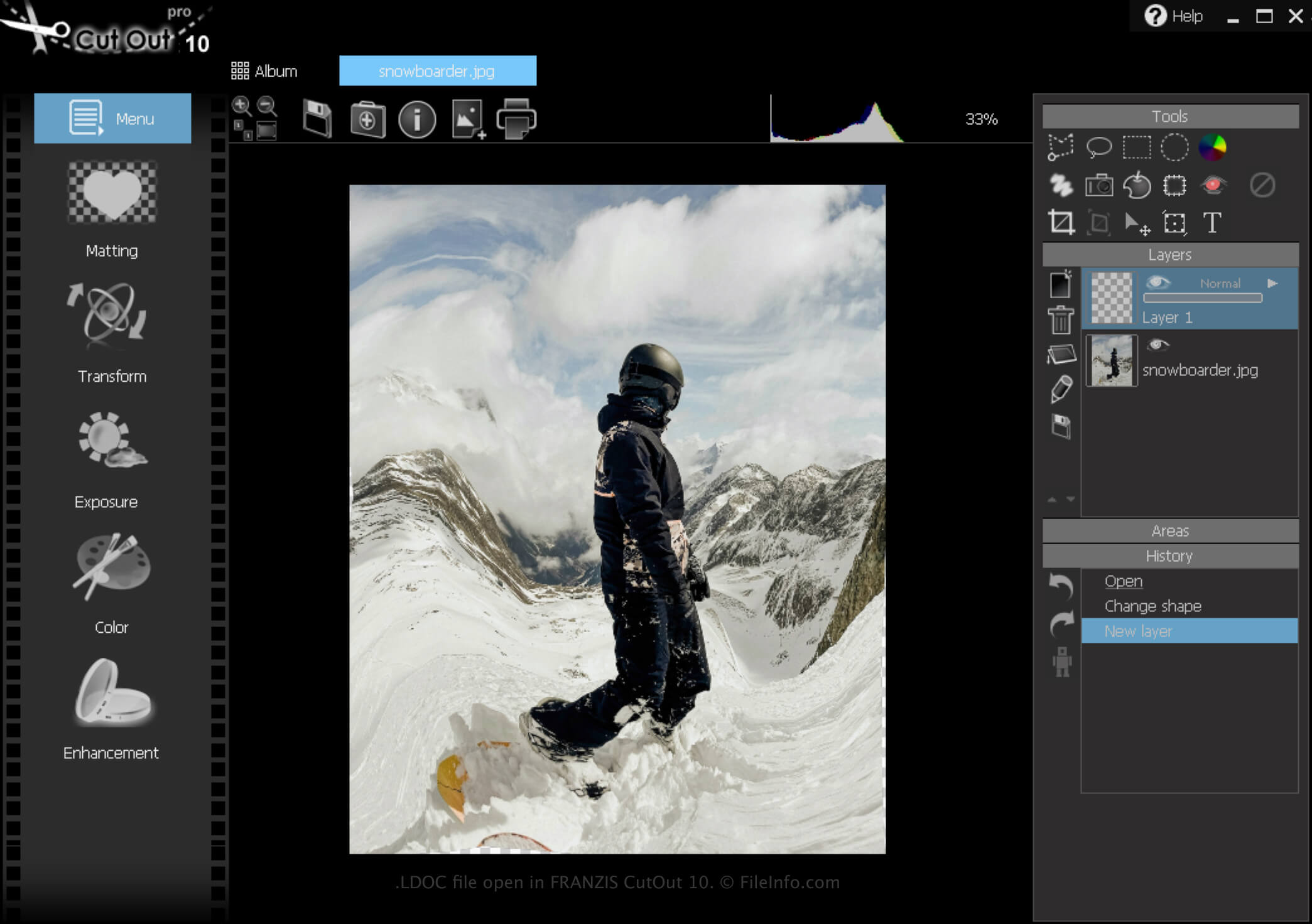
CutOut je aplikace pro Windows, která poskytuje různé nástroje pro odstraňování pozadí obrázků a vytváření fotografických koláží. Kromě toho vám software umožňuje projekty uložit, zavřít a později znovu otevřít pro další úpravy.
Jak vytvořit soubor LDOC
Soubor LDOC vytvoříte pomocí aplikace CutOut takto:
- Klikněte na ikonu nabídky
- Vyberte
- Vyberte možnost „Project file“
Po dokončení úprav projektu jej můžete uložit v široce podporovaném obrazovém formátu, například .JPEG nebo .TIFF.
Jak otevřít soubor LDOC
Soubor LDOC můžete v systému Windows otevřít pomocí aplikace FRANZIS CutOut. Klikněte na ikonu nabídky a poté vyberte .
Jak převést soubor LDOC
Programy, které otevírají soubory LDOC
Windows
Zkušební verze zdarma