

.SMI Přípona souboru
Soubor s titulky SAMI
| Vývojář | Microsoft |
| Popularita |
2,8 | 13 hlasů |
Soubor SMI je soubor s titulky ve prostém textu, který je zapsán ve formátu SAMI (Synchronized Accessible Media Interchange). Obsahuje text titulků, informace o časování a informace o stylu. Soubory SMI lze použít k zobrazování titulků v různých přehrávačích médií.
Další informace
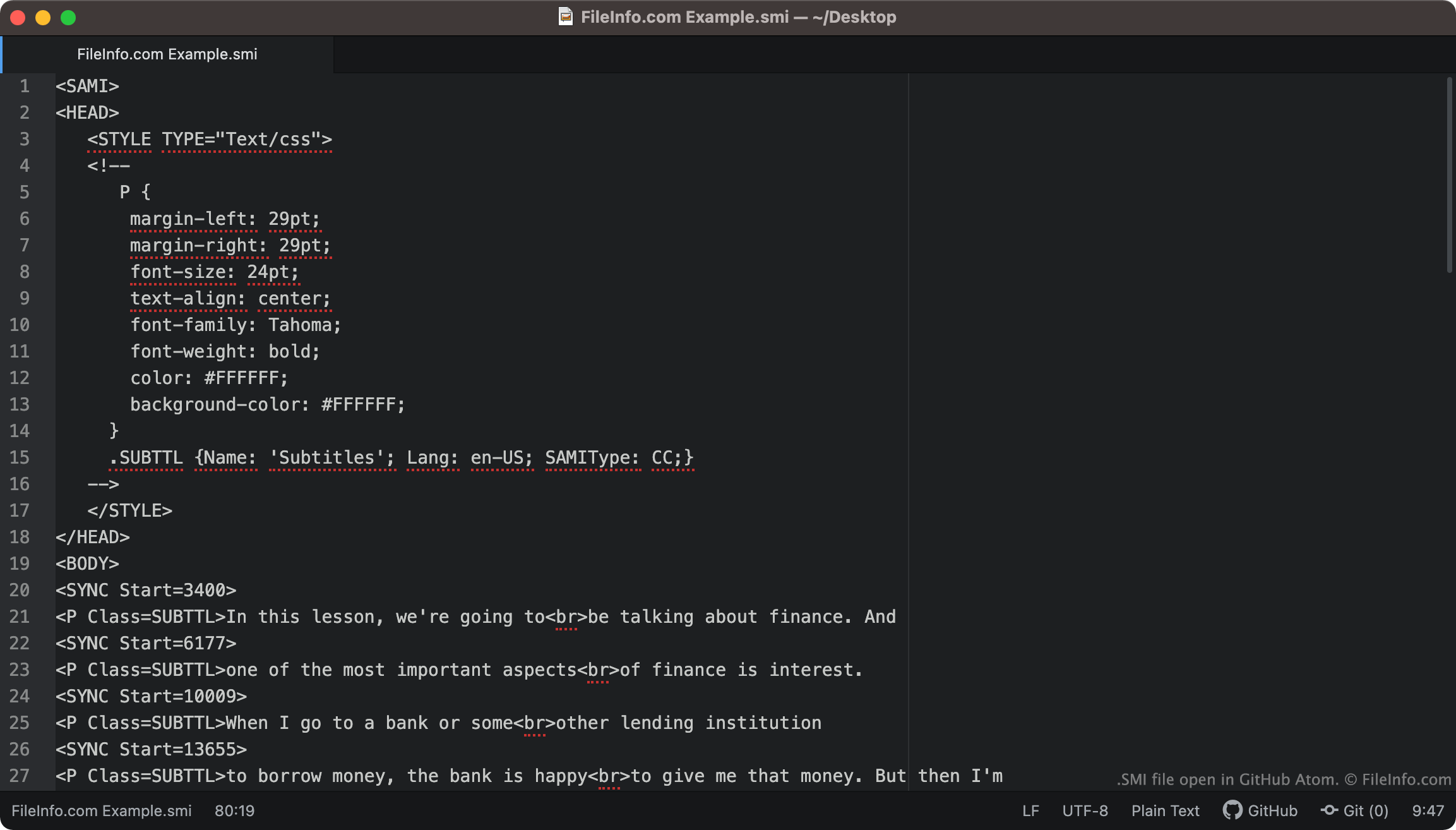
Soubory SMI vždy obsahují <SAMI> jako svůj první řádek textu. Soubor následně definuje okraje titulků, písmo, zarovnání textu a barvu.
Obsažené titulky v souboru začínají značkou <BODY>. Každý řádek textu titulků je spojen se značkou <SYNC Start=>, která určuje, kdy se daný řádek textu zobrazí na obrazovce. Časy SYNC Start se obvykle zapisují v milisekundách (řádek textu spojený se značkou <SYNC Start=3400> se tedy ve videu zobrazí po 3400 ms).
POZNÁMKA: Formát SAMI vyvinula společnost Microsoft jako rozšíření jazyka HTML.
Jak převést titulky SMI na titulky SRT?
Formát titulků .SRT je běžnější než formát SMI. Možná proto budete chtít převést své titulky SMI do formátu SRT.
Web SubtitleTools.com nabízí převodník s názvem Convert Subtitles to Srt, který můžete použít k převodu souborů SMI do formátu SRT. Převod souborů SMI do formátu SRT umožňuje také web MConverter.eu.
Jak otevřít soubor SMI
Soubor SMI můžete použít jako stopu s titulky v následujících přehrávačích médií:
- VideoLAN VLC media player (pro více platforem)
- MPlayer (pro více platforem)
- Microsoft Windows Media Player (Windows)
Chcete-li například použít soubor SMI jako stopu s titulky v přehrávači VLC media player:
- Otevřete VLC media player a začněte přehrávat video, se kterým chcete soubor SMI použít.
- Na liště nabídek VLC Media Player vyberte .
- Vyhledejte a otevřete soubor SMI.
Pokud potřebujete upravit titulky obsažené v souboru SMI, můžete soubor otevřít a upravit v libovolném textovém editoru, například v programu Microsoft Notepad (Windows), Apple TextEdit (Mac) nebo GitHub Atom (pro více platforem).