.XLTM 文件扩展名

Microsoft Excel Macro-Enabled Spreadsheet Template

开发者 Microsoft
受欢迎程度
3.6  |  16 
 

什么是 XLTM 文件?

An XLTM file is a macro-enabled spreadsheet template created by Microsoft Excel. In addition to one or more macros, it may store settings, layout information, and spreadsheet data. Excel users save spreadsheets as XLTM files when they look to create multiple spreadsheets (primarily .XLSM) with the same information and layout.

更多信息

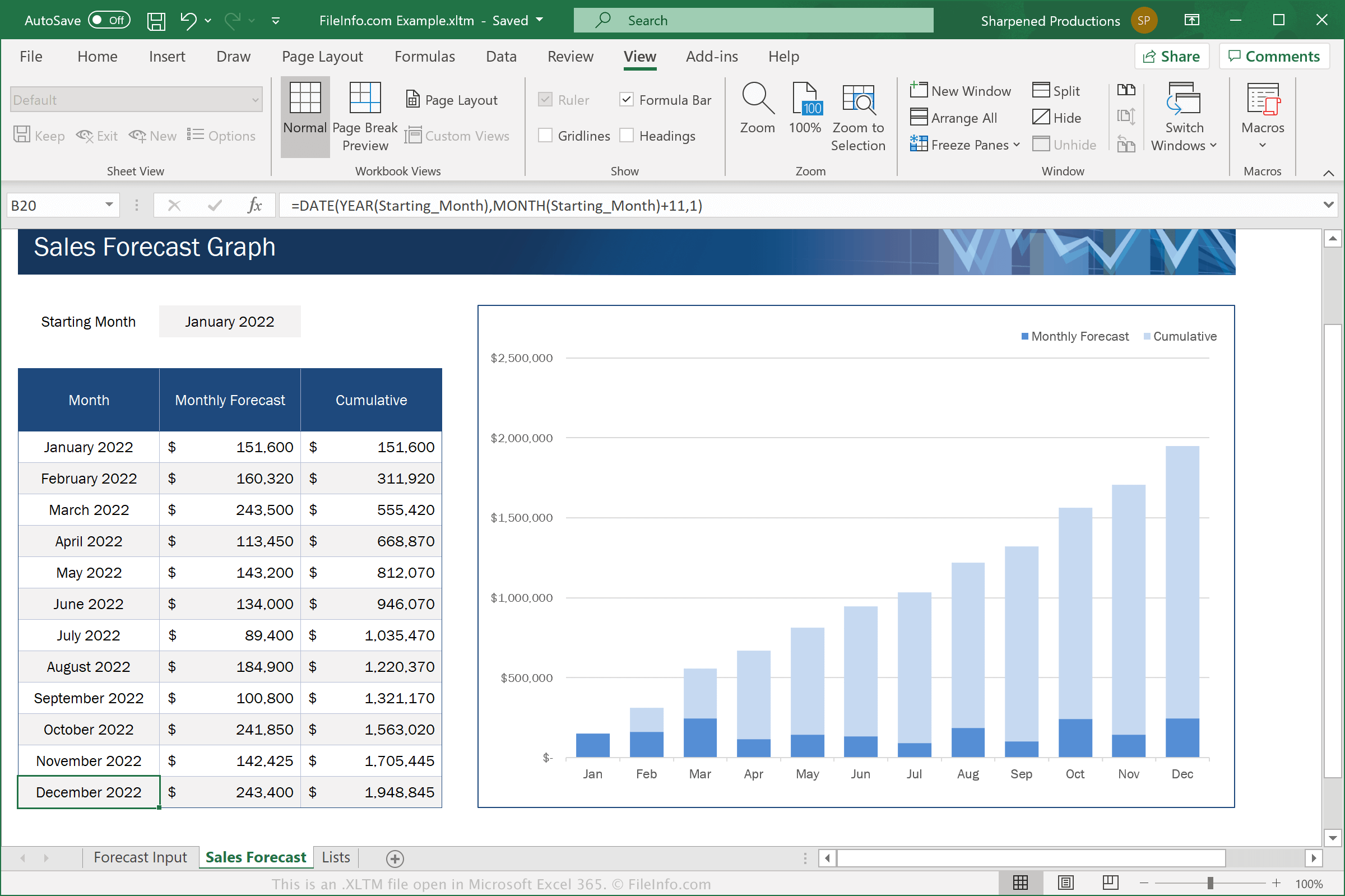
在 Microsoft Excel 365 中打开的 .xltm 文件截图
在 Microsoft Excel 365 中打开的 XLTM 文件

Excel is a spreadsheet application included in the Microsoft Office suite. The software comes with .XLTX templates for various categories, such as Business, Personal, Budgets, and Charts

XLTM files are similar to XLTX files. However, XLTM files support macros, which are a series of commands a user has grouped so they can quickly execute a repetitive or complex task, such as formatting a document, entering data, or performing calculations.

To save a spreadsheet as an XLTM file with Microsoft Excel, select File → Save As, then choose "Excel Macro-Enabled Template" from the format dropdown menu.

注: If you want to create a spreadsheet from an XLTM template that still supports macros, you must save it as an XLSM file. But if you want to create a spreadsheet from an XLTM template that does not need to support macros, you can save it as an .XLSX file.

如何打开 XLTM 文件

You can open XLTM files in Microsoft Excel (Windows, Mac, iOS, Android). Excel 2007 and later versions can open XLSM files by default, and earlier versions can open XLSM files if you have installed the Microsoft Office Compatibility Pack. For security reasons, Excel does not enable XLTM files' macros by default. To enable macros in an XLTM file, click Enable Macros when prompted.

After you open your XLTM file in Excel, you can either edit the template the XLTM file contains, or you can use the XLTM file to create a new spreadsheet.

警告

While XLTM files are typically legitimate Microsoft Excel spreadsheet templates, they may also be used to distribute and execute malware attacks on victims' computers. To protect against malicious XLSM attacks, never open or enable macros within an XLSM file unless you can verify its legitimacy and source.

使用File Viewer Plus打开并查看 .xltm 文件。免费下载

可打开 XLTM 文件的程序

Windows
Mac
Web
iOS
Android
Chrome OS

验证者 FileInfo.com

FileInfo.com 团队 独立研究了本页面列出的 Microsoft Excel Macro-Enabled Spreadsheet Template 文件格式和 Mac, Windows, Android, and iOS 应用。 我们的目标是达到 100% 的准确率,并且仅发布我们已验证过的文件类型信息。

如果您想为此页面提出新增或更新建议,请告诉我们