

.XLTM Bestandsextensie
Microsoft Excel-spreadsheet-sjabloon met macro's
| Ontwikkelaar | Microsoft |
| Populariteit |
3,6 | 16 stemmen |
Wat is een XLTM-bestand?
Een XLTM-bestand is een spreadsheet-sjabloon met macro's, gemaakt door Microsoft Excel. Naast een of meer macro's kan het instellingen, indelingsinformatie en spreadsheetgegevens opslaan. Excel-gebruikers slaan spreadsheets op als XLTM-bestanden wanneer ze meerdere spreadsheets (voornamelijk .XLSM) met dezelfde informatie en indeling willen maken.
Meer informatie
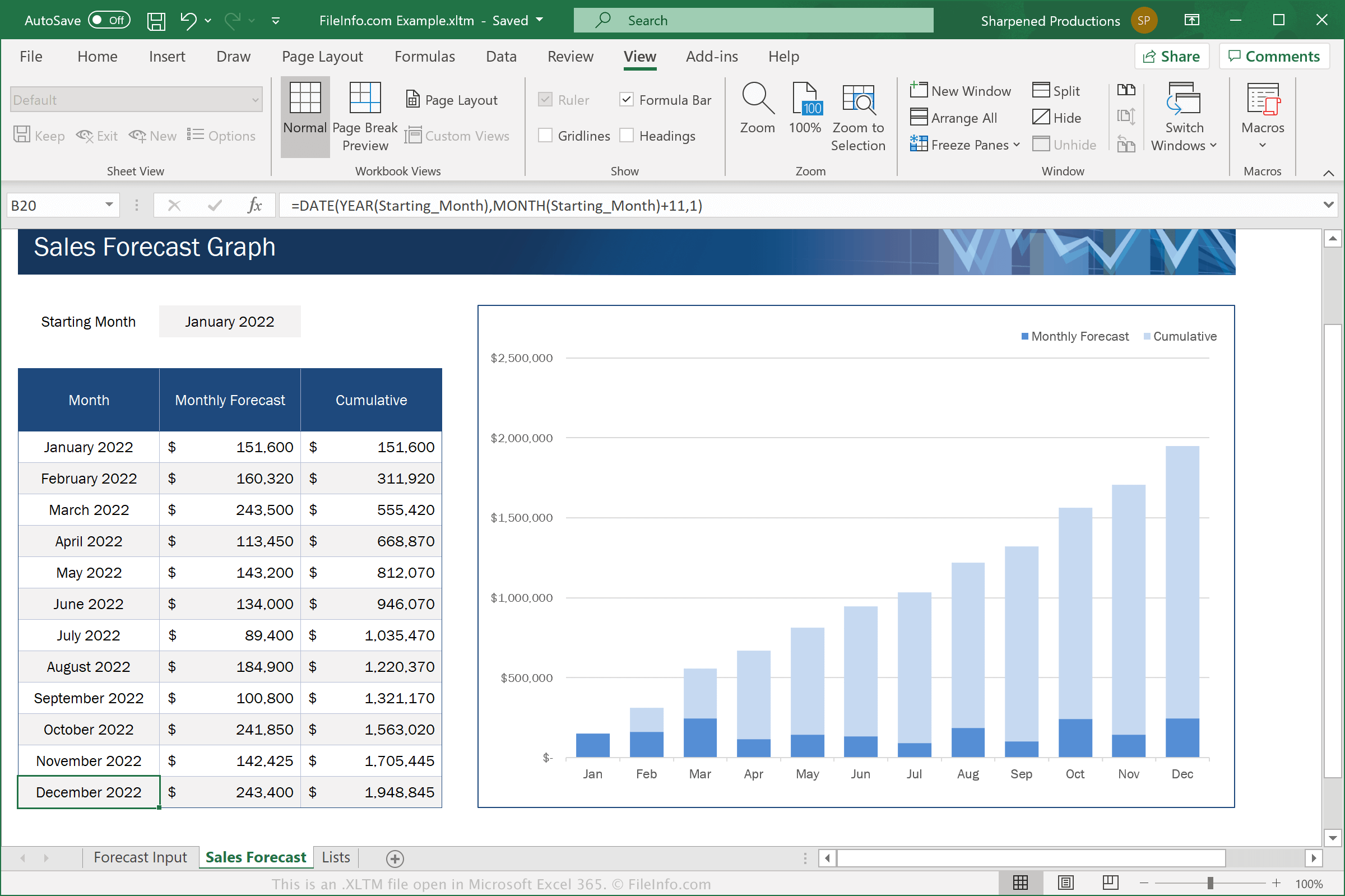
Excel is een spreadsheetprogramma dat deel uitmaakt van de Microsoft Office-suite. De software wordt geleverd met .XLTX-sjablonen voor verschillende categorieën, zoals Zakelijk, Persoonlijk, Budgetten en Grafieken
XLTM-bestanden lijken op XLTX-bestanden. XLTM-bestanden ondersteunen echter macro's. Dit zijn reeksen opdrachten die een gebruiker heeft gegroepeerd, zodat die snel een herhalende of complexe taak kan uitvoeren, zoals een document opmaken, gegevens invoeren of berekeningen uitvoeren.
Als je een spreadsheet met Microsoft Excel wilt opslaan als XLTM-bestand, selecteer je en kies je vervolgens "Excel Macro-Enabled Template" in het vervolgkeuzemenu voor de bestandsindeling.
OPMERKING: Als je een spreadsheet wilt maken vanuit een XLTM-sjabloon dat macro's blijft ondersteunen, moet je deze opslaan als een XLSM-bestand. Maar als je een spreadsheet wilt maken vanuit een XLTM-sjabloon waarvoor geen ondersteuning voor macro's nodig is, kun je deze opslaan als een .XLSX-bestand.
Een XLTM-bestand openen
Je kunt XLTM-bestanden openen met Microsoft Excel (Windows, Mac, iOS, Android). Excel 2007 en latere versies kunnen XLSM-bestanden standaard openen. Eerdere versies kunnen XLSM-bestanden openen als je het Microsoft Office Compatibility Pack hebt geïnstalleerd. Om veiligheidsredenen schakelt Excel de macro's van XLTM-bestanden standaard niet in. Als je macro's in een XLTM-bestand wilt inschakelen, klik je op wanneer daarom wordt gevraagd.
Nadat je je XLTM-bestand in Excel hebt geopend, kun je het sjabloon dat het XLTM-bestand bevat bewerken of het XLTM-bestand gebruiken om een nieuwe spreadsheet te maken.
Waarschuwing
Hoewel XLTM-bestanden doorgaans legitieme Microsoft Excel-spreadsheet-sjablonen zijn, kunnen ze ook worden gebruikt om malwareaanvallen op computers van slachtoffers te verspreiden en uit te voeren. Open of schakel macro's in een XLSM-bestand nooit in tenzij je de legitimiteit en bron ervan kunt verifiëren, om je te beschermen tegen schadelijke XLSM-aanvallen.