.SFD 文件扩展名

Sofdec Dreamcast Movie

开发者 不适用
受欢迎程度
4.1  |  219 
 
🔍使用File Helper直接在您的网络浏览器中打开 .SFD 文件在线查看

什么是 SFD 文件?

Video file used by video games made for Sega Dreamcast, Nintendo GameCube, Microsoft Xbox, and other video game console systems; saves video in an uncommon "Sofdec" format that is not playable on standard video players; used for playing video game cinematic sequences.

更多信息

SFD files can be converted to .MPG files using a utility called sfd2mpg, which is part of the SFD Tool Pack by SWAT. However, this utility was not widely distributed and no longer is under development. SFD files can be created using Sega's Movie Creator application, but it is also no longer being developed and was last released in 1999. The SFD Tool Pack by SWAT includes this program.

注: Pro Evolution Soccer 2012 (PES 2012) SFD files can be converted to the .MPG format using the discontinued PES Video & Audio Converter.

可打开 SFD 文件的程序

分类: 视频
更新时间: 2016-10-28

Spline Font Database

开发者 FontForge
受欢迎程度
4.0  |  40 
 

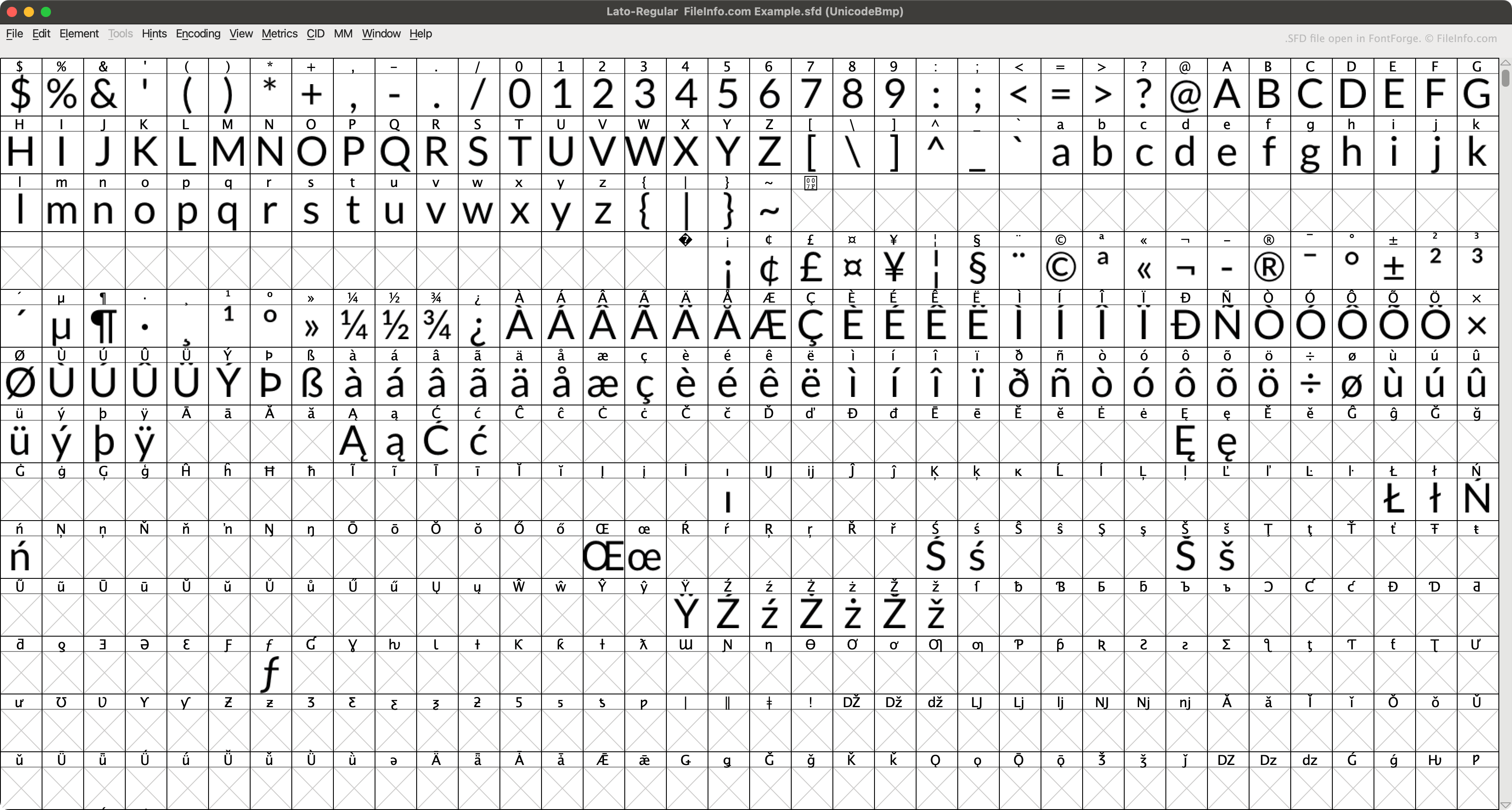
An SFD file is a font file saved in the Spline Font Database (SFD) format, the native format of FontForge. It contains ASCII text that describes a font's name, version, and included characters, as well as other data. When opened in FontForge, SFD files appear as a grid of letters, numbers, and other font characters.

更多信息

在 FontForge 中打开的 .sfd 文件截图
在 FontForge 中打开的 SFD 文件

FontForge is a free, multiplatform app that allows users to create, edit, and convert fonts. By default, FontForge saves fonts in its native SFD format (when a user selects File → Save.)

Each SFD file contains a variety of metadata about the font it describes, specified in the file's header. For example, each SFD file specifies its included font's name, font family, weight, copyright information, version, layer count, display size, and default display layer. The file then goes on to describe each of the font's characters, in entries that begin with StartChar and end with EndChar.

如何打开 SFD 文件

You can open an SFD file with FontForge (multiplatform). To do so:

  1. Open FontForge's Open Font window (either by opening the app or selecting File → Open).
  2. Set the Filter: field to FontForge's SFD.
  3. Navigate to and open your SFD file.

You can also open an SFD file with Microsoft Notepad (Windows), Apple TextEdit (Mac), or any other text editor, to view the ASCII data it contains.

如何转换 SFD 文件

You can use FontForge (multiplatform) to convert SFD files to the following font formats:

  • .TTF - TrueType Font
  • .TTC - TrueType Font Collection
  • .OTF - OpenType Font
  • .UFO - Unified Font Object
  • .DFONT - Mac OS X Data Fork Font
  • .FNT - Windows Font File
  • .WOFF - Web Open Font Format
  • .PFA - Printer Font ASCII
  • .PFB - Printer Font Binary

可打开 SFD 文件的程序

Windows
Mac
Linux
分类: 字体
更新时间: 2023-04-25

MagicScore Maestro Score File

开发者 Maestro Music Software
受欢迎程度
1.3  |  4 
 

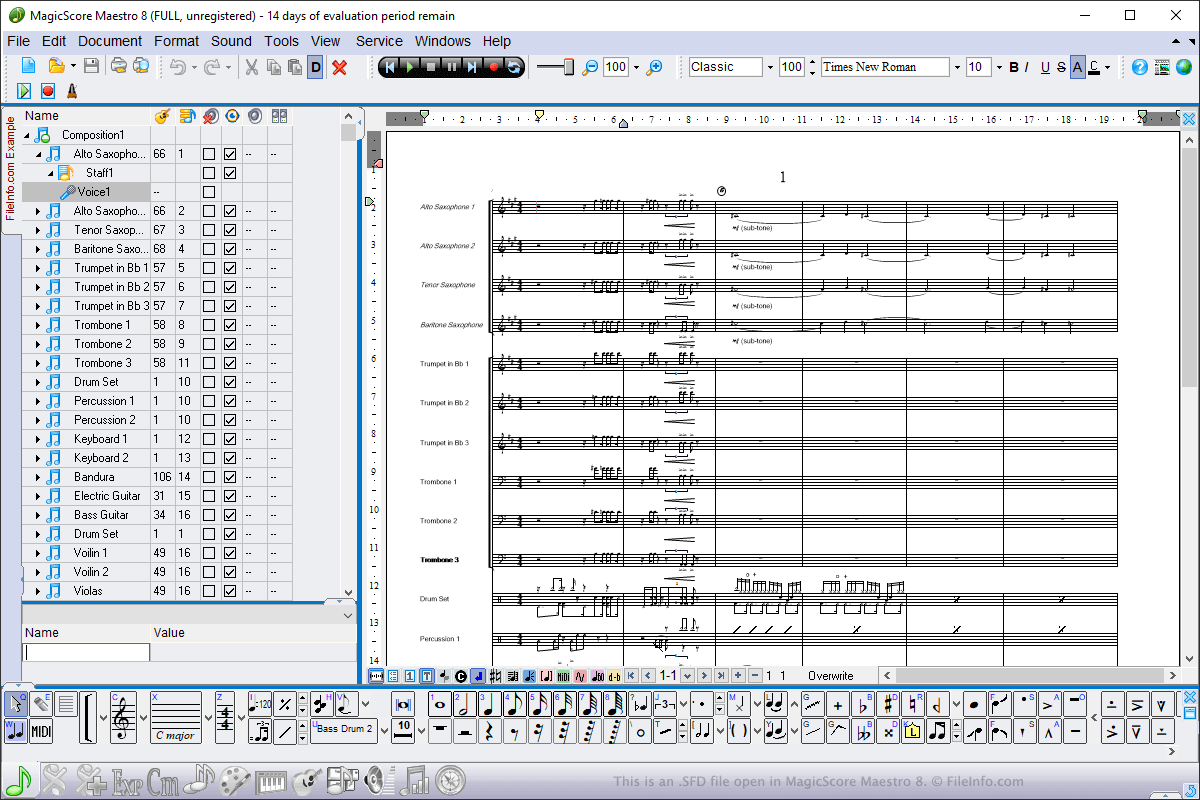
An SFD file contains a music score created by MagicScore Maestro, a music composition and notation program. It stores a composition, which may include instruments, time and key signatures, and music notes. SFD files also contain metadata, such as the title and composer of the score and the page layout of the score composition.

更多信息

在 MagicScore Maestro 8 中打开的 .sfd 文件截图
在 MagicScore Maestro 8 中打开的 SFD 文件

You can open SFD files in Windows using MagicScore Maestro. To open an SFD file, select File → Open, navigate to the location of the file, and click Open. To create an SFD file using MagicScore Maestro, select File → New, compose the score, then select File → Save or Save as...

SFD files are the main file type used by MagicScore Maestro to save scores. However, you can also save scores as .MIDI files, Karaoke .KAR files, and Music .XML files by choosing the file types from the Save As dropdown menu. You can also export scores in MagicScore Maestro to an image, audio, or .PDF file by selecting File → Export.

可打开 SFD 文件的程序

Windows
免费试用
分类: 数据
更新时间: 2019-06-26

验证者 FileInfo.com

FileInfo.com 团队 独立研究了本页面列出的所有文件格式和软件程序。 我们的目标是达到 100% 的准确率,并且仅发布我们已验证过的文件类型信息。

如果您想为此页面提出新增或更新建议,请告诉我们