.SFD 파일 확장자

Sofdec Dreamcast Movie

개발사 해당 없음
인기도
4.1  |  219 투표
 
🔍File Helper(으)로 .SFD 파일을 웹 브라우저에서 바로 여세요.온라인으로 보기

SFD 파일이란 무엇인가요?

Video file used by video games made for Sega Dreamcast, Nintendo GameCube, Microsoft Xbox, and other video game console systems; saves video in an uncommon "Sofdec" format that is not playable on standard video players; used for playing video game cinematic sequences.

추가 정보

SFD files can be converted to .MPG files using a utility called sfd2mpg, which is part of the SFD Tool Pack by SWAT. However, this utility was not widely distributed and no longer is under development. SFD files can be created using Sega's Movie Creator application, but it is also no longer being developed and was last released in 1999. The SFD Tool Pack by SWAT includes this program.

참고: Pro Evolution Soccer 2012 (PES 2012) SFD files can be converted to the .MPG format using the discontinued PES Video & Audio Converter.

SFD 파일을 여는 프로그램

카테고리: 비디오
업데이트: 2016-10-28

Spline Font Database

개발사 FontForge
인기도
4.0  |  40 투표
 

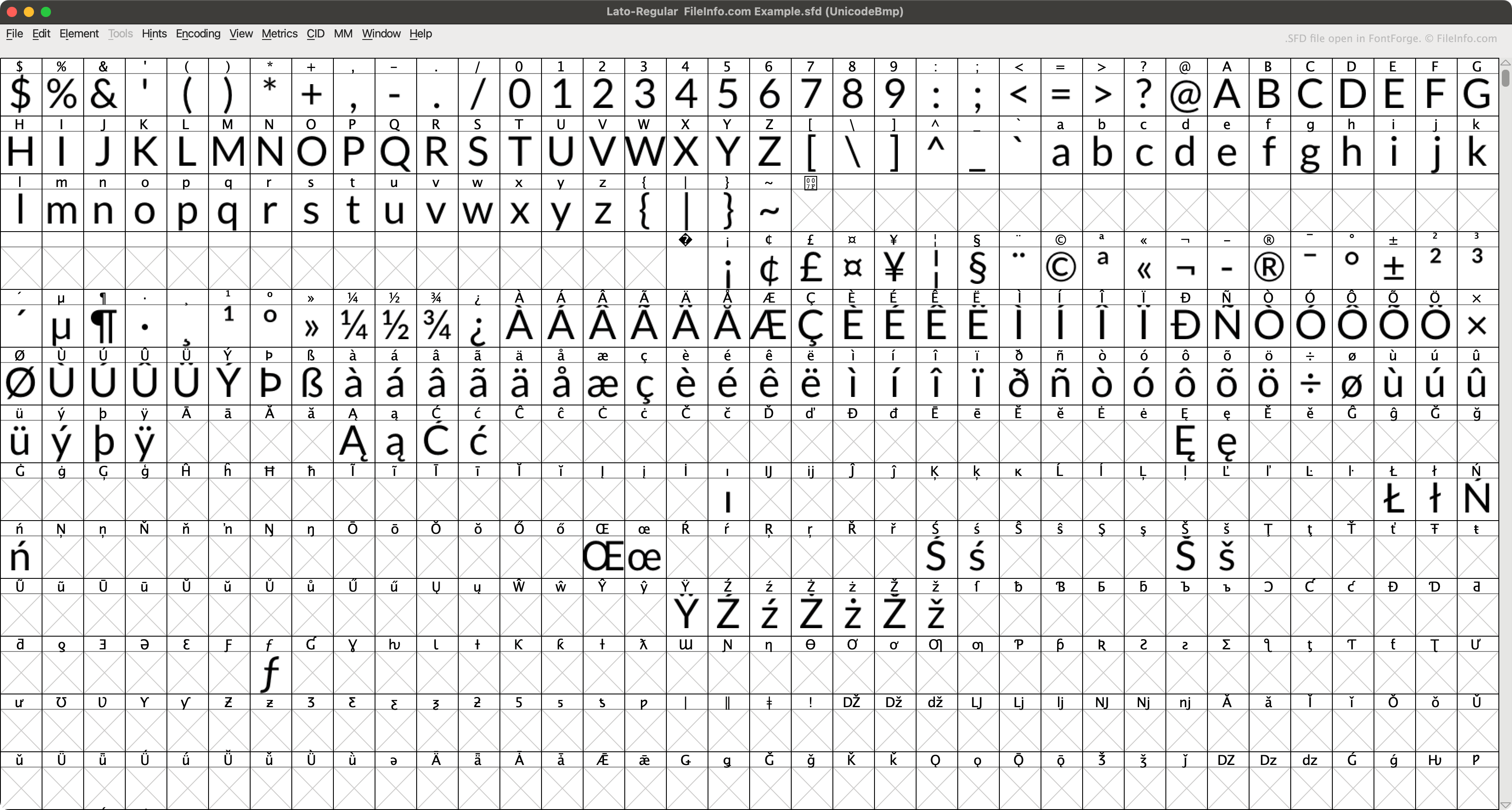
An SFD file is a font file saved in the Spline Font Database (SFD) format, the native format of FontForge. It contains ASCII text that describes a font's name, version, and included characters, as well as other data. When opened in FontForge, SFD files appear as a grid of letters, numbers, and other font characters.

추가 정보

FontForge에서 열린 .sfd 파일의 스크린샷
FontForge에서 열린 SFD 파일

FontForge is a free, multiplatform app that allows users to create, edit, and convert fonts. By default, FontForge saves fonts in its native SFD format (when a user selects File → Save.)

Each SFD file contains a variety of metadata about the font it describes, specified in the file's header. For example, each SFD file specifies its included font's name, font family, weight, copyright information, version, layer count, display size, and default display layer. The file then goes on to describe each of the font's characters, in entries that begin with StartChar and end with EndChar.

SFD 파일을 여는 방법

You can open an SFD file with FontForge (multiplatform). To do so:

  1. Open FontForge's Open Font window (either by opening the app or selecting File → Open).
  2. Set the Filter: field to FontForge's SFD.
  3. Navigate to and open your SFD file.

You can also open an SFD file with Microsoft Notepad (Windows), Apple TextEdit (Mac), or any other text editor, to view the ASCII data it contains.

SFD 파일을 변환하는 방법

You can use FontForge (multiplatform) to convert SFD files to the following font formats:

  • .TTF - TrueType Font
  • .TTC - TrueType Font Collection
  • .OTF - OpenType Font
  • .UFO - Unified Font Object
  • .DFONT - Mac OS X Data Fork Font
  • .FNT - Windows Font File
  • .WOFF - Web Open Font Format
  • .PFA - Printer Font ASCII
  • .PFB - Printer Font Binary

SFD 파일을 여는 프로그램

Windows
Mac
Linux
카테고리: 글꼴
업데이트: 2023-04-25

MagicScore Maestro Score File

개발사 Maestro Music Software
인기도
1.3  |  4 투표
 

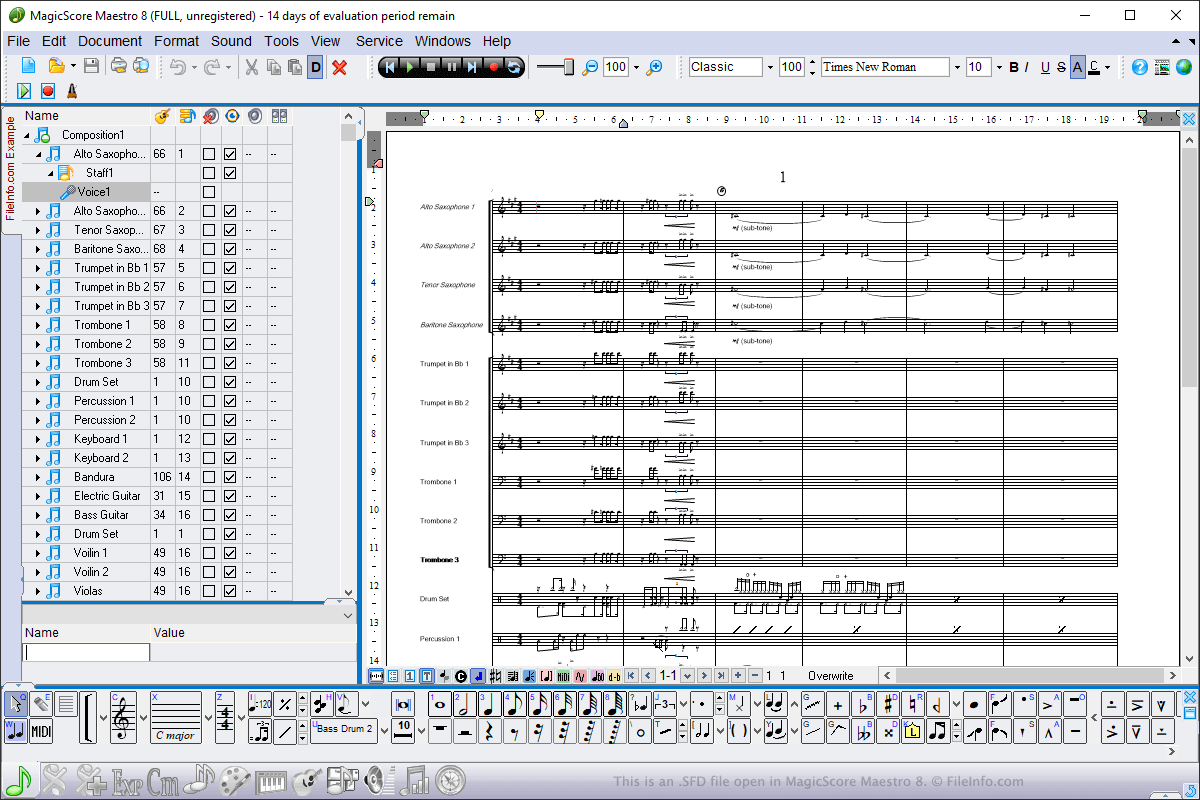
An SFD file contains a music score created by MagicScore Maestro, a music composition and notation program. It stores a composition, which may include instruments, time and key signatures, and music notes. SFD files also contain metadata, such as the title and composer of the score and the page layout of the score composition.

추가 정보

MagicScore Maestro 8에서 열린 .sfd 파일의 스크린샷
MagicScore Maestro 8에서 열린 SFD 파일

You can open SFD files in Windows using MagicScore Maestro. To open an SFD file, select File → Open, navigate to the location of the file, and click Open. To create an SFD file using MagicScore Maestro, select File → New, compose the score, then select File → Save or Save as...

SFD files are the main file type used by MagicScore Maestro to save scores. However, you can also save scores as .MIDI files, Karaoke .KAR files, and Music .XML files by choosing the file types from the Save As dropdown menu. You can also export scores in MagicScore Maestro to an image, audio, or .PDF file by selecting File → Export.

SFD 파일을 여는 프로그램

Windows
무료 체험판
카테고리: 데이터
업데이트: 2019-06-26

검증자 FileInfo.com

FileInfo.com 팀 이 페이지에 나열된 모든 파일 형식과 소프트웨어 프로그램을 독자적으로 조사했습니다. 저희의 목표는 100% 정확성이며, 검증한 파일 유형에 대한 정보만 게시합니다.

이 페이지에 추가하거나 업데이트할 내용을 제안하고 싶으시면 알려 주세요.