

.SFD Bestandsextensie
Spline Font Database
| Ontwikkelaar | FontForge |
| Populariteit |
4,0 | 40 stemmen |
Een SFD-bestand is een lettertype-bestand dat is opgeslagen in de indeling Spline Font Database (SFD), de oorspronkelijke indeling van FontForge. Het bevat ASCII-tekst die de naam, versie en opgenomen tekens van een lettertype beschrijft, evenals andere gegevens. Wanneer je SFD-bestanden opent in FontForge, worden ze weergegeven als een raster met letters, cijfers en andere tekens van het lettertype.
Meer informatie
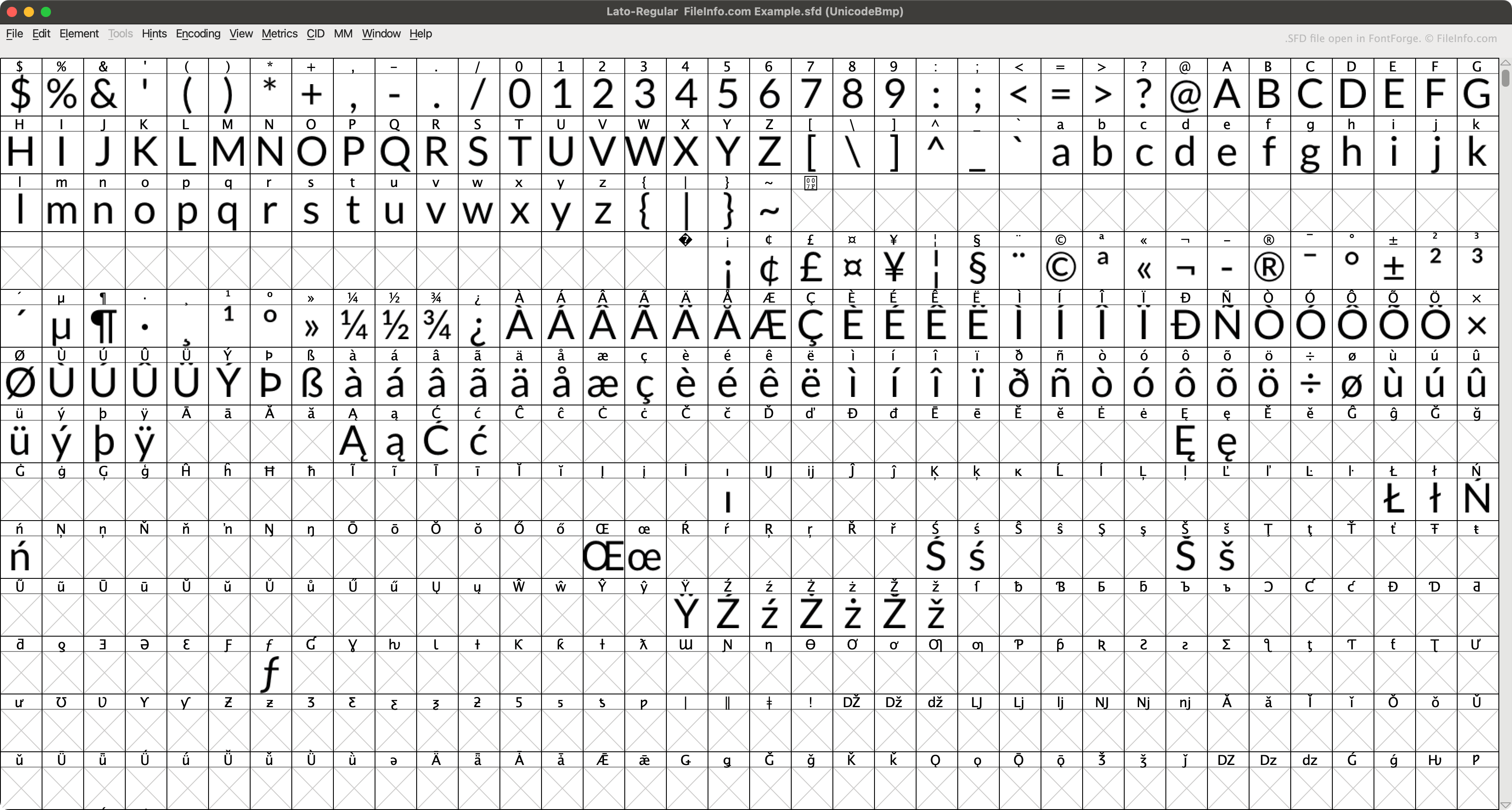
FontForge is een gratis app voor meerdere platforms waarmee je lettertypen kunt maken, bewerken en converteren. FontForge slaat lettertypen standaard op in de oorspronkelijke SFD-indeling (wanneer je selecteert).
Elk SFD-bestand bevat verschillende soorten metagegevens over het lettertype dat het beschrijft. Deze staan in de koptekst van het bestand. Elk SFD-bestand vermeldt bijvoorbeeld de naam, lettertypefamilie, dikte, copyrightinformatie, versie, het aantal lagen, de weergavegrootte en de standaardweergavelaag van het opgenomen lettertype. Vervolgens beschrijft het bestand elk teken van het lettertype in vermeldingen die beginnen met StartChar en eindigen met EndChar.
Een SFD-bestand openen
Je kunt een SFD-bestand openen met FontForge (voor meerdere platforms). Dit doe je als volgt:
- Open het venster van FontForge (door de app te openen of te selecteren).
- Stel het veld in op .
- Navigeer naar je SFD-bestand en open het.
Je kunt een SFD-bestand ook openen met Microsoft Notepad (Windows), Apple TextEdit (Mac) of een andere teksteditor om de ASCII-gegevens te bekijken die het bevat.
Een SFD-bestand converteren
Je kunt FontForge (voor meerdere platforms) gebruiken om SFD-bestanden naar de volgende indelingen voor lettertypen te converteren:
Programma's die SFD-bestanden openen
MagicScore Maestro-scorebestand
| Ontwikkelaar | Maestro Music Software |
| Populariteit |
1,3 | 4 stemmen |
Een SFD-bestand bevat een muziekpartituur die is gemaakt met MagicScore Maestro, een programma voor muziekcompositie en notatie. Het bevat een compositie, die instrumenten, maatsoorten en voortekens en muzieknoten kan bevatten. SFD-bestanden bevatten ook metagegevens, zoals de titel en componist van de partituur en de pagina-indeling van de compositie.
Meer informatie
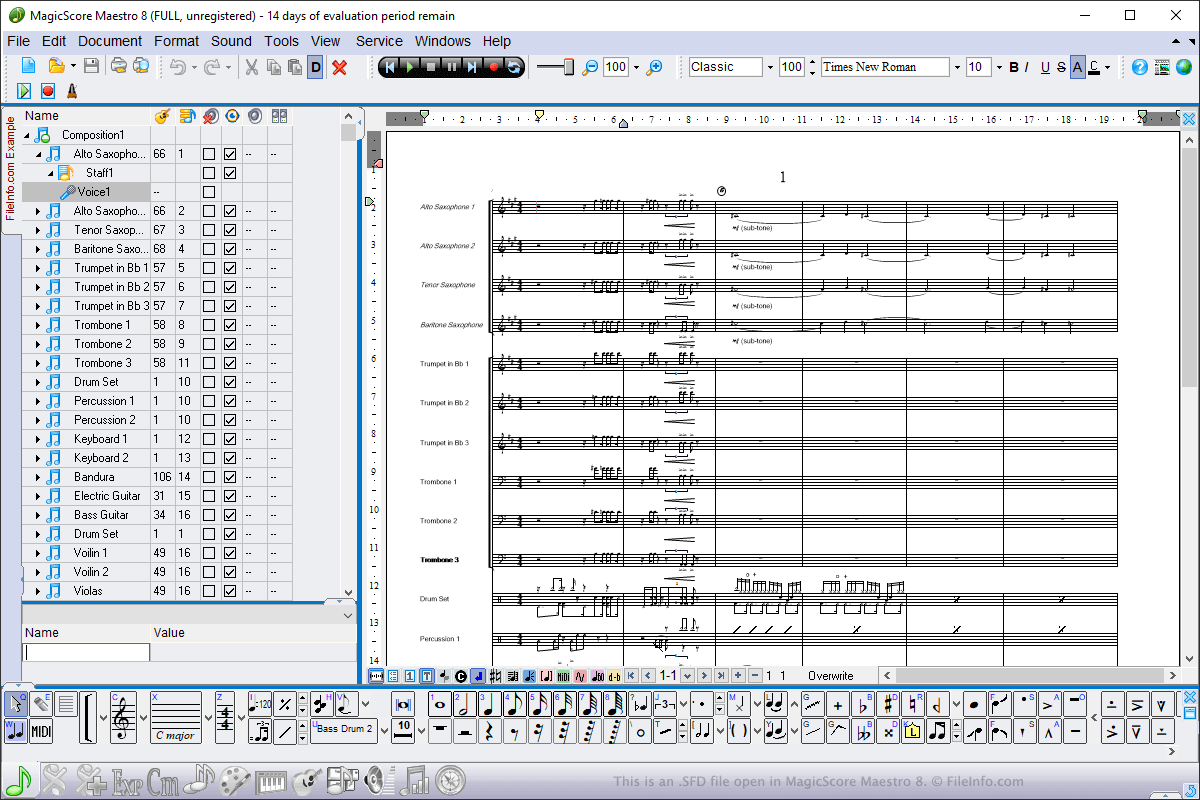
Je kunt SFD-bestanden in Windows openen met MagicScore Maestro. Om een SFD-bestand te openen, selecteer je , ga je naar de locatie van het bestand en klik je op . Om een SFD-bestand te maken met MagicScore Maestro, selecteer je , stel je de partituur samen en selecteer je vervolgens of .
SFD-bestanden zijn het belangrijkste bestandstype dat MagicScore Maestro gebruikt om partituren op te slaan. Je kunt partituren echter ook opslaan als .MIDI-bestanden, Karaoke .KAR-bestanden en Music .XML-bestanden door de bestandstypen te kiezen in het vervolgkeuzemenu . Je kunt partituren in MagicScore Maestro ook exporteren naar een afbeelding, audio- of .PDF-bestand door te selecteren.