

.SFD Extension de fichier
Base de données de polices Spline
| Développeur | FontForge |
| Popularité |
4,0 | 40 Votes |
Un fichier SFD est un fichier de police enregistré au format Spline Font Database (SFD), le format natif de FontForge. Il contient du texte ASCII qui décrit le nom et la version d'une police, ainsi que les caractères qu'elle contient et d'autres données. Lorsqu'ils sont ouverts dans FontForge, les fichiers SFD apparaissent sous forme de grille de lettres, de chiffres et d'autres caractères de police.
Plus d'informations
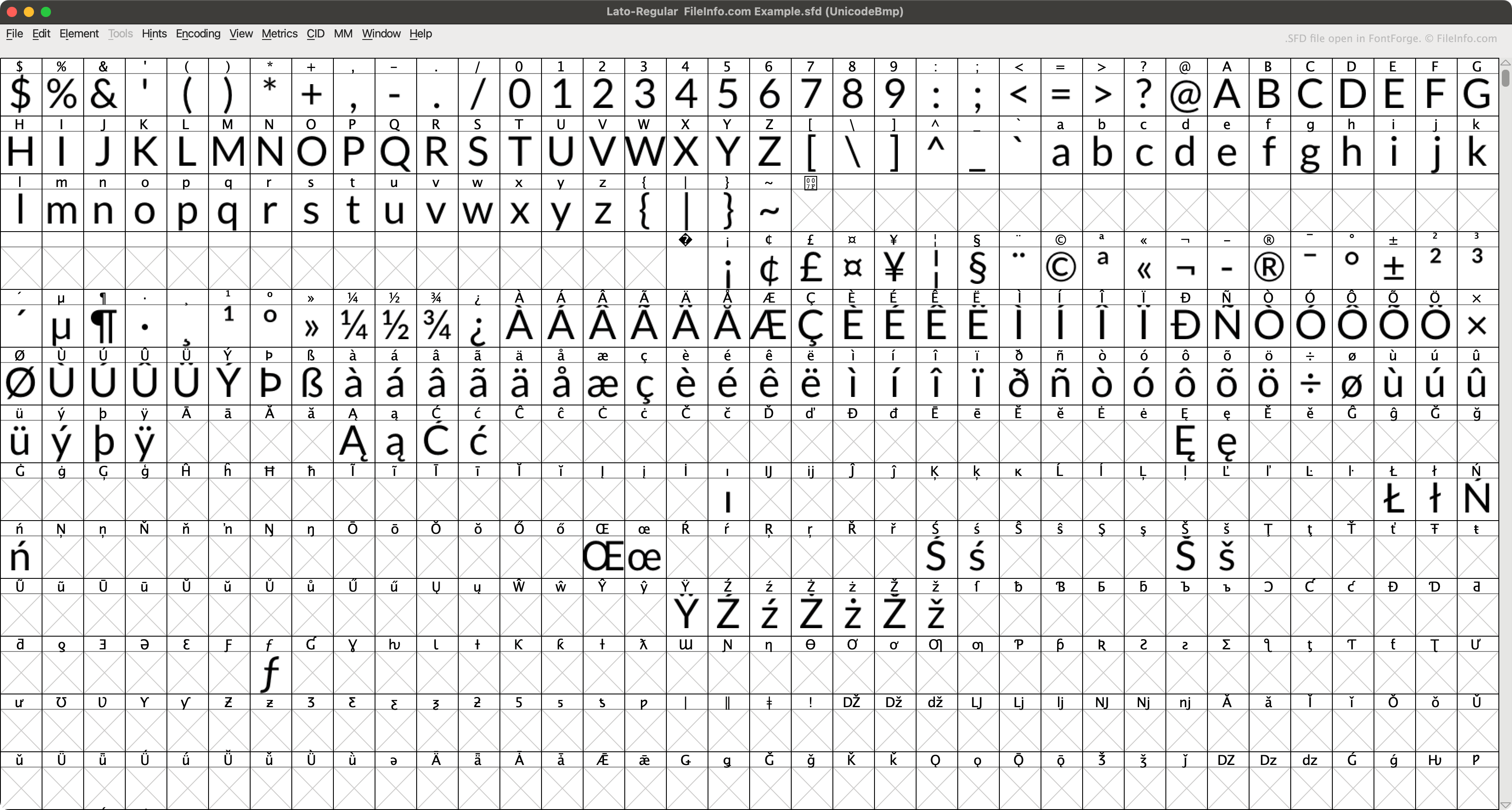
FontForge est une application gratuite et multiplateforme qui permet aux utilisateurs de créer, modifier et convertir des polices. Par défaut, FontForge enregistre les polices dans son format natif SFD (lorsqu'un utilisateur sélectionne .)
Chaque fichier SFD contient diverses métadonnées sur la police qu'il décrit, indiquées dans l'en-tête du fichier. Par exemple, chaque fichier SFD indique le nom de la police qu'il contient, sa famille, sa graisse, ses informations de droits d'auteur, sa version, le nombre de calques, la taille d'affichage et le calque d'affichage par défaut. Le fichier décrit ensuite chacun des caractères de la police, dans des entrées qui commencent par StartChar et se terminent par EndChar.
Comment ouvrir un fichier SFD
Vous pouvez ouvrir un fichier SFD avec FontForge (multiplateforme). Pour ce faire :
- Ouvrez la fenêtre de FontForge (soit en ouvrant l'application, soit en sélectionnant ).
- Définissez le champ sur .
- Accédez à votre fichier SFD et ouvrez-le.
Vous pouvez également ouvrir un fichier SFD avec Microsoft Notepad (Windows), Apple TextEdit (Mac) ou tout autre éditeur de texte pour afficher les données ASCII qu'il contient.
Comment convertir un fichier SFD
Vous pouvez utiliser FontForge (multiplateforme) pour convertir des fichiers SFD dans les formats de police suivants :
- .TTF - Police TrueType
- .TTC - Collection de polices TrueType
- .OTF - Police OpenType
- .UFO - Objet de police unifié
- .DFONT - Police de fourche de données Mac OS X
- .FNT - Fichier de police Windows
- .WOFF - Format de police ouverte pour le Web
- .PFA - Police d'imprimante ASCII
- .PFB - Police d'imprimante binaire
Programmes qui ouvrent les fichiers SFD
Fichier de partition MagicScore Maestro
| Développeur | Maestro Music Software |
| Popularité |
1,3 | 4 Votes |
Un fichier SFD contient une partition créée avec MagicScore Maestro, un programme de composition et de notation musicale. Il stocke une composition qui peut inclure des instruments, des indications de mesure et de tonalité, ainsi que des notes de musique. Les fichiers SFD contiennent également des métadonnées, telles que le titre et le compositeur de la partition, ainsi que la mise en page de la composition.
Plus d'informations
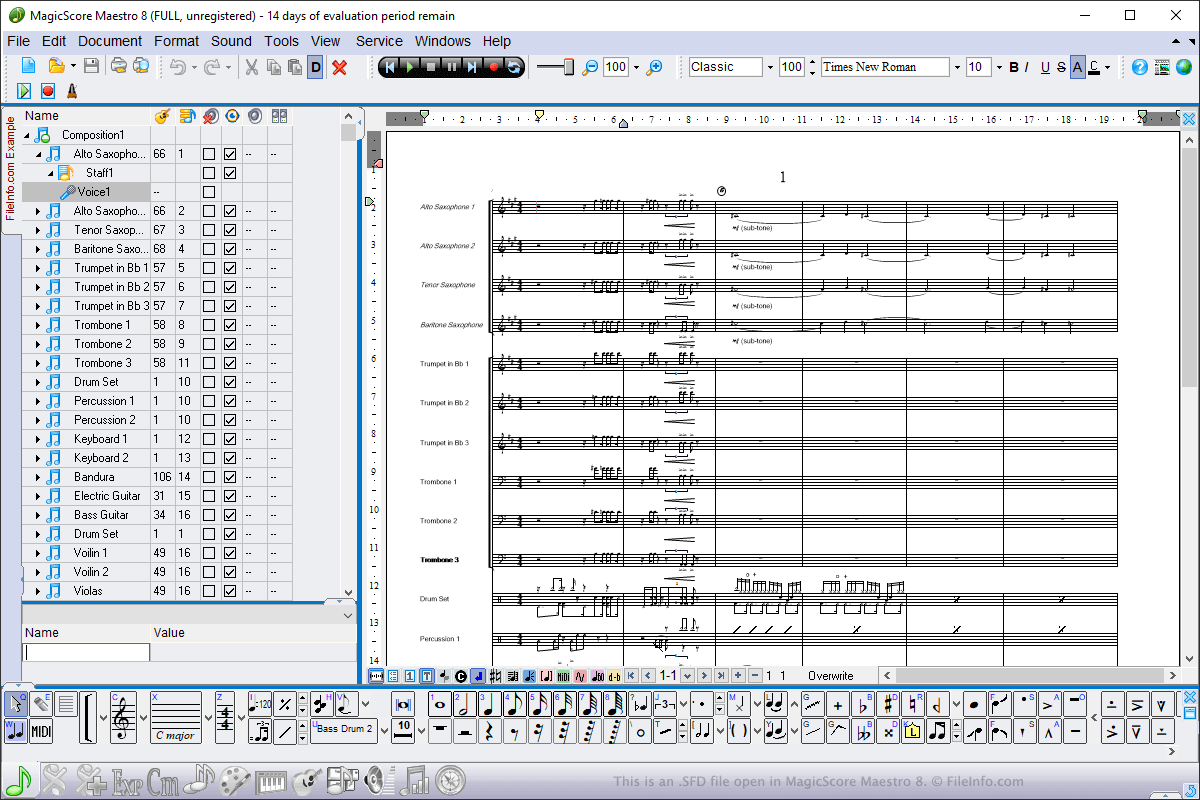
Vous pouvez ouvrir les fichiers SFD sous Windows avec MagicScore Maestro. Pour ouvrir un fichier SFD, sélectionnez , accédez à l’emplacement du fichier, puis cliquez sur . Pour créer un fichier SFD avec MagicScore Maestro, sélectionnez , composez la partition, puis sélectionnez ou .
Les fichiers SFD sont le principal type de fichier utilisé par MagicScore Maestro pour enregistrer les partitions. Toutefois, vous pouvez également enregistrer les partitions sous forme de fichiers .MIDI, de fichiers Karaoke .KAR et de fichiers Music .XML en choisissant les types de fichiers dans le menu déroulant . Vous pouvez également exporter les partitions de MagicScore Maestro vers une image, un fichier audio ou un fichier .PDF en sélectionnant .