

.SFD Estensione file
Database dei font Spline
| Sviluppatore | FontForge |
| Popolarità |
4,0 | 40 Voti |
Un file SFD è un file di font salvato nel formato Spline Font Database (SFD), il formato nativo di FontForge. Contiene testo ASCII che descrive il nome, la versione e i caratteri inclusi in un font, oltre ad altri dati. Quando vengono aperti in FontForge, i file SFD appaiono come una griglia di lettere, numeri e altri caratteri del font.
Maggiori informazioni
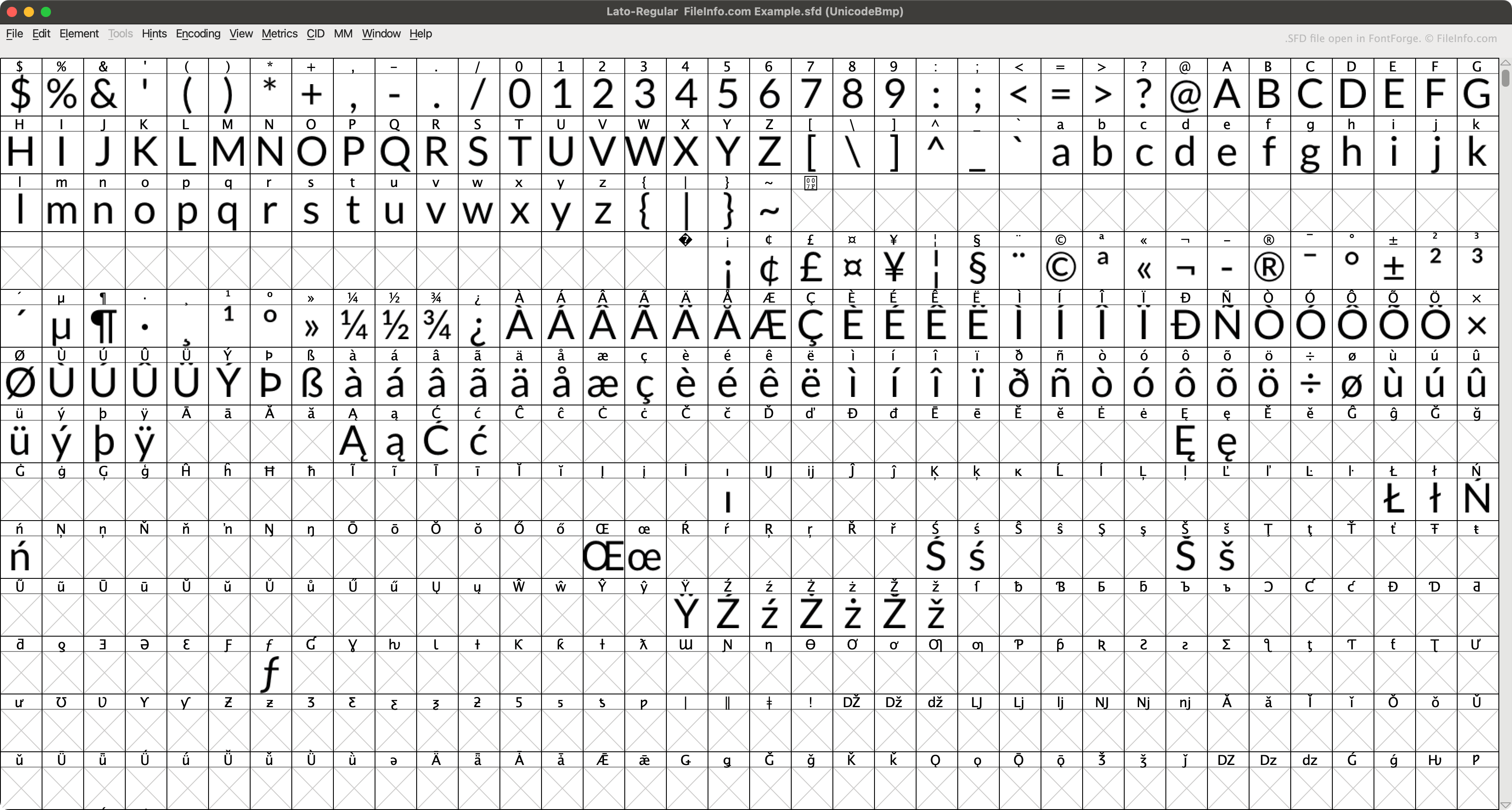
FontForge è un'app gratuita e multipiattaforma che consente di creare, modificare e convertire i font. Per impostazione predefinita, FontForge salva i font nel formato SFD nativo (quando l'utente seleziona .)
Ogni file SFD contiene diversi metadati sul font descritto, specificati nell'intestazione del file. Ad esempio, ogni file SFD specifica il nome, la famiglia, il peso, le informazioni sul copyright, la versione, il numero di livelli, le dimensioni di visualizzazione e il livello di visualizzazione predefinito del font incluso. Il file procede quindi descrivendo ciascun carattere del font, in voci che iniziano con StartChar e terminano con EndChar.
Come aprire un file SFD
Puoi aprire un file SFD con FontForge (multipiattaforma). Per farlo:
- Apri la finestra di FontForge (aprendo l'app oppure selezionando ).
- Imposta il campo su .
- Individua e apri il file SFD.
Puoi anche aprire un file SFD con Microsoft Notepad (Windows), Apple TextEdit (Mac) o qualsiasi altro editor di testo per visualizzare i dati ASCII che contiene.
Come convertire un file SFD
Puoi usare FontForge (multipiattaforma) per convertire i file SFD nei seguenti formati di font:
Programmi che aprono i file SFD
File di spartito di MagicScore Maestro
| Sviluppatore | Maestro Music Software |
| Popolarità |
1,3 | 4 Voti |
Un file SFD contiene uno spartito musicale creato da MagicScore Maestro, un programma per la composizione e la notazione musicale. Memorizza una composizione, che può includere strumenti, indicazioni di tempo e armature di tonalità e note musicali. I file SFD contengono anche metadati, come il titolo e il compositore dello spartito e il layout della pagina della composizione.
Maggiori informazioni
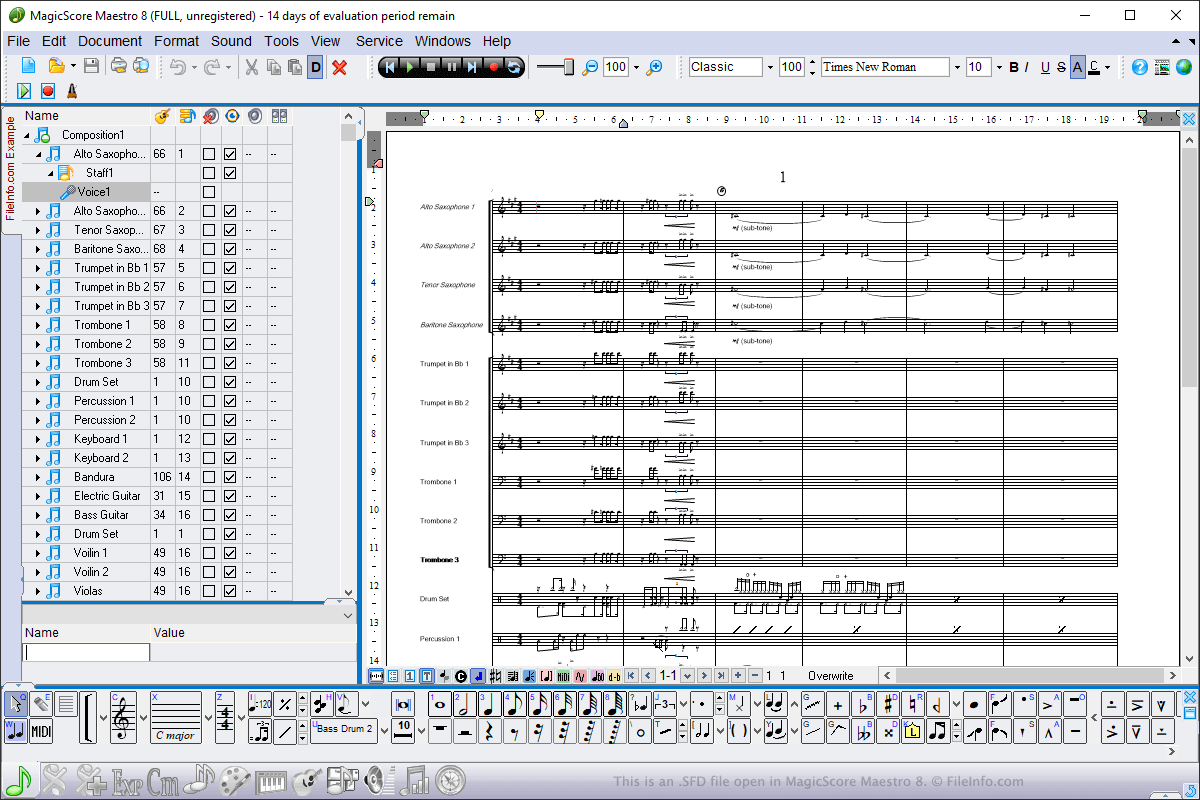
Puoi aprire i file SFD in Windows usando MagicScore Maestro. Per aprire un file SFD, seleziona , vai alla posizione del file e fai clic su . Per creare un file SFD usando MagicScore Maestro, seleziona , componi lo spartito, quindi seleziona oppure .
I file SFD sono il principale tipo di file usato da MagicScore Maestro per salvare gli spartiti. Tuttavia, puoi anche salvare gli spartiti come file .MIDI, file Karaoke .KAR e file Music .XML scegliendo i tipi di file dal menu a discesa . Puoi anche esportare gli spartiti da MagicScore Maestro in un file immagine, audio o .PDF selezionando .