

.FNT Estensione file
Descrittore di font bitmap di Bitmap Font Generator
| Sviluppatore | AngelCode |
| Popolarità |
3,6 | 5 Voti |
Un file FNT è un file di metadati di un font bitmap creato da AngelCode Bitmap Font Generator. Contiene dati utilizzati per specificare lo stile e le dimensioni del font, nonché per estrarre i caratteri del font dai file associati .DDS, .PNG o .TGA. I file FNT possono essere file di testo semplice, XML o binari.
Maggiori informazioni
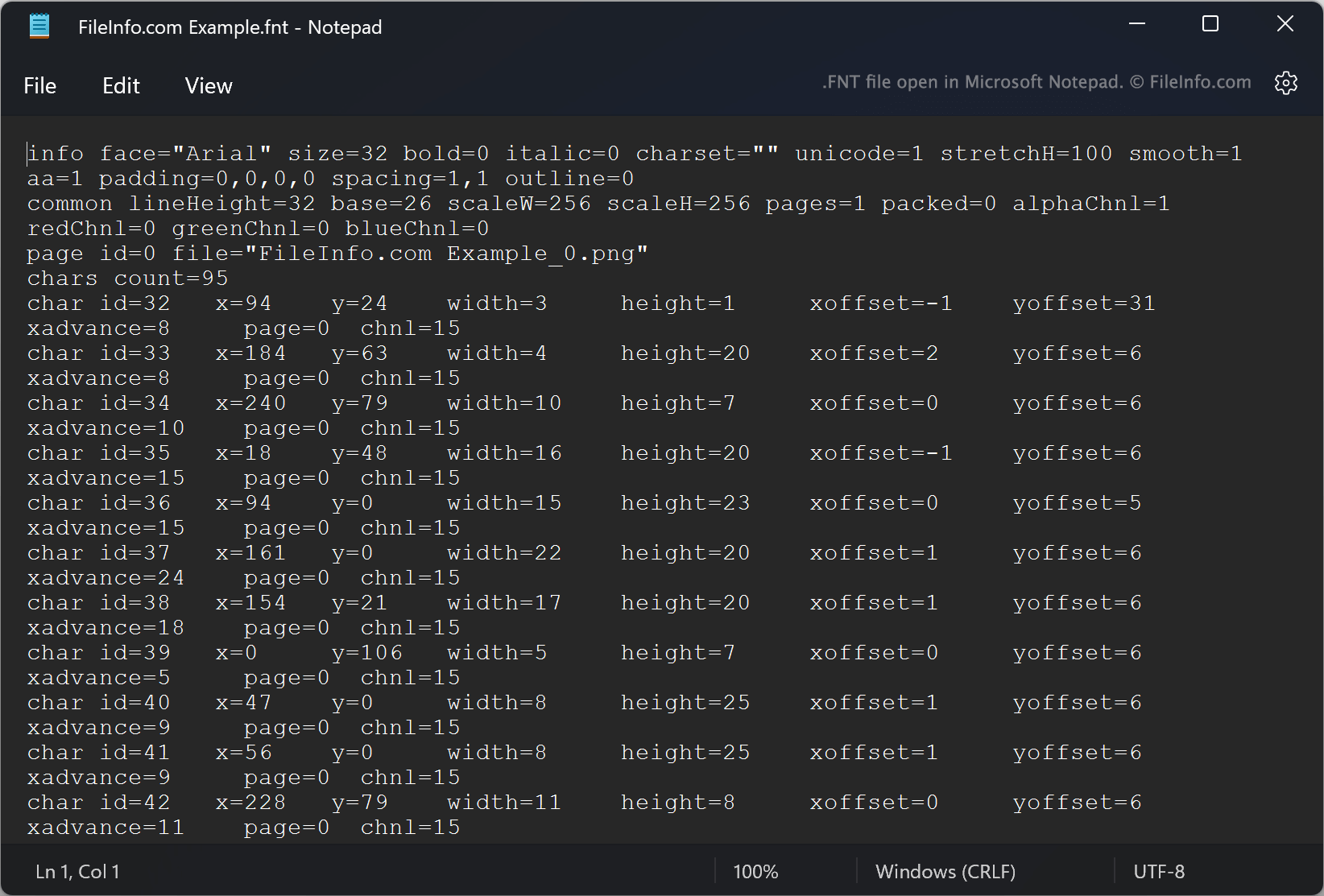
AngelCode Bitmap Font Generator (BFG) consente agli utenti di creare font bitmap da font TrueType (file .TTF). I font creati da BFG vengono salvati come una o più immagini raster che contengono i caratteri del font e un file FNT. Il file FNT contiene dati utilizzati per estrarre i caratteri dalle immagini raster.
Ad esempio, ogni file FNT specifica gli ID dei caratteri, le coordinate X e Y all'interno di un'immagine associata, le larghezze, le altezze e gli offset. Quando creano un font, gli utenti possono scegliere in quale formato salvare il file FNT del font. Per impostazione predefinita, BFG salva i file FNT come file di testo semplice. Tuttavia, gli utenti possono anche scegliere di salvare i file FNT come file XML o binari.
Come aprire un file FNT
Se il tuo file FNT è un file di testo semplice o XML, puoi aprirlo in Microsoft Notepad (Windows) o in qualsiasi altro editor di testo per visualizzare i metadati del font che contiene. Se il tuo file FNT è un file binario, non è destinato all'apertura.