.FNT Přípona souboru

Windows Font File

Vývojář Microsoft
Popularita
4.0  |  119 Hlasů
 

Co je soubor FNT?

An FNT file is a font file used by the Windows operating system and often saved within the system fonts directory. It stores a generic font and may include vector and raster glyphs. FNT files have largely been replaced by TrueType (.TTF) and OpenType (.OTF) fonts.

Otevřete více než 400 formátů souborů pomocí File Viewer Plus.Stáhnout zdarma

Programy, které otevírají soubory FNT

Windows
Mac
Zdarma
Linux
Zdarma
Kategorie: Písmo
Aktualizováno: 2016-08-24

Bitmap Font Generator Font Descriptor

Vývojář AngelCode
Popularita
3.6  |  5 Hlasů
 

An FNT file is a bitmap font metadata file created by AngelCode Bitmap Font Generator. It contains data used to specify the font's style and size, as well as extract the font's characters from associated .DDS, .PNG. or .TGA files. FNT files can be plain text, XML, or binary files.

Další informace

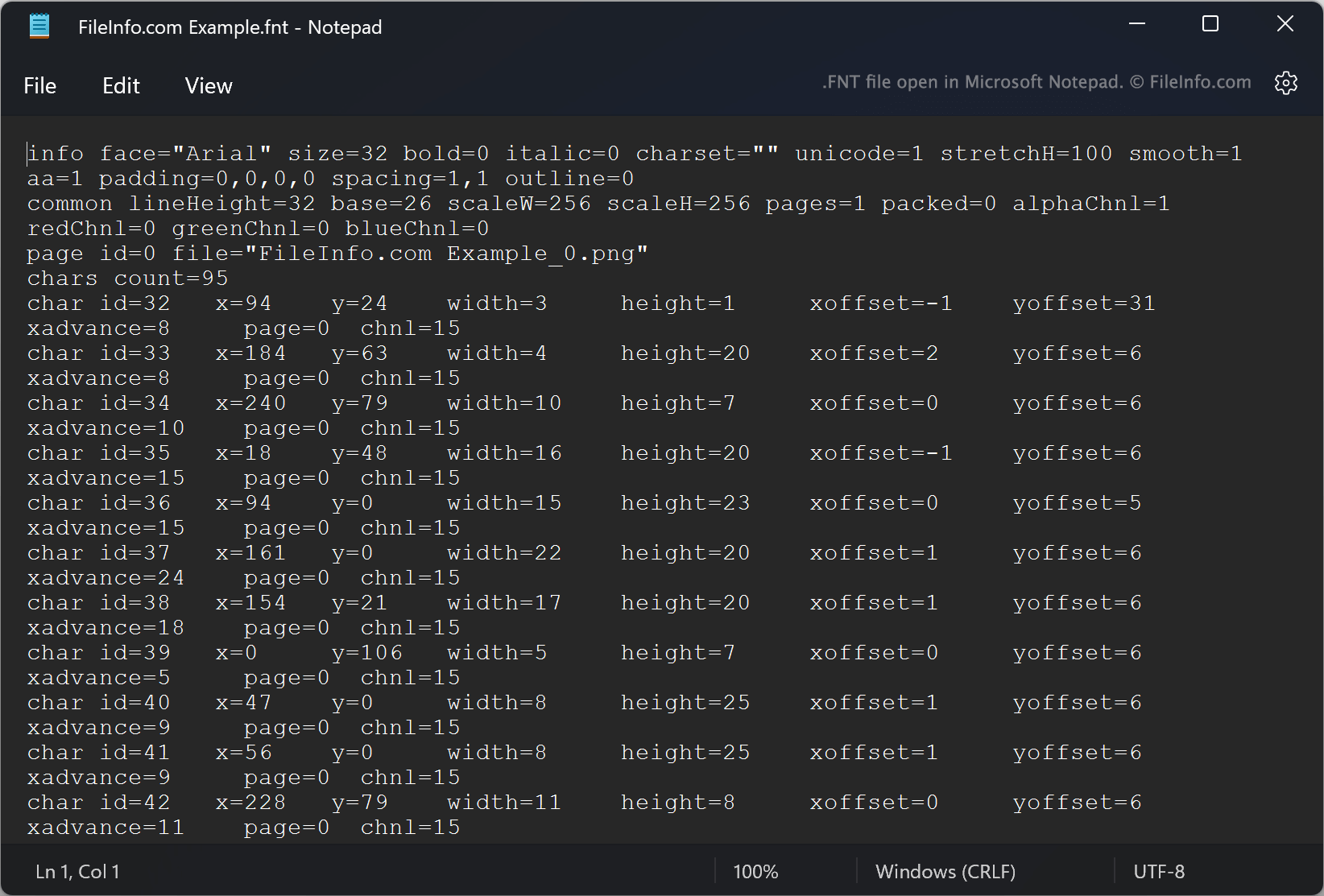
Snímek obrazovky souboru .fnt v Microsoft Notepad
Soubor FNT otevřený v Microsoft Notepad

AngelCode Bitmap Font Generator (BFG) allows users to create bitmap fonts from TrueType fonts (.TTF files). The fonts BFG creates are saved as one or more raster images that contain the font's characters and an FNT file. The FNT file contains data used to extract characters from the raster images.

For example, each FNT file specifies characters' IDs, X and Y coordinates within an associated image, widths, heights, and offsets. When creating a font, users can choose in what format the font's FNT file should be saved. By default, BFG saves FNT files as plain text files. However, users can also choose to save FNT files as XML or binary files.

Jak otevřít soubor FNT

If your FNT file is a plain text or XML file, you can open it in Microsoft Notepad (Windows) or any other text editor to view the font metadata it contains. If your FNT file is a binary file, it is not meant to be opened.

Programy, které otevírají nebo odkazují na soubory FNT

Windows
Součást operačního systému
Mac
Součást operačního systému
Linux
Zdarma
Kategorie: Písmo
Aktualizováno: 2022-09-23

Ověřil FileInfo.com

Tým FileInfo.com nezávisle prozkoumal všechny formáty souborů a programy uvedené na této stránce. Naším cílem je 100% přesnost a zveřejňujeme pouze informace o typech souborů, které jsme ověřili.

Pokud chcete navrhnout doplnění nebo aktualizaci této stránky, dejte nám vědět.