
.FNT 文件扩展名
Windows Font File
| 开发者 | Microsoft |
| 受欢迎程度 |
4.0 | 119 票 |
什么是 FNT 文件?
An FNT file is a font file used by the Windows operating system and often saved within the system fonts directory. It stores a generic font and may include vector and raster glyphs. FNT files have largely been replaced by TrueType (.TTF) and OpenType (.OTF) fonts.
可打开 FNT 文件的程序
Bitmap Font Generator Font Descriptor
| 开发者 | AngelCode |
| 受欢迎程度 |
3.6 | 5 票 |
更多信息
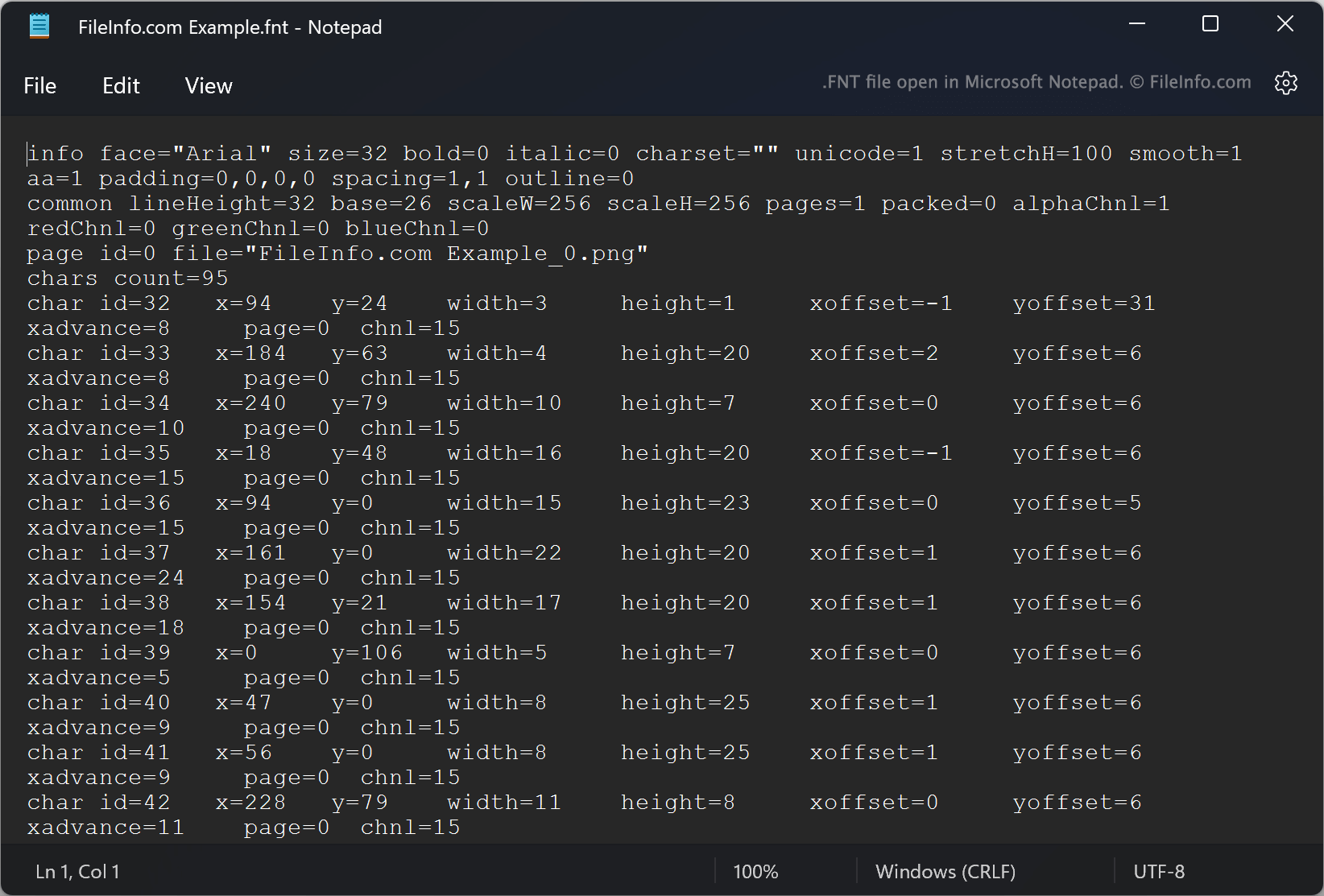
AngelCode Bitmap Font Generator (BFG) allows users to create bitmap fonts from TrueType fonts (.TTF files). The fonts BFG creates are saved as one or more raster images that contain the font's characters and an FNT file. The FNT file contains data used to extract characters from the raster images.
For example, each FNT file specifies characters' IDs, X and Y coordinates within an associated image, widths, heights, and offsets. When creating a font, users can choose in what format the font's FNT file should be saved. By default, BFG saves FNT files as plain text files. However, users can also choose to save FNT files as XML or binary files.
如何打开 FNT 文件
If your FNT file is a plain text or XML file, you can open it in Microsoft Notepad (Windows) or any other text editor to view the font metadata it contains. If your FNT file is a binary file, it is not meant to be opened.
