

.FNT Dateiendung
Bitmap Font Generator-Schriftbeschreibungsdatei
| Entwickler | AngelCode |
| Beliebtheit |
3,6 | 5 Stimmen |
Eine FNT-Datei ist eine Metadatendatei für eine Bitmap-Schriftart, die von AngelCode Bitmap Font Generator erstellt wurde. Sie enthält Daten, mit denen der Stil und die Größe der Schriftart festgelegt werden, sowie Daten zum Extrahieren der Zeichen der Schriftart aus zugehörigen .DDS, .PNG. oder .TGA-Dateien. FNT-Dateien können Klartext-, XML- oder Binärdateien sein.
Weitere Informationen
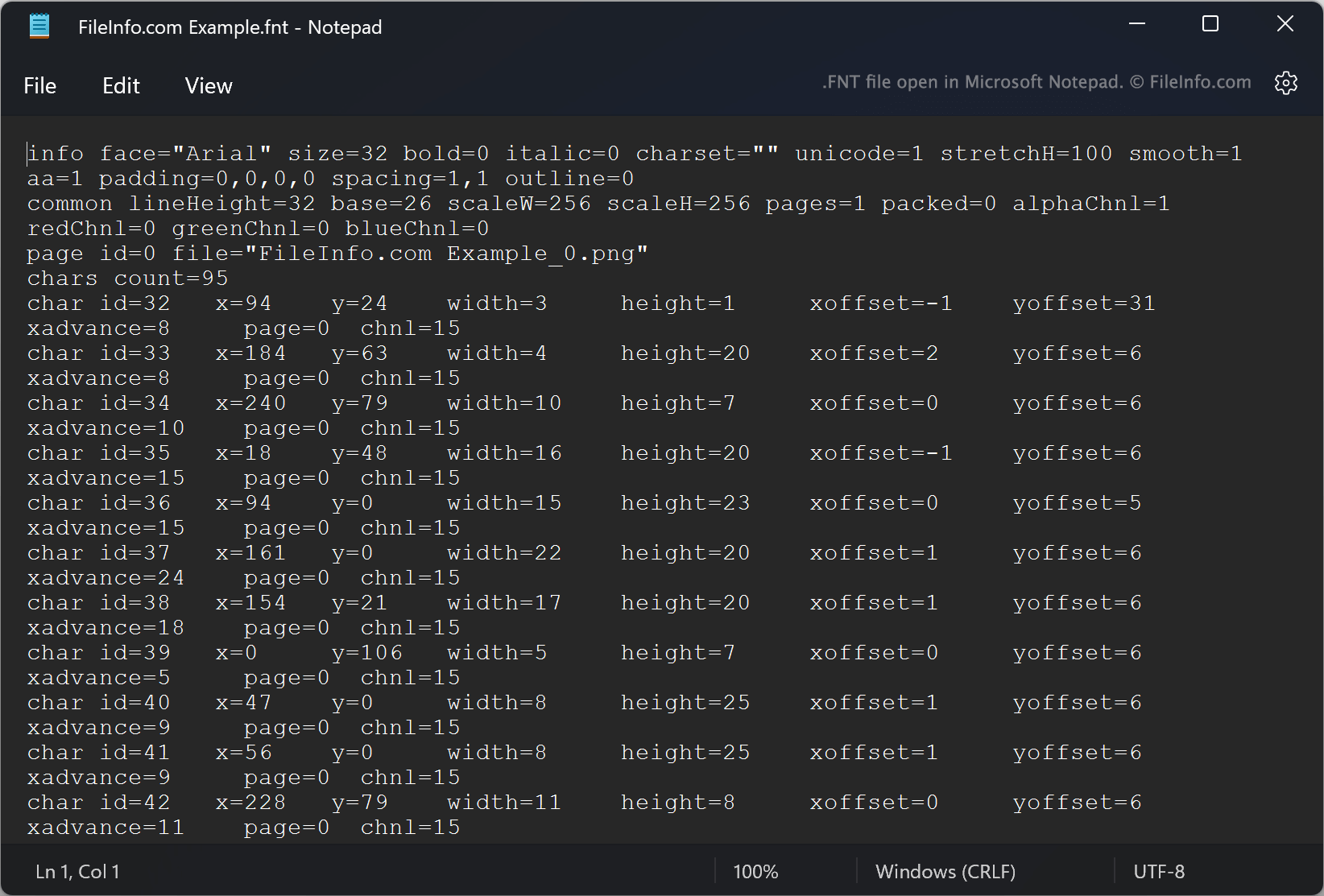
Mit AngelCode Bitmap Font Generator (BFG) können Benutzer Bitmap-Schriftarten aus TrueType-Schriftarten (.TTF-Dateien) erstellen. Die von BFG erstellten Schriftarten werden als ein oder mehrere Rasterbilder gespeichert, die die Zeichen der Schriftart enthalten, sowie als FNT-Datei. Die FNT-Datei enthält Daten, mit denen Zeichen aus den Rasterbildern extrahiert werden.
Beispielsweise legt jede FNT-Datei die IDs der Zeichen, ihre X- und Y-Koordinaten innerhalb eines zugehörigen Bildes, ihre Breiten, Höhen und Versätze fest. Beim Erstellen einer Schriftart können Benutzer auswählen, in welchem Format die FNT-Datei der Schriftart gespeichert werden soll. Standardmäßig speichert BFG FNT-Dateien als Klartextdateien. Benutzer können jedoch auch auswählen, FNT-Dateien als XML- oder Binärdateien zu speichern.
So öffnen Sie eine FNT-Datei
Wenn Ihre FNT-Datei eine Klartext- oder XML-Datei ist, können Sie sie in Microsoft Notepad (Windows) oder einem anderen Texteditor öffnen, um die darin enthaltenen Schriftartmetadaten anzuzeigen. Wenn Ihre FNT-Datei eine Binärdatei ist, ist sie nicht zum Öffnen vorgesehen.