

.FNT Bestandsextensie
Bitmap Font Generator-lettertypebeschrijving
| Ontwikkelaar | AngelCode |
| Populariteit |
3,6 | 5 stemmen |
Een FNT-bestand is een metadatabestand voor een bitmaplettertype dat is gemaakt door AngelCode Bitmap Font Generator. Het bevat gegevens waarmee de stijl en grootte van het lettertype worden opgegeven en de tekens van het lettertype uit bijbehorende .DDS, .PNG. of .TGA-bestanden worden gehaald. FNT-bestanden kunnen platte tekst-, XML- of binaire bestanden zijn.
Meer informatie
Met AngelCode Bitmap Font Generator (BFG) kunnen gebruikers bitmaplettertypen maken van TrueType-lettertypen (.TTF-bestanden). De lettertypen die BFG maakt, worden opgeslagen als een of meer rasterafbeeldingen met de tekens van het lettertype en een FNT-bestand. Het FNT-bestand bevat gegevens waarmee tekens uit de rasterafbeeldingen worden gehaald.
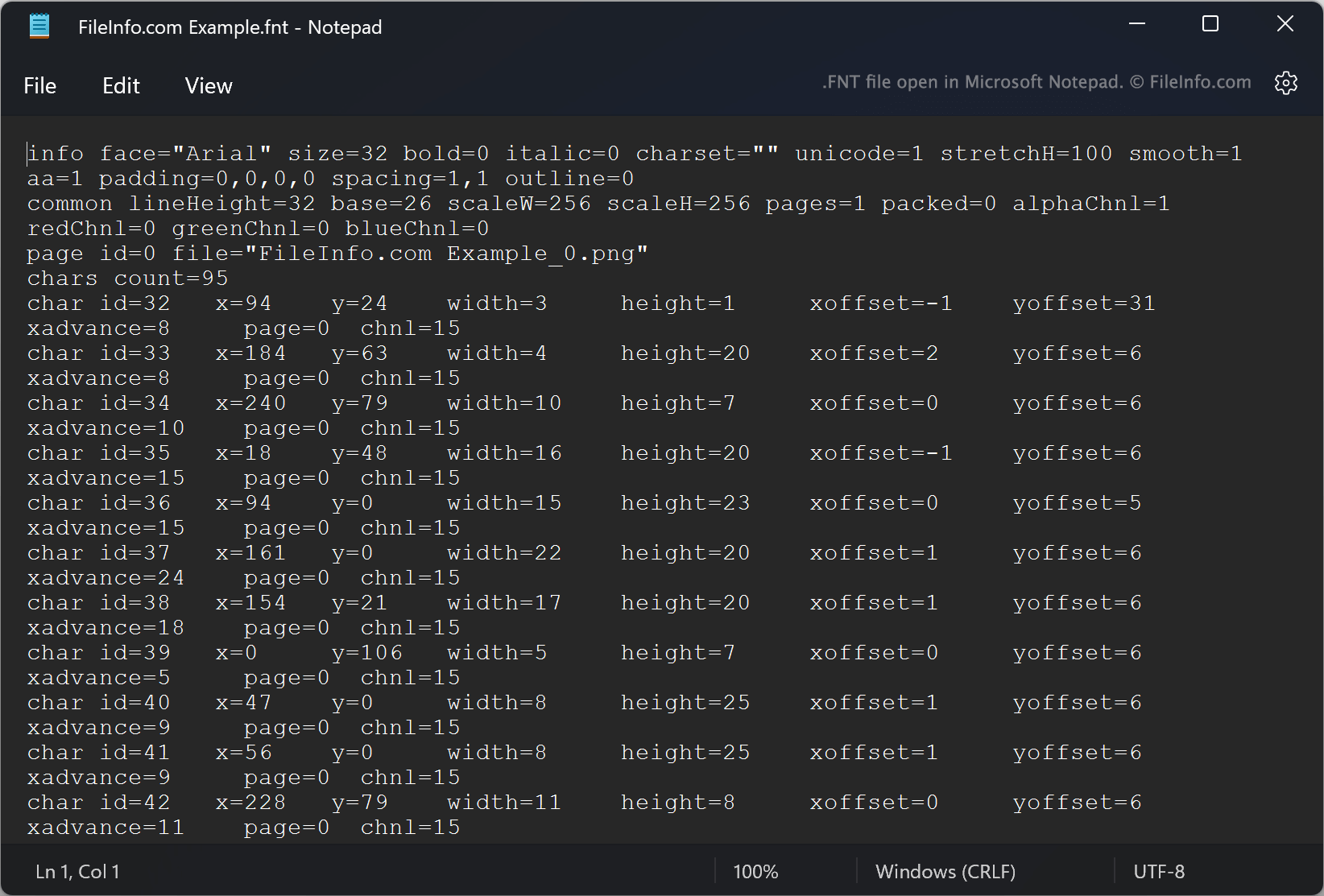
Elk FNT-bestand specificeert bijvoorbeeld de ID's van tekens, hun X- en Y-coördinaten binnen een bijbehorende afbeelding, breedtes, hoogtes en offsets. Bij het maken van een lettertype kunnen gebruikers kiezen in welke indeling het FNT-bestand van het lettertype moet worden opgeslagen. BFG slaat FNT-bestanden standaard op als platte tekstbestanden. Gebruikers kunnen er echter ook voor kiezen om FNT-bestanden op te slaan als XML- of binaire bestanden.
Een FNT-bestand openen
Als je FNT-bestand een bestand met platte tekst of XML is, kun je het openen in Microsoft Notepad (Windows) of een andere teksteditor om de metagegevens van het lettertype te bekijken. Als je FNT-bestand een binair bestand is, is het niet bedoeld om te worden geopend.