

.SFD Extensão de arquivo
Spline Font Database
| Desenvolvedor | FontForge |
| Popularidade |
4,0 | 40 Votos |
Um arquivo SFD é um arquivo de fonte salvo no formato Spline Font Database (SFD), o formato nativo do FontForge. Ele contém texto ASCII que descreve o nome, a versão e os caracteres incluídos em uma fonte, além de outros dados. Quando abertos no FontForge, os arquivos SFD aparecem como uma grade de letras, números e outros caracteres da fonte.
Mais informações
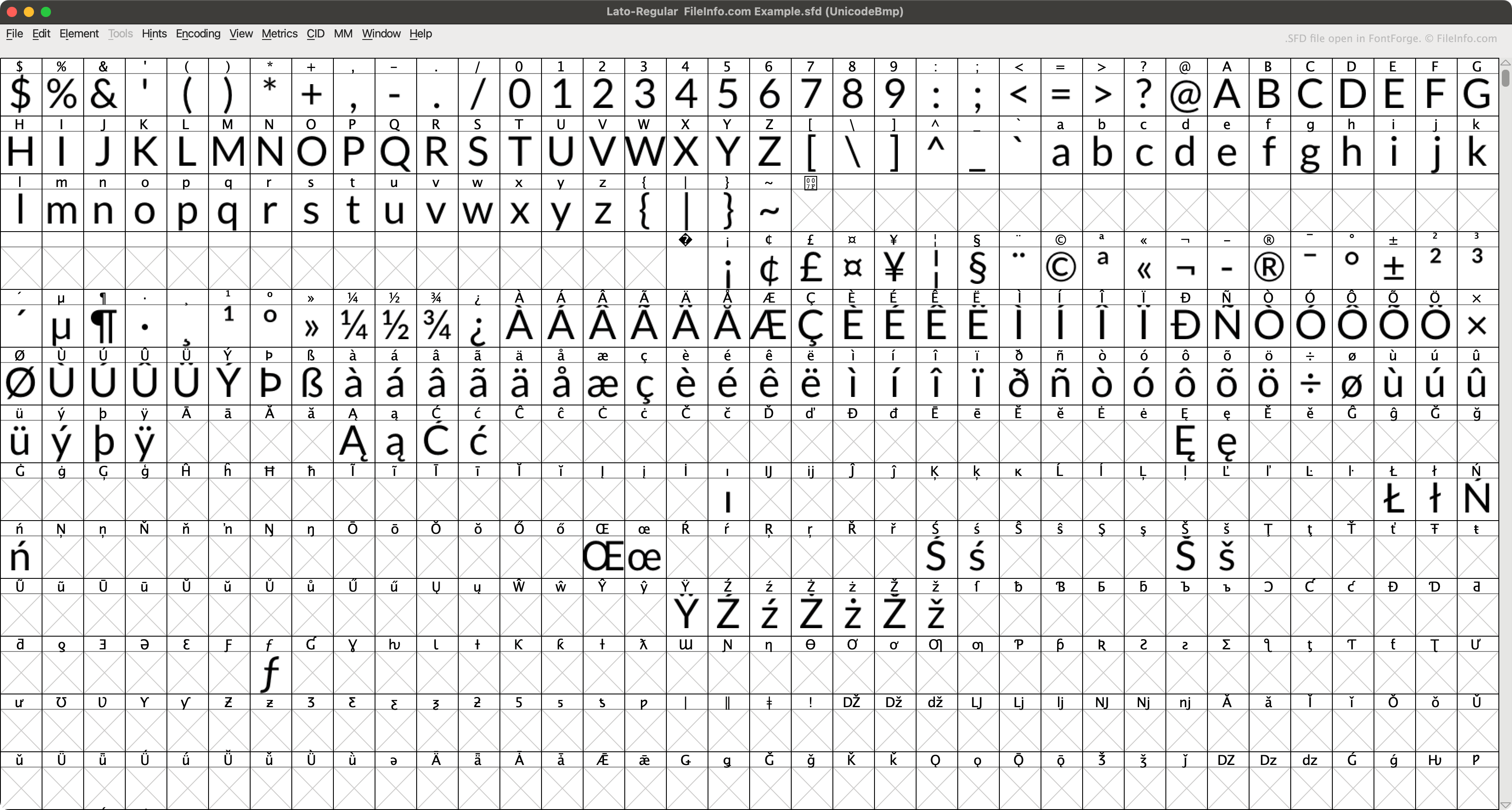
O FontForge é um aplicativo gratuito e multiplataforma que permite criar, editar e converter fontes. Por padrão, o FontForge salva as fontes em seu formato nativo SFD (quando o usuário seleciona .)
Cada arquivo SFD contém vários metadados sobre a fonte que descreve, especificados no cabeçalho do arquivo. Por exemplo, cada arquivo SFD especifica o nome, a família, o peso, as informações de direitos autorais, a versão, a quantidade de camadas, o tamanho de exibição e a camada de exibição padrão da fonte incluída. Em seguida, o arquivo descreve cada um dos caracteres da fonte, em entradas que começam com StartChar e terminam com EndChar.
Como abrir um arquivo SFD
Você pode abrir um arquivo SFD com o FontForge (multiplataforma). Para fazer isso:
- Abra a janela do FontForge (abrindo o aplicativo ou selecionando ).
- Defina o campo como .
- Navegue até o arquivo SFD e abra-o.
Você também pode abrir um arquivo SFD com o Microsoft Notepad (Windows), o Apple TextEdit (Mac) ou qualquer outro editor de texto para visualizar os dados ASCII que ele contém.
Como converter um arquivo SFD
Você pode usar o FontForge (multiplataforma) para converter arquivos SFD nos seguintes formatos de fonte:
Programas que abrem arquivos SFD
Arquivo de partitura do MagicScore Maestro
| Desenvolvedor | Maestro Music Software |
| Popularidade |
1,3 | 4 Votos |
Um arquivo SFD contém uma partitura musical criada pelo MagicScore Maestro, um programa de composição e notação musical. Ele armazena uma composição, que pode incluir instrumentos, fórmulas de compasso e armaduras de clave, além de notas musicais. Os arquivos SFD também contêm metadados, como o título e o compositor da partitura e o layout da página da composição.
Mais informações
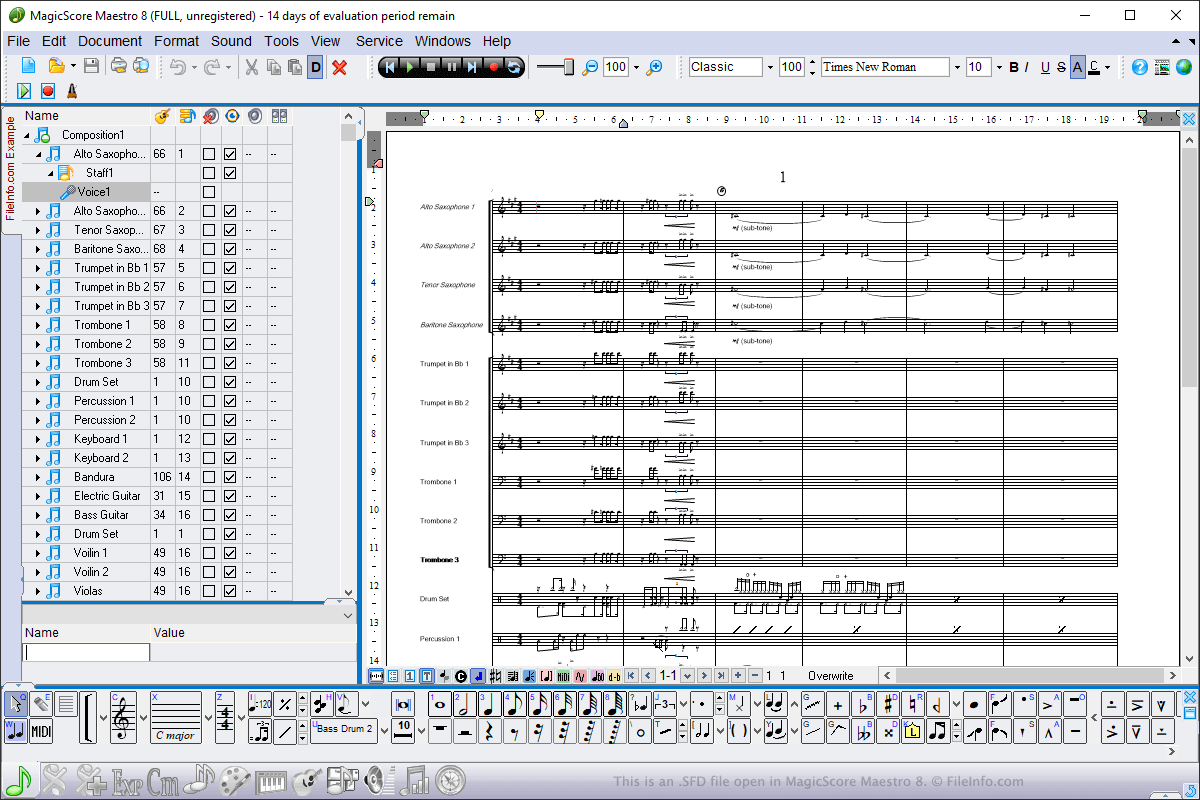
Você pode abrir arquivos SFD no Windows usando o MagicScore Maestro. Para abrir um arquivo SFD, selecione , navegue até o local do arquivo e clique em . Para criar um arquivo SFD usando o MagicScore Maestro, selecione , componha a partitura e selecione ou .
Os arquivos SFD são o principal tipo de arquivo usado pelo MagicScore Maestro para salvar partituras. No entanto, você também pode salvar partituras como arquivos .MIDI, arquivos de Karaoke .KAR e arquivos de Music .XML escolhendo os tipos de arquivo no menu suspenso . Você também pode exportar partituras no MagicScore Maestro para um arquivo de imagem, áudio ou .PDF selecionando .