.RAF 文件扩展名

Fujifilm RAW Image

开发者 Fujifilm
受欢迎程度
3.9  |  32 
 
🔍使用File Helper直接在您的网络浏览器中打开 .RAF 文件在线查看

什么是 RAF 文件?

An RAF file is an image captured in the RAW Fujifilm (RAF) format by select Fujifilm digital cameras, such as the FinePix F550 EXR and X100V models. It stores image data exactly how the camera's sensor captured it along with metadata, such as camera settings and format version. RAF files may also include a .JPG version of the same image for thumbnail preview purposes.

更多信息

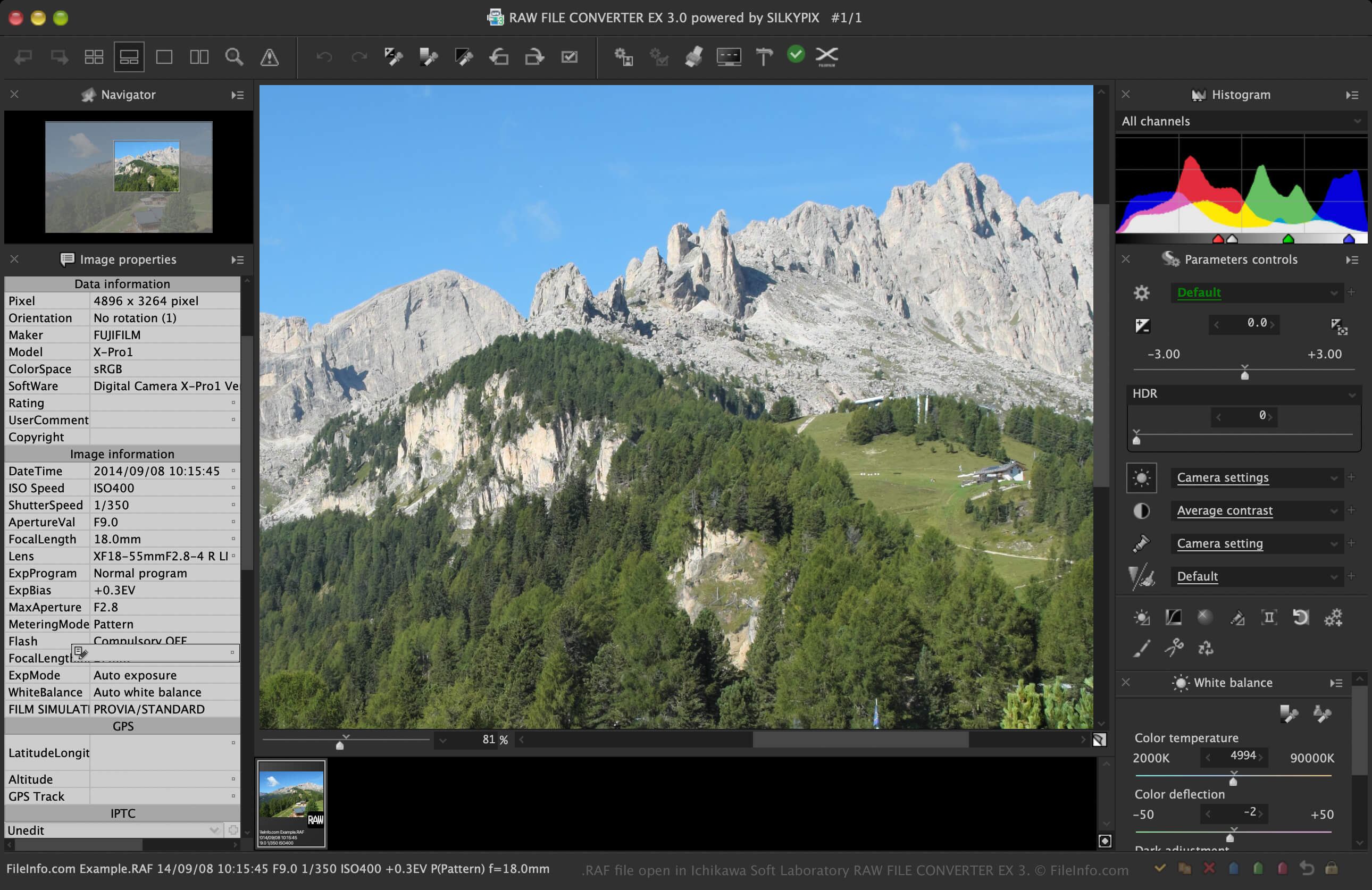
在 Ichikawa Soft Laboratory RAW FILE CONVERTER EX 3 中打开的 .raf 文件截图
在 Ichikawa Soft Laboratory RAW FILE CONVERTER EX 3 中打开的 RAF 文件

Fujifilm is continuously developing the RAF format, adding capabilities available with newer cameras. For example, most RAF files store uncompressed image data, but more recent Fujifilm X-T3 and X-Pro2 cameras allow you to compress RAF files to reduce their size and save storage space.

Additionally, more recent Fujifilm cameras, like the X100V, allow you to capture images in the HDR RAF format (images captured when the HDR setting is enabled on the camera in the RAW mode). In these cases, the camera captures three images with different exposure levels and saves them all in one RAF file.

Users that will encounter RAF files

Professional photographers and camera hobbyists utilizing Fujifilm cameras will most likely encounter the RAF format. When transferring images from their camera, they may view or edit the RAF files with an image editor, then send them to print, incorporate them into digital artwork, or archive them for later use.

Additionally, RAF is one of many proprietary camera raw formats developed by digital camera manufacturers. Other camera raw formats include Canon .CR3, Sony .ARW, and Nikon .NEF formats. Photographers using digital cameras from these manufacturers will likely work with these formats.

如何打开 RAF 文件

You can open RAF files with Fujifilm image-viewing and -editing software, such as X RAW STUDIO and RAW FILE CONVERTER EX (developed for Fujifilm by Ichikawa Soft Laboratory). Fujifilm software is typically the best option for opening RAF files because it likely supports all the camera models that capture the RAF images.

Third-party image viewers and editors also support RAF files, but they may not support all the camera models that capture the images. For example, Adobe Photoshop (multiplatform) can open RAF files through its Camera Raw utility but does not support RAF images captured by all Fujifilm cameras. It also does not open all the multiple images saved in HDR RAF format (only one image).

Other third-party apps that can open RAF files include Microsoft Photos (Windows) with the Raw Image Extension installed, and Apple Preview and Apple Photos, which both come bundled with macOS. If you are a mobile user, you can open RAF files with Adobe Photoshop Express (Android and iOS).

💡 Ensure the software and its plug-ins are updated to open RAF images captured by more recent Fujifilm camera models.

如何转换 RAF 文件

Several applications, including Adobe Photoshop and RAW FILE CONVERTER EX, can convert RAF files to other formats.

For example, Photoshop can convert RAF files to many file types, including the following formats:

  • .DNG - Digital Negative Image
  • .JPG - JPEG Image
  • .PNG - Portable Network Graphic
  • .TIF - Tagged Image File Format
  • .GIF - Graphical Interchange Format
  • .WEBP - WebP Image
  • .BMP - Bitmap Image
  • .PSD - Adobe Photoshop Document

可打开 RAF 文件的程序

验证者 FileInfo.com

FileInfo.com 团队 独立研究了本页面列出的 Fujifilm RAW Image 文件格式和 Mac, Windows, Android, and iOS 应用。 我们的目标是达到 100% 的准确率,并且仅发布我们已验证过的文件类型信息。

如果您想为此页面提出新增或更新建议,请告诉我们