

.RAF Rozszerzenie pliku
Obraz RAW Fujifilm
| Deweloper | Fujifilm |
| Popularność |
3,9 | 32 Głosy |
Czym jest plik RAF?
Plik RAF to obraz zapisany w formacie RAW firmy Fujifilm przez wybrane aparaty cyfrowe Fujifilm, takie jak modele FinePix F550 EXR i X100V. Przechowuje dane obrazu dokładnie w takiej postaci, w jakiej zarejestrowała je matryca aparatu, wraz z metadanymi, takimi jak ustawienia aparatu i wersja formatu. Pliki RAF mogą także zawierać wersję .JPG tego samego obrazu do wyświetlania miniatury.
Więcej informacji
Firma Fujifilm stale rozwija format RAF, dodając funkcje dostępne w nowszych aparatach. Na przykład większość plików RAF przechowuje nieskompresowane dane obrazu, ale nowsze aparaty Fujifilm X-T3 i X-Pro2 umożliwiają kompresowanie plików RAF w celu zmniejszenia ich rozmiaru i zaoszczędzenia miejsca na dane.
Ponadto nowsze aparaty Fujifilm, takie jak X100V, umożliwiają rejestrowanie obrazów w formacie HDR RAF (obrazów zarejestrowanych, gdy w aparacie włączone jest ustawienie HDR w trybie RAW). W takich przypadkach aparat rejestruje trzy obrazy o różnych poziomach ekspozycji i zapisuje je wszystkie w jednym pliku RAF.
Użytkownicy, którzy zetkną się z plikami RAF
Profesjonalni fotografowie i miłośnicy fotografii korzystający z aparatów Fujifilm najprawdopodobniej zetkną się z formatem RAF. Podczas przesyłania obrazów z aparatu mogą wyświetlać lub edytować pliki RAF w edytorze obrazów, a następnie wysyłać je do druku, wykorzystywać w cyfrowych pracach graficznych lub archiwizować do późniejszego użycia.
Ponadto RAF jest jednym z wielu własnościowych formatów camera raw opracowanych przez producentów aparatów cyfrowych. Inne formaty camera raw obejmują formaty Canon .CR3, Sony .ARW i Nikon .NEF. Fotografowie korzystający z aparatów cyfrowych tych producentów prawdopodobnie będą pracować z tymi formatami.
Jak otworzyć plik RAF
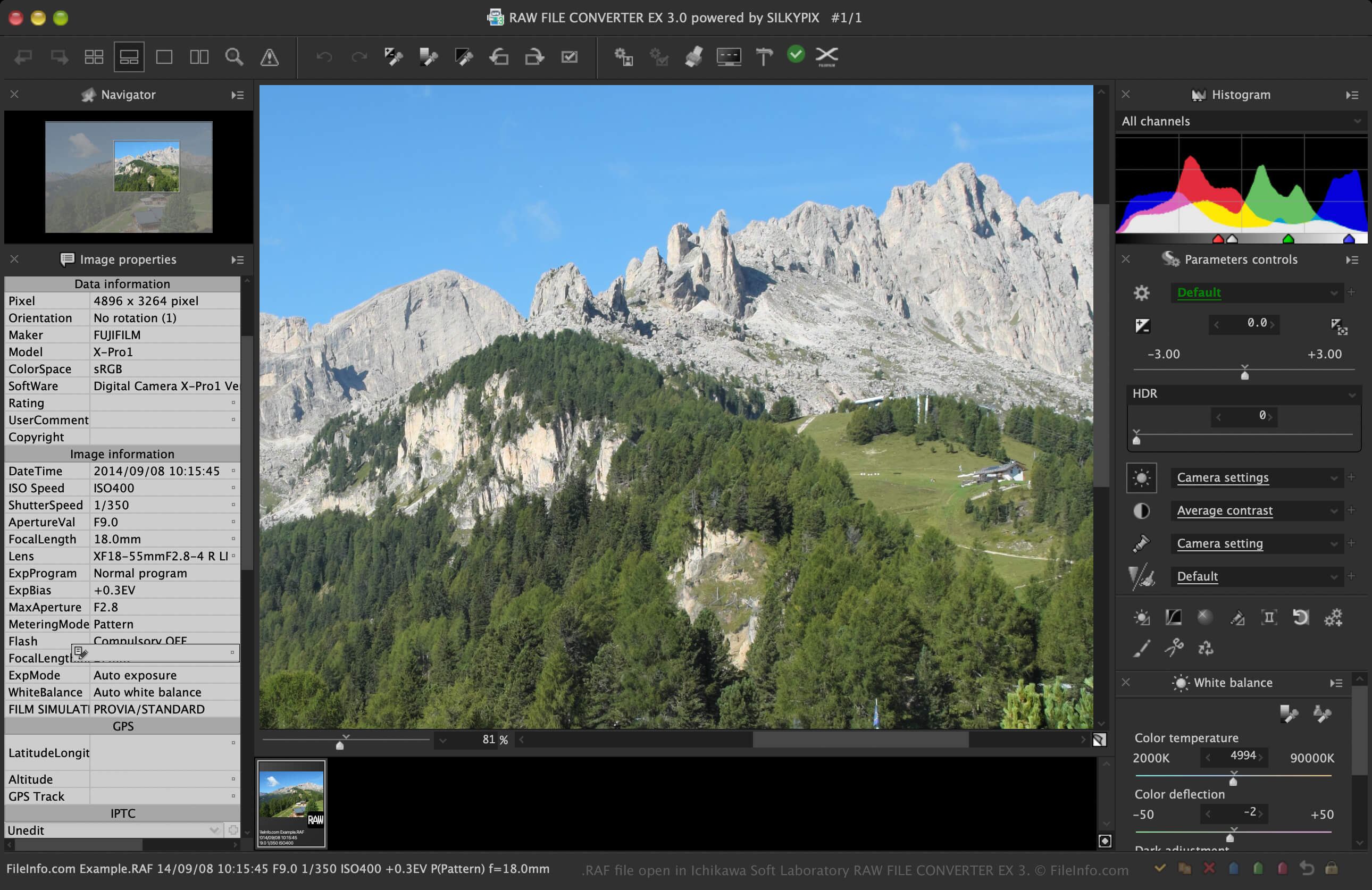
Pliki RAF można otwierać za pomocą programów Fujifilm do wyświetlania i edycji obrazów, takich jak X RAW STUDIO i RAW FILE CONVERTER EX (opracowanego dla Fujifilm przez Ichikawa Soft Laboratory). Oprogramowanie Fujifilm jest zazwyczaj najlepszym rozwiązaniem do otwierania plików RAF, ponieważ prawdopodobnie obsługuje wszystkie modele aparatów rejestrujących obrazy RAF.
Pliki RAF obsługują także przeglądarki i edytory obrazów innych firm, ale mogą one nie obsługiwać wszystkich modeli aparatów rejestrujących te obrazy. Na przykład program Adobe Photoshop (wieloplatformowy) może otwierać pliki RAF za pomocą narzędzia Camera Raw, ale nie obsługuje obrazów RAF zarejestrowanych przez wszystkie aparaty Fujifilm. Nie otwiera także wszystkich obrazów zapisanych w formacie HDR RAF (tylko jeden obraz).
Inne aplikacje firm trzecich, które mogą otwierać pliki RAF, to Microsoft Photos (Windows) z zainstalowanym rozszerzeniem Raw Image Extension oraz Apple Preview i Apple Photos, które są dołączane do systemu macOS. Użytkownicy urządzeń mobilnych mogą otwierać pliki RAF za pomocą programu Adobe Photoshop Express (Android i iOS).
💡 Upewnij się, że oprogramowanie i jego wtyczki są zaktualizowane, aby otwierać obrazy RAF zarejestrowane przez nowsze modele aparatów Fujifilm.
Jak przekonwertować plik RAF
Kilka aplikacji, w tym Adobe Photoshop i RAW FILE CONVERTER EX, może konwertować pliki RAF do innych formatów.
Na przykład program Photoshop może konwertować pliki RAF do wielu typów plików, w tym do następujących formatów: