.FAA 文件扩展名
FASTA Sequence File
| 开发者 | David J. Lipman and William R. Pearson |
| 受欢迎程度 |
3.3 | 3 票 |
什么是 FAA 文件?
An FAA file stores a record of one or more nucleic acid or protein sequences saved in the FASTA format. Each sequence includes an identification code and the sequence in plain text. Various DNA sequencing applications support the format, and text and source code editors can also open the format.
更多信息
David J. Lipman and William R. Pearson created the FASTA format and released it in 1985. Biochemistry students, academics, and professionals often work with FAA files when storing and processing bioinformatics information.
The FASTA format
FAA files are one of several files saved in the FASTA format. Examples of other files are .FASTA, .FAS, and .FA.
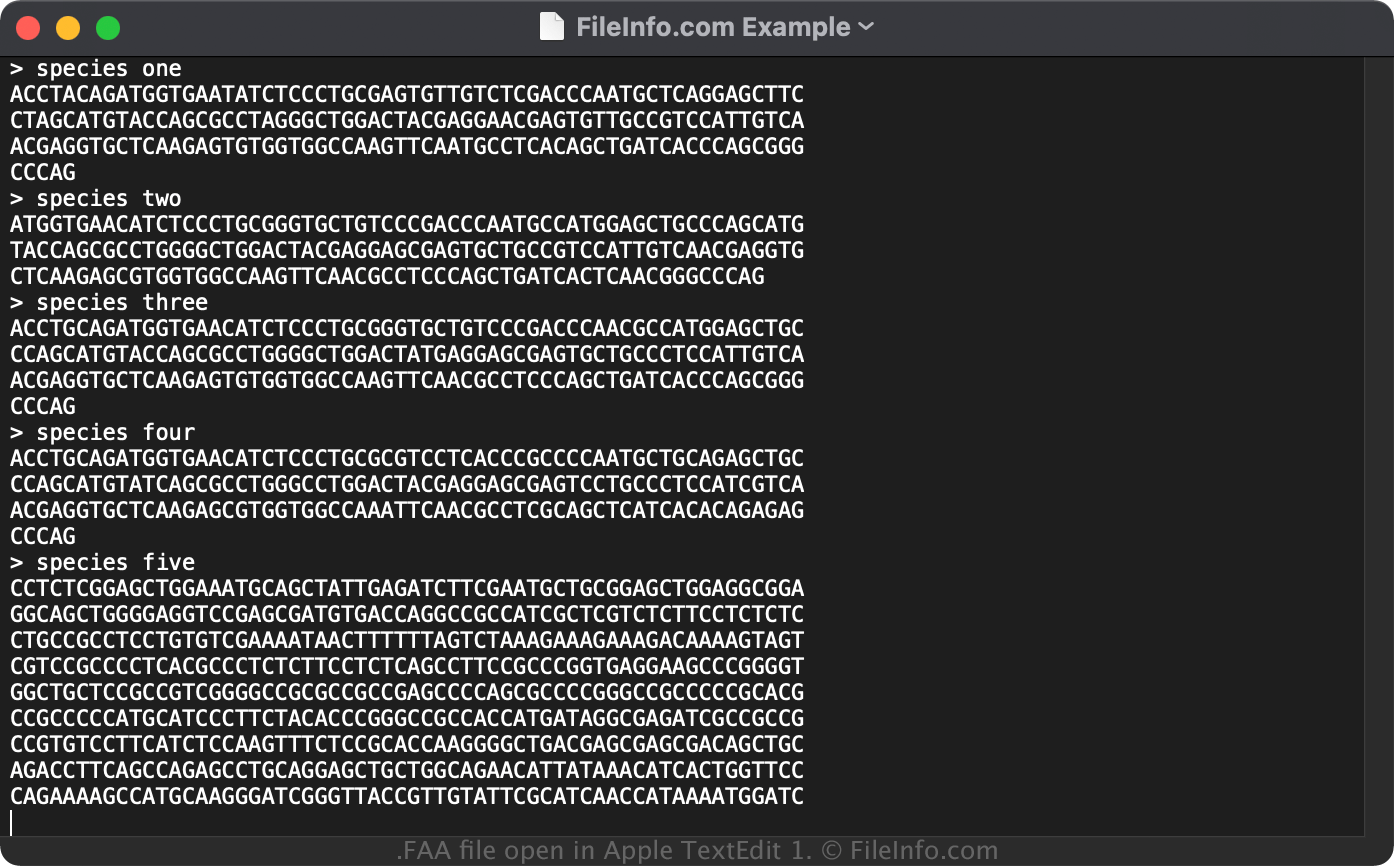
The FASTA format begins with the > character in the header, followed by a sequence identification code. The following line is the sequence itself, which may be more than one line.
如何打开 FAA 文件
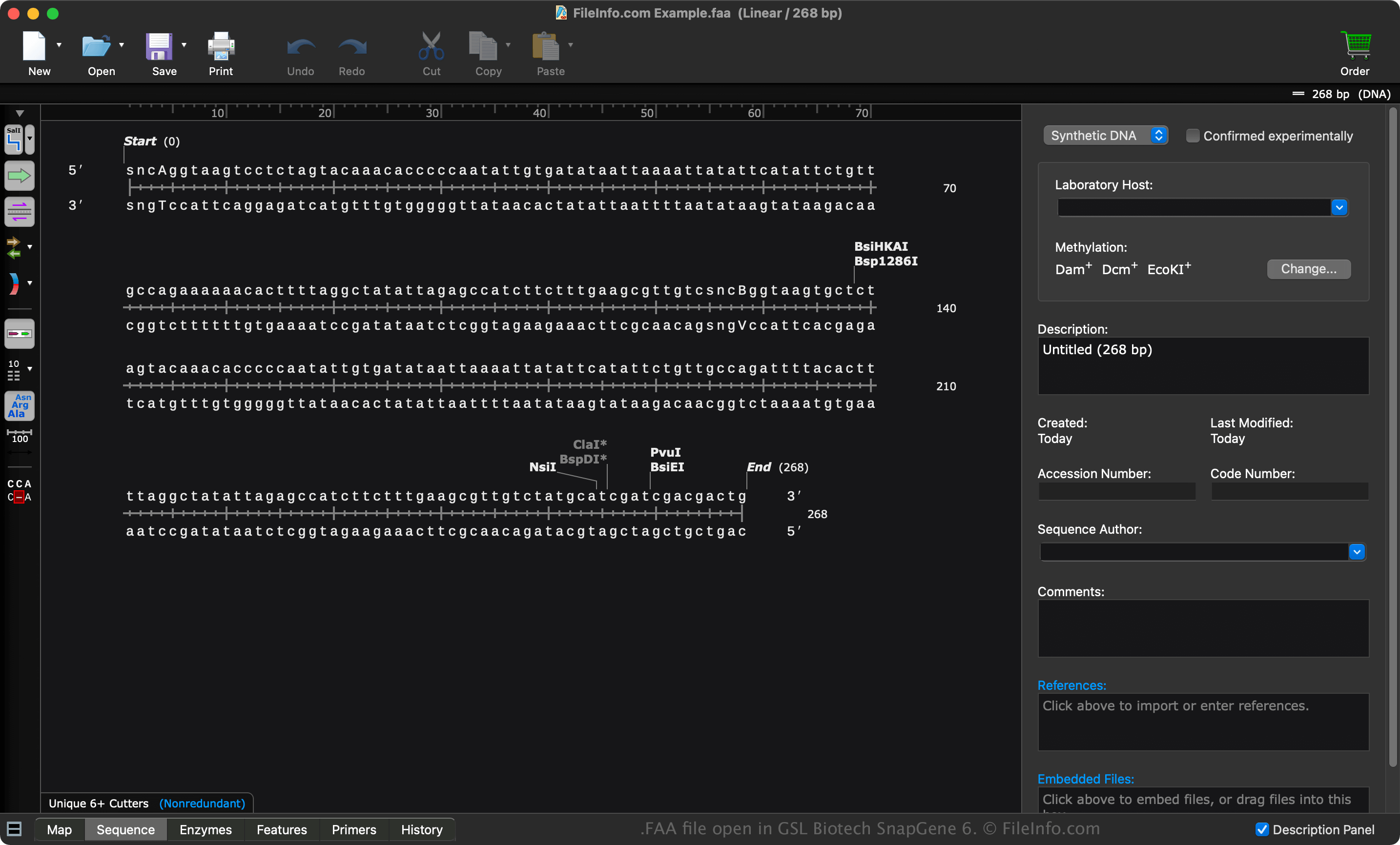
You can open an FAA file with various DNA applications, such as GSL Biotech SnapGene (multiplatform), Heracle BioSoft DNA Baser (Windows), and Jalview (multiplatform).
Opening an FAA file with a text editor
You can open an FAA file with a text editor, such as Microsoft Notepad (Windows) or Apple TextEdit (Mac). However, opening the FAA file with a text editor will not display the sequence in the FAA file like a DNA app that natively supports it.
When opened in a text editor, you can view the sequence in the FAA file and modify its properties. However, if you incorrectly edit the sequence, you may corrupt it.
如何转换 FAA 文件
Several applications, such as GSL Biotech SnapGene and Heracle BioSoft DNA Baser, can convert FAA files to other formats.
For example, SnapGene can convert FAA files to the following formats: