

.FAA 파일 확장자
FASTA 서열 파일
| 개발사 | David J. Lipman and William R. Pearson |
| 인기도 |
3.3 | 3 표 |
FAA 파일이란 무엇인가요?
FAA 파일은 FASTA 형식으로 저장된 하나 이상의 핵산 또는 단백질 서열 기록을 저장합니다. 각 서열에는 식별 코드와 일반 텍스트로 된 서열이 포함됩니다. 다양한 DNA 시퀀싱 애플리케이션이 이 형식을 지원하며, 텍스트 및 소스 코드 편집기로도 이 형식을 열 수 있습니다.
추가 정보
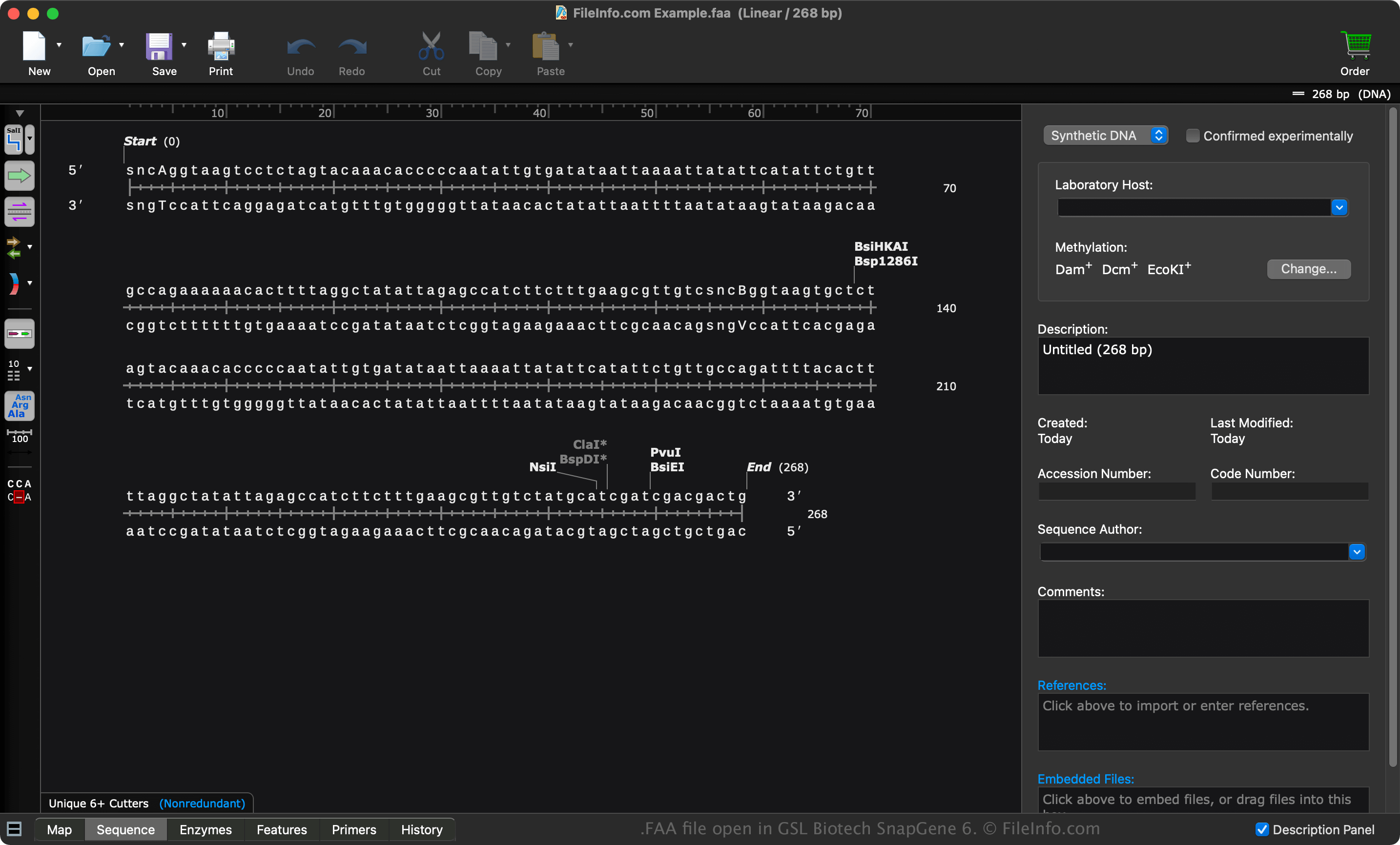
David J. Lipman과 William R. Pearson은 FASTA 형식을 만들고 1985년에 공개했습니다. 생화학 학생, 학자, 전문가는 생물정보학 정보를 저장하고 처리할 때 FAA 파일을 자주 사용합니다.
FASTA 형식
FAA 파일은 FASTA 형식으로 저장되는 여러 파일 중 하나입니다. 다른 파일의 예로는 .FASTA, .FAS, .FA가 있습니다.
FASTA 형식은 헤더의 > 문자로 시작하며, 그 뒤에 서열 식별 코드가 나옵니다. 다음 줄에는 서열 자체가 나오며, 여러 줄로 구성될 수 있습니다.
FAA 파일을 여는 방법
GSL Biotech SnapGeneGSL Biotech SnapGene (다중 플랫폼), Heracle BioSoft DNA Baser (Windows), Jalview(다중 플랫폼)와 같은 다양한 DNA 애플리케이션으로 FAA 파일을 열 수 있습니다.
텍스트 편집기로 FAA 파일 열기
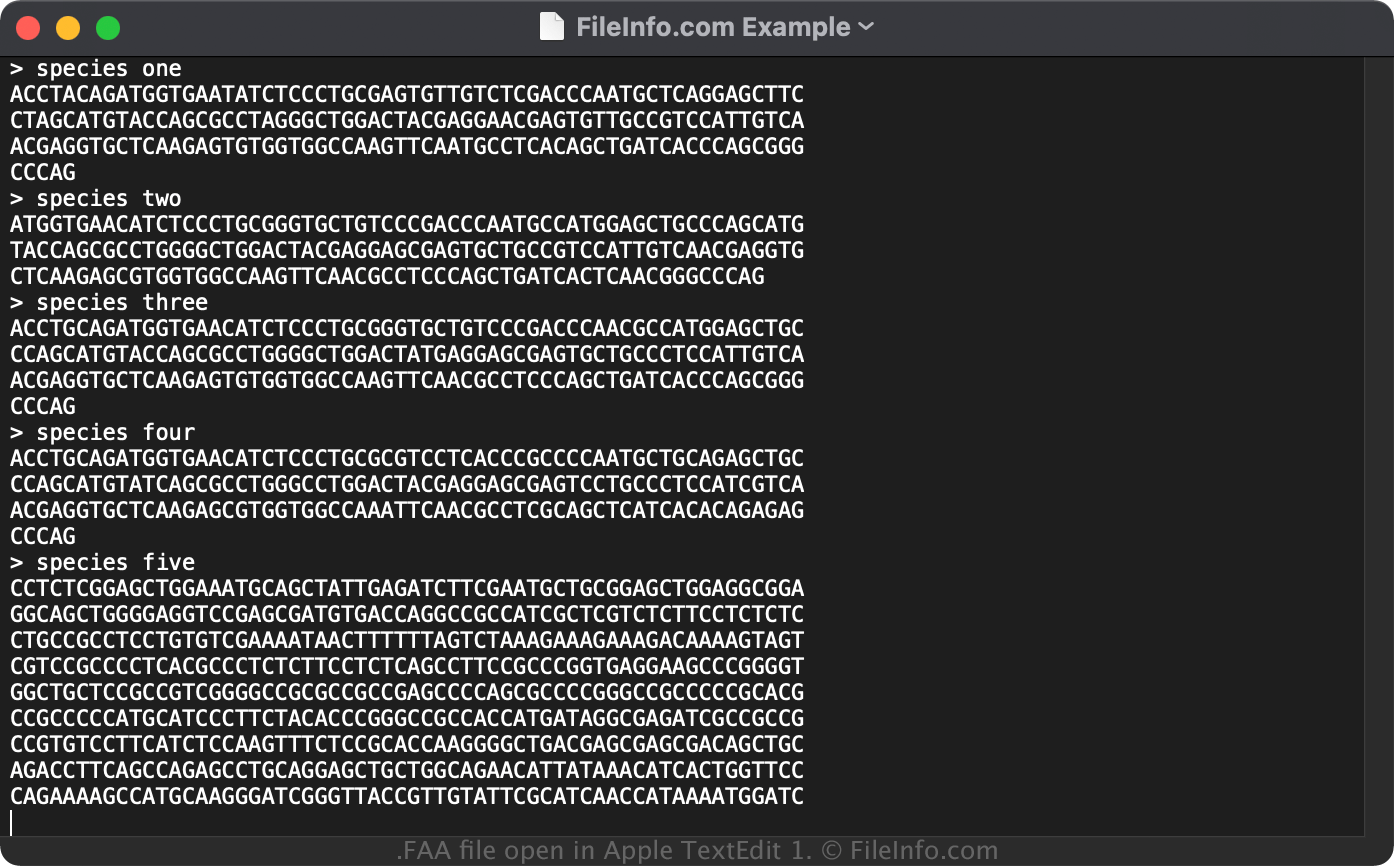
Microsoft Notepad(Windows) 또는 Apple TextEdit(Mac)과 같은 텍스트 편집기로 FAA 파일을 열 수 있습니다. 그러나 텍스트 편집기로 FAA 파일을 열면 해당 형식을 기본적으로 지원하는 DNA 애플리케이션에서처럼 FAA 파일의 서열이 표시되지 않습니다.
텍스트 편집기에서 파일을 열면 FAA 파일의 서열을 확인하고 속성을 수정할 수 있습니다. 그러나 서열을 잘못 편집하면 파일이 손상될 수 있습니다.
FAA 파일을 변환하는 방법
GSL Biotech SnapGene 및 Heracle BioSoft DNA Baser와 같은 여러 애플리케이션으로 FAA 파일을 다른 형식으로 변환할 수 있습니다.
예를 들어, SnapGene은 FAA 파일을 다음 형식으로 변환할 수 있습니다.