

.PVS Extensão de arquivo
Arquivo de configuração do Parallels Desktop
| Desenvolvedor | Parallels |
| Popularidade |
3,5 | 4 Votos |
O que é um arquivo PVS?
Um arquivo PVS é um arquivo de configuração de uma máquina virtual (VM) criado pelo Parallels Desktop for Mac, um aplicativo de virtualização que permite que Macs executem outros sistemas operacionais. Ele é formatado em XML e armazena configurações da VM, como o nome da VM, a memória atribuída, o comportamento de inicialização e desligamento e a configuração de hardware.
Mais informações

Quando você cria uma VM no Parallels Desktop, o software gera um arquivo PVM para armazenar todas as informações necessárias para a VM. Um arquivo PVM é um pacote do macOS que contém vários arquivos, incluindo o disco rígido virtual da VM (.HDD), arquivos de registro (.LOG), imagens de disco (.ISO) e arquivos de dados (.DAT). Dentro desse pacote, o Parallels também cria um arquivo config.pvs, que armazena todas as configurações da VM, como alocação de memória, opções de rede e periféricos conectados.
Local dos arquivos PVS
Você pode encontrar o arquivo PVS de uma VM dentro do pacote PVM, que o Parallels Desktop salva por padrão no seguinte local:
Macintosh HD/Users/[username]/Documents/Parallels/
Para visualizar o conteúdo, clique com o botão direito do mouse no arquivo PVM no Finder e selecione . Isso exibirá os arquivos internos do pacote, incluindo o arquivo config.pvs.
Nomes de arquivo .PVS comuns
config.pvs - Nome padrão atribuído aos arquivos PVS encontrados em arquivos PVM.
Como abrir um arquivo PVS
Você não deve tentar abrir arquivos PVS. Em vez disso, o Parallels Desktop for Mac carrega automaticamente as informações do arquivo PVS ao executar uma máquina virtual. Você pode visualizar e modificar as configurações salvas em um arquivo PVS selecionando ou clicando no ícone de engrenagem "Configuration".
Abrindo um arquivo PVS com um editor de texto
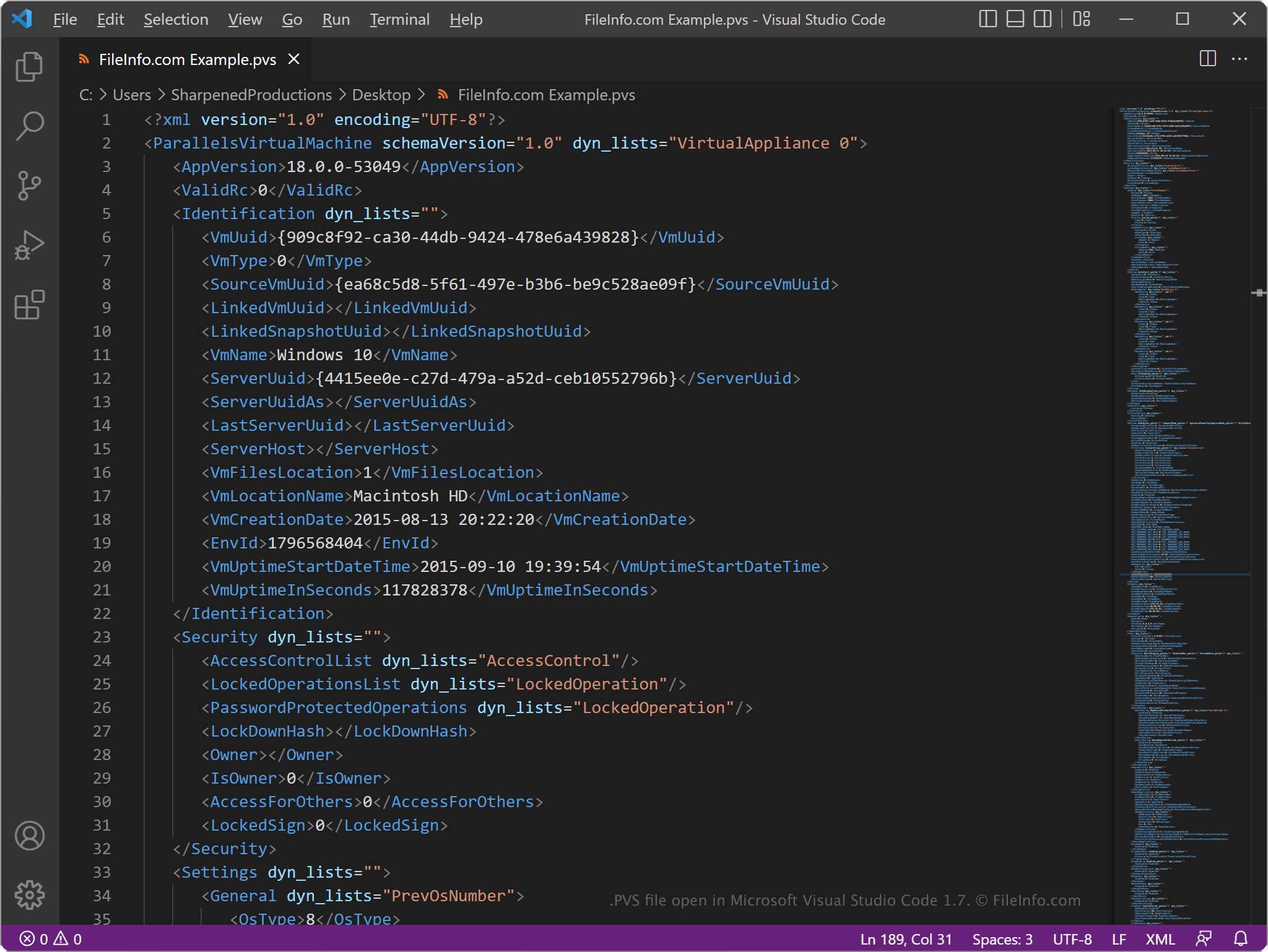
Como os arquivos PVS armazenam informações em texto simples, você pode abri-los com um editor de texto, como o Microsoft Notepad (Windows) ou o Apple TextEdit (Mac), ou com um editor de código-fonte. Talvez seja necessário renomear a extensão de arquivo .pvs para .txt para que o editor de texto a reconheça.
Quando aberto em um editor de texto ou editor de código-fonte, você pode modificar os elementos e parâmetros no arquivo PVS. No entanto, se editar o arquivo incorretamente, você poderá fazer com que a VM não seja executada corretamente sem querer.