

.PVS Estensione file
File di configurazione di Parallels Desktop
| Sviluppatore | Parallels |
| Popolarità |
3,5 | 4 Voti |
Che cos'è un file PVS?
Un file PVS è un file di configurazione per una macchina virtuale (VM) creata da Parallels Desktop for Mac, un'applicazione di virtualizzazione che consente ai Mac di eseguire altri sistemi operativi. È formattato in XML e memorizza impostazioni della VM come il nome della VM, la memoria assegnata, il comportamento di avvio e spegnimento e la configurazione hardware.
Maggiori informazioni

Quando crei una VM in Parallels Desktop, il software genera un file PVM per memorizzare tutte le informazioni necessarie per la VM. Un file PVM è un pacchetto macOS che contiene più file, tra cui il disco rigido virtuale della VM (.HDD), i file di registro (.LOG), le immagini disco (.ISO) e i file di dati (.DAT). All'interno di questo pacchetto, Parallels crea anche un file config.pvs, che memorizza tutte le impostazioni di configurazione della VM, come l'allocazione della memoria, le opzioni di rete e le periferiche collegate.
Posizione dei file PVS
Puoi trovare il file PVS di una VM all'interno del relativo pacchetto PVM, che Parallels Desktop salva per impostazione predefinita nella posizione seguente:
Macintosh HD/Users/[username]/Documents/Parallels/
Per visualizzarne i contenuti, fai clic con il pulsante destro del mouse sul file PVM in Finder e seleziona . Verranno visualizzati i file interni del pacchetto, incluso il file config.pvs.
Nomi file .PVS comuni
config.pvs - Nome predefinito assegnato ai file PVS presenti nei file PVM.
Come aprire un file PVS
Non dovresti tentare di aprire i file PVS. Invece, Parallels Desktop for Mac carica automaticamente le informazioni contenute nel file PVS quando esegui una macchina virtuale. Puoi visualizzare e modificare le impostazioni di configurazione salvate in un file PVS selezionando oppure facendo clic sull'icona a forma di ingranaggio "Configuration".
Apertura di un file PVS con un editor di testo
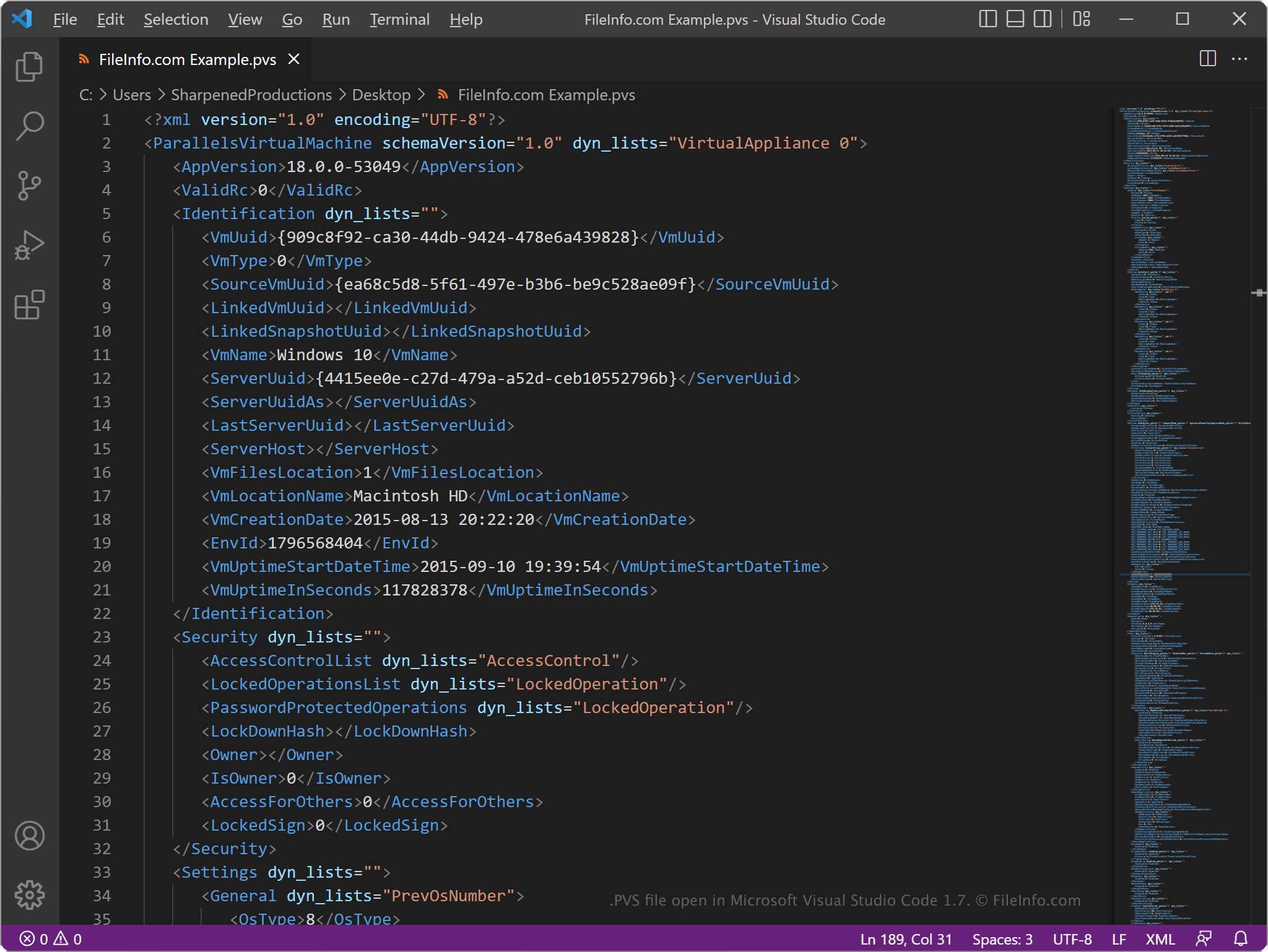
Poiché i file PVS memorizzano le informazioni in testo semplice, puoi aprirli con un editor di testo, come Microsoft Notepad (Windows) o Apple TextEdit (Mac), oppure con un editor di codice sorgente. Potresti dover rinominare l'estensione del file .pvs in .txt affinché l'editor di testo la riconosca.
Quando apri un file PVS in un editor di testo o in un editor di codice sorgente, puoi modificare gli elementi e i parametri al suo interno. Tuttavia, se modifichi il file in modo errato, potresti accidentalmente impedire il corretto funzionamento della VM.