

.PVS Bestandsextensie
Parallels Desktop-configuratiebestand
| Ontwikkelaar | Parallels |
| Populariteit |
3,5 | 4 stemmen |
Wat is een PVS-bestand?
Een PVS-bestand is een configuratiebestand voor een virtuele machine (VM), gemaakt door Parallels Desktop for Mac, een virtualisatie-toepassing waarmee Macs andere besturingssystemen kunnen uitvoeren. Het is opgemaakt in XML en bevat VM-instellingen zoals de naam van de VM, het toegewezen geheugen, het opstart- en afsluitgedrag en de hardwareconfiguratie.
Meer informatie

Wanneer je een VM maakt in Parallels Desktop, genereert de software een PVM-bestand om alle benodigde informatie voor de VM op te slaan. Een PVM-bestand is een macOS-pakket dat meerdere bestanden bevat, waaronder de virtuele harde schijf van de VM (.HDD), logbestanden (.LOG), schijfkopieën (.ISO) en gegevensbestanden (.DAT). Binnen dit pakket maakt Parallels ook een config.pvs-bestand, waarin alle configuratie-instellingen voor de VM worden opgeslagen, zoals geheugentoewijzing, netwerkopties en aangesloten randapparaten.
Locatie van PVS-bestanden
Je vindt het PVS-bestand van een VM in het PVM-pakket. Parallels Desktop slaat dit standaard op de volgende locatie op:
Macintosh HD/Users/[username]/Documents/Parallels/
Als je de inhoud wilt bekijken, klik je in Finder met de rechtermuisknop op het PVM-bestand en selecteer je . Hierdoor worden de interne bestanden van het pakket weergegeven, waaronder het config.pvs-bestand.
Veelvoorkomende .PVS-bestandsnamen
config.pvs - Standaardnaam voor PVS-bestanden in PVM-bestanden.
Een PVS-bestand openen
Je moet niet proberen PVS-bestanden te openen. In plaats daarvan laadt Parallels Desktop for Mac automatisch de informatie in het PVS-bestand wanneer een virtuele machine wordt uitgevoerd. Je kunt de configuratie-instellingen die in een PVS-bestand zijn opgeslagen bekijken en aanpassen door te selecteren of op het tandwielpictogram "Configuration" te klikken.
Een PVS-bestand openen met een teksteditor
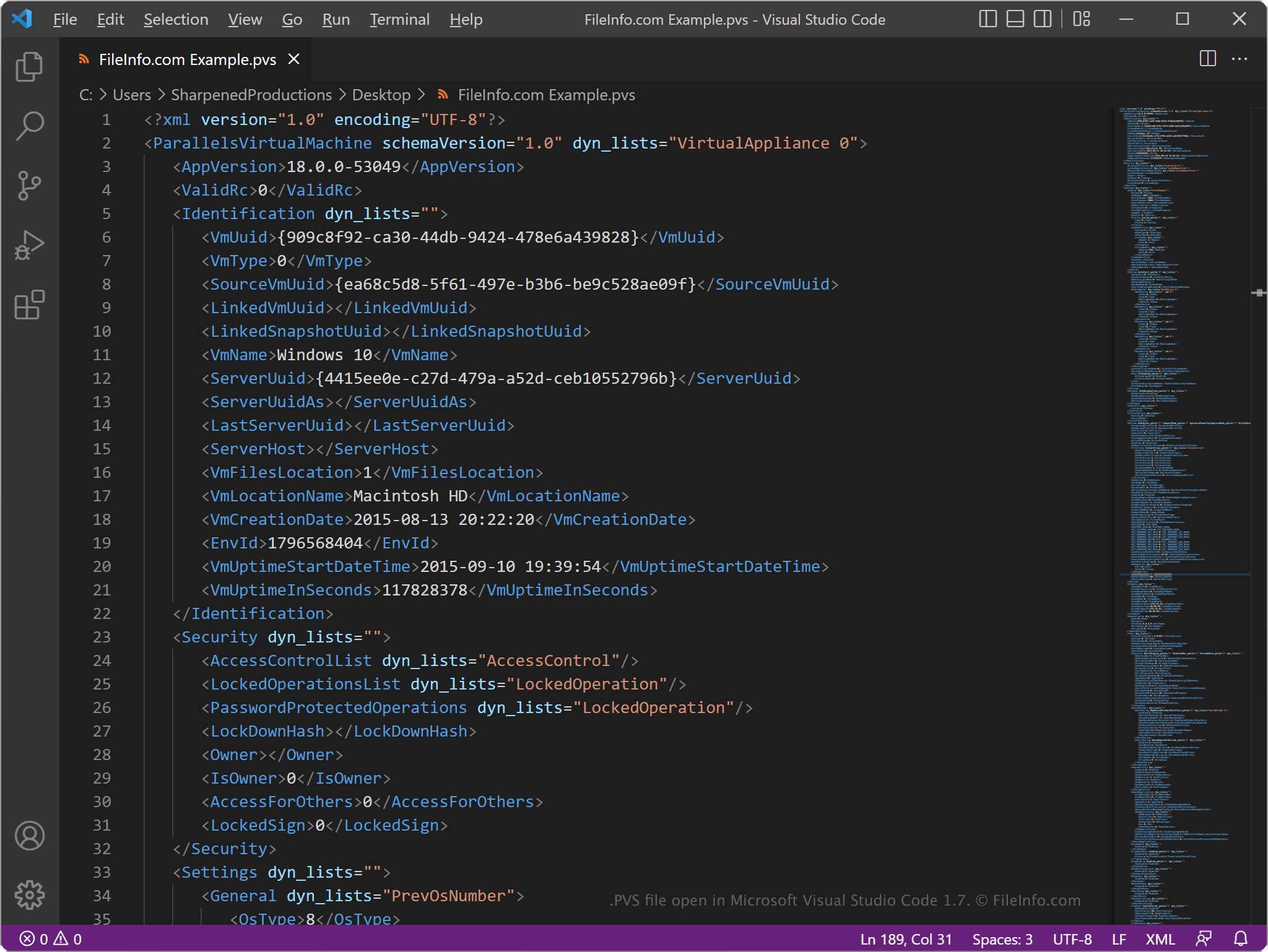
Omdat PVS-bestanden informatie in platte tekst opslaan, kun je ze openen met een teksteditor, zoals Microsoft Notepad (Windows) of Apple TextEdit (Mac), of met een broncode-editor. Mogelijk moet je de bestandsextensie .pvs wijzigen in .txt, zodat de teksteditor het bestand herkent.
Wanneer je een PVS-bestand opent in een teksteditor of broncode-editor, kun je de elementen en parameters in het bestand aanpassen. Als je het bestand echter verkeerd bewerkt, kan dit er onbedoeld voor zorgen dat de VM niet goed werkt.