

.PVS Rozszerzenie pliku
Plik konfiguracyjny Parallels Desktop
| Deweloper | Parallels |
| Popularność |
3,5 | 4 Głosy |
Czym jest plik PVS?
Plik PVS to plik konfiguracyjny maszyny wirtualnej (VM) utworzonej przez Parallels Desktop for Mac, aplikację do wirtualizacji, która pozwala komputerom Mac uruchamiać inne systemy operacyjne. Jest zapisany w formacie XML i przechowuje ustawienia maszyny wirtualnej, takie jak jej nazwa, przydzielona pamięć, sposób uruchamiania i wyłączania oraz konfiguracja sprzętowa.
Więcej informacji

Podczas tworzenia maszyny wirtualnej w programie Parallels Desktop oprogramowanie generuje plik PVM, w którym przechowuje wszystkie niezbędne informacje dotyczące maszyny wirtualnej. Plik PVM to pakiet systemu macOS zawierający wiele plików, w tym wirtualny dysk twardy maszyny wirtualnej (.HDD), pliki dziennika (.LOG), obrazy dysków (.ISO) oraz pliki danych (.DAT). W tym pakiecie program Parallels tworzy również plik config.pvs, w którym przechowywane są wszystkie ustawienia konfiguracji maszyny wirtualnej, takie jak przydział pamięci, opcje sieci i podłączone urządzenia peryferyjne.
Lokalizacja plików PVS
Plik PVS maszyny wirtualnej znajduje się w jej pakiecie PVM, który program Parallels Desktop domyślnie zapisuje w następującej lokalizacji:
Macintosh HD/Users/[username]/Documents/Parallels/
Aby wyświetlić zawartość, kliknij prawym przyciskiem myszy plik PVM w Finderze i wybierz opcję . Spowoduje to wyświetlenie wewnętrznych plików pakietu, w tym pliku config.pvs.
Popularne nazwy plików .PVS
config.pvs - Domyślna nazwa nadawana plikom PVS znajdującym się w plikach PVM.
Jak otworzyć plik PVS
Nie należy próbować otwierać plików PVS. Zamiast tego program Parallels Desktop for Mac automatycznie wczytuje informacje z pliku PVS podczas uruchamiania maszyny wirtualnej. Ustawienia konfiguracji zapisane w pliku PVS można wyświetlać i modyfikować, wybierając opcję lub klikając ikonę koła zębatego „Configuration”.
Otwieranie pliku PVS w edytorze tekstu
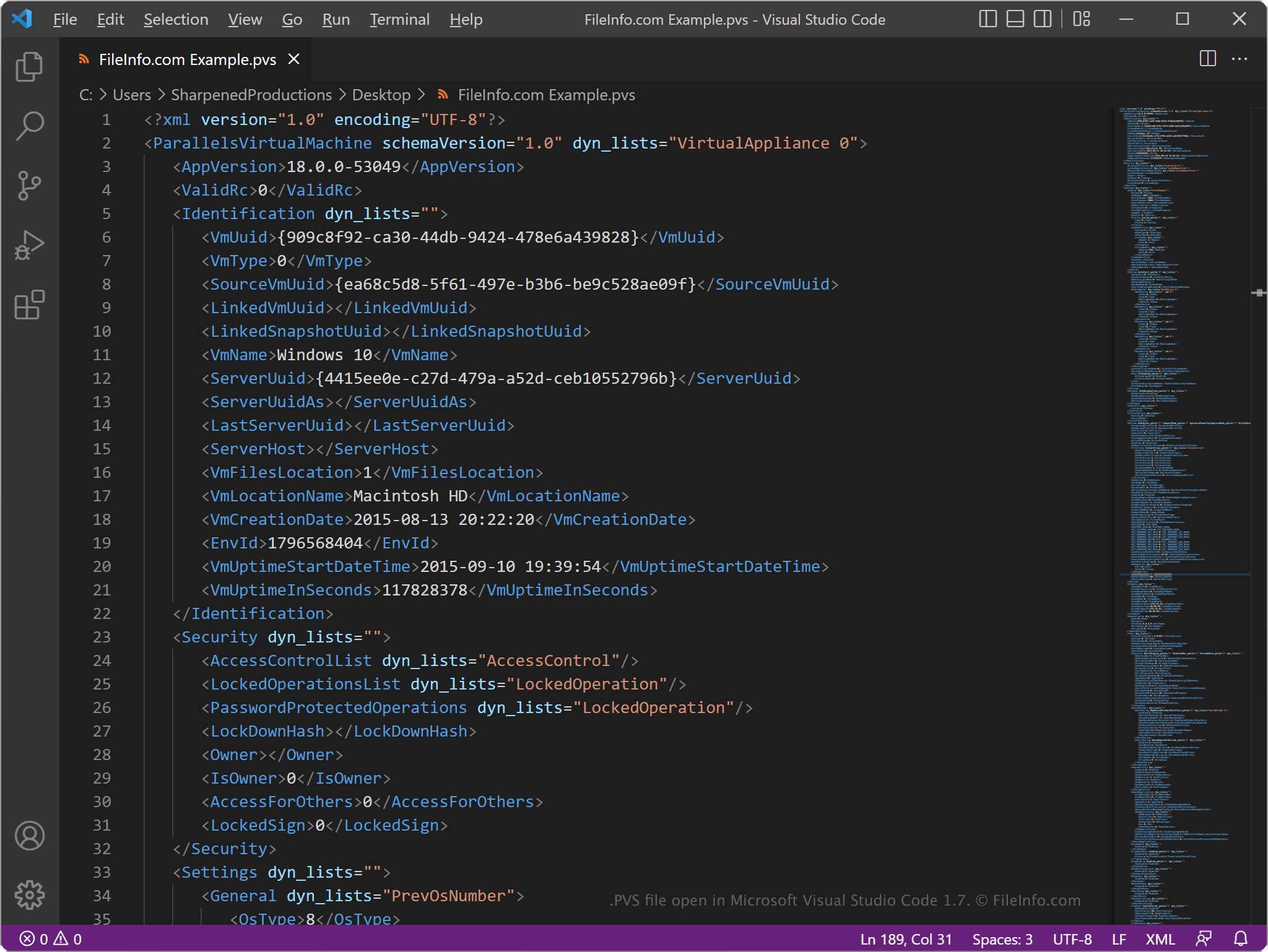
Ponieważ pliki PVS przechowują informacje w postaci zwykłego tekstu, można je otwierać za pomocą edytora tekstu, takiego jak Microsoft Notepad (Windows) lub Apple TextEdit (Mac), albo edytora kodu źródłowego. Aby edytor tekstu mógł rozpoznać plik, konieczna może być zmiana rozszerzenia .pvs na .txt.
Po otwarciu pliku PVS w edytorze tekstu lub edytorze kodu źródłowego można modyfikować jego elementy i parametry. Jeśli jednak plik zostanie nieprawidłowo zmodyfikowany, może to przypadkowo spowodować nieprawidłowe działanie maszyny wirtualnej.