.PVS ファイル拡張子

Parallels Desktop Configuration File

開発元 Parallels
人気度
3.5  |  4 
 

PVSファイルとは?

A PVS file is a configuration file for a virtual machine (VM) created by Parallels Desktop for Mac, a virtualization application that allows Macs to run other operating systems. It is formatted in XML and stores VM settings such as the VM's name, assigned memory, startup and shutdown behavior, and hardware configuration.

詳細情報

Parallels Desktop for Mac 26で開いた.pvsファイルのスクリーンショット
Parallels Desktop for Mac 26で開いたPVSファイル

When you create a VM in Parallels Desktop, the software generates a PVM file to store all the necessary information for the VM. A PVM file is a macOS package that contains multiple files, including the VM's virtual hard drive (.HDD), log files (.LOG), disk images (.ISO), and data files (.DAT). Within this package, Parallels also creates a config.pvs file, which stores all the configuration settings for the VM, such as memory allocation, network options, and connected peripherals.

Location of PVS files

You can find a VM's PVS file inside its PVM package, which Parallels Desktop saves by default in the following location:

Macintosh HD/​Users/​[username]/​Documents/​Parallels/​

To view the contents, right-click the PVM file in Finder and select Show Package Contents. This will display the package's internal files, including the config.pvs file.

一般的な.PVSファイル名

config.pvs - Default name given to PVS files found within PVM files.

PVSファイルの開き方

You should not attempt to open PVS files. Instead, Parallels Desktop for Mac automatically loads the information in the PVS file when running a virtual machine. You can view and modify the configuration settings saved in a PVS file by selecting Actions → Configure... or clicking the "Configuration" gear icon.

Opening a PVS file with a text editor

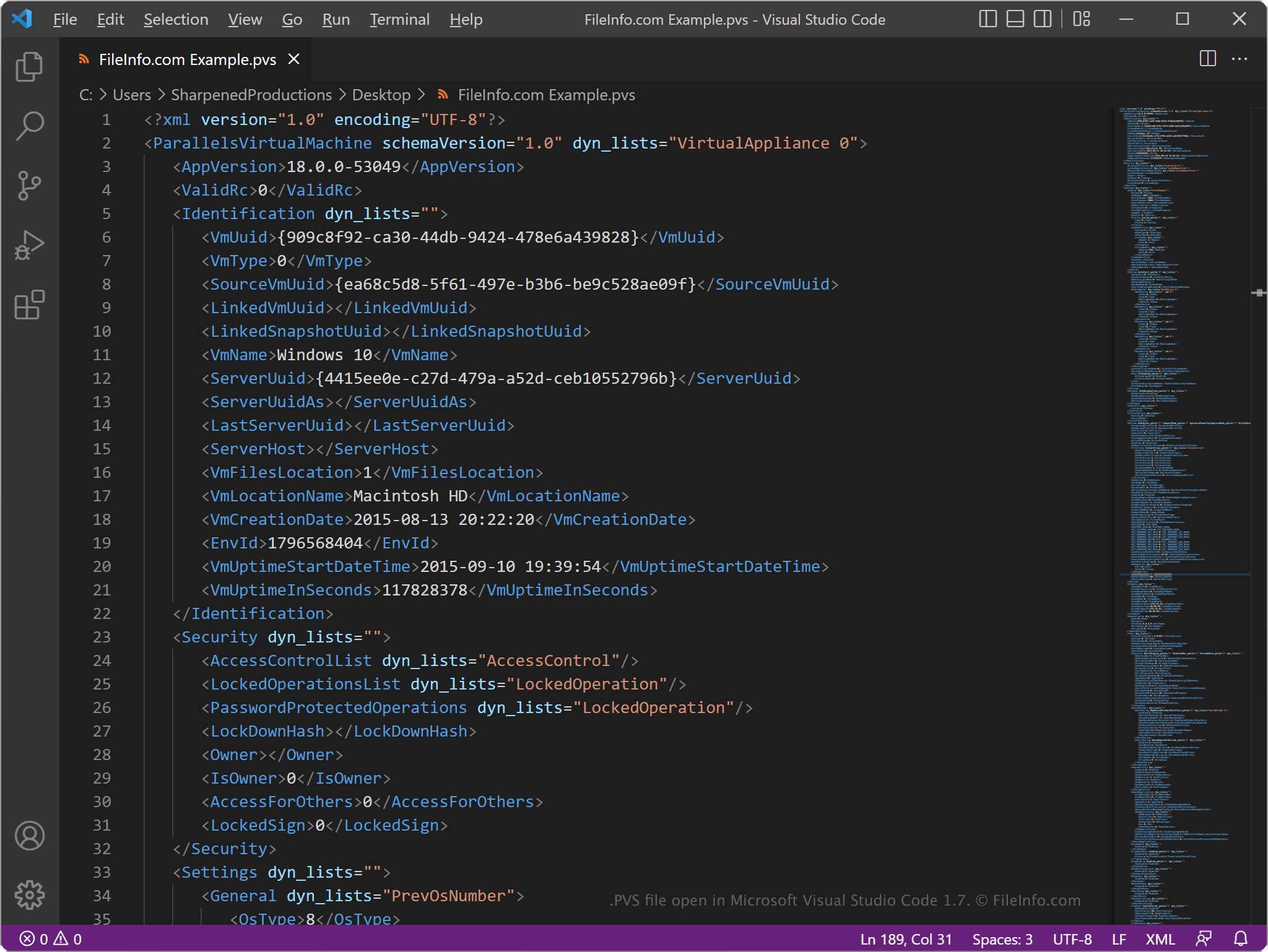
PVS file open in Microsoft Visual Studio Code

Since PVS files store information in plain text, you can open them with a text editor, such as Microsoft Notepad (Windows) or Apple TextEdit (Mac), or a source code editor. You may need to rename the .pvs file extension to .txt for the text editor to recognize it.

When opened in a text editor or source code editor, you can modify the elements and parameters in the PVS file. However, if you incorrectly edit the file, you may inadvertently cause the VM not to run correctly.

File Viewer Plusで400種類以上のファイル形式を開けます。無料ダウンロード

PVSファイルを開くプログラム

Mac
カテゴリ: 設定
更新日: 2025-08-28

検証者 FileInfo.com

FileInfo.comチーム は、このページに掲載されているParallels Desktop Configurationファイル形式とMacアプリについて独自に調査しました。 私たちの目標は100%の正確性であり、検証済みのファイルタイプに関する情報のみを公開しています。

このページへの追加や更新をご提案いただける場合は、お知らせください。