

.PVS Přípona souboru
Konfigurační soubor Parallels Desktop
| Vývojář | Parallels |
| Popularita |
3,5 | 4 hlasy |
Co je soubor PVS?
Soubor PVS je konfigurační soubor pro virtuální počítač (VM) vytvořený aplikací Parallels Desktop for Mac, což je aplikace pro virtualizaci, která umožňuje počítačům Mac spouštět jiné operační systémy. Je formátován jako XML a ukládá nastavení VM, například název VM, přidělenou paměť, chování při spuštění a vypnutí a hardwarovou konfiguraci.
Další informace

Když v aplikaci Parallels Desktop vytvoříte VM, software vygeneruje soubor PVM, do kterého uloží všechny potřebné informace o VM. Soubor PVM je balíček macOS, který obsahuje více souborů včetně virtuálního pevného disku VM (.HDD), souborů protokolu (.LOG), obrazů disku (.ISO) a datových souborů (.DAT). V tomto balíčku Parallels také vytvoří soubor config.pvs, který ukládá všechna konfigurační nastavení VM, například přidělení paměti, možnosti sítě a připojená periferní zařízení.
Umístění souborů PVS
Soubor PVS VM najdete uvnitř jejího balíčku PVM, který Parallels Desktop ve výchozím nastavení ukládá na následujícím místě:
Macintosh HD/Users/[username]/Documents/Parallels/
Chcete-li zobrazit obsah, klikněte pravým tlačítkem na soubor PVM ve Finderu a vyberte . Zobrazí se interní soubory balíčku včetně souboru config.pvs.
Běžné názvy souborů .PVS
config.pvs - Výchozí název souborů PVS nalezených uvnitř souborů PVM.
Jak otevřít soubor PVS
Nepokoušejte se soubory PVS otevírat. Místo toho Parallels Desktop for Mac automaticky načte informace ze souboru PVS při spuštění virtuálního počítače. Konfigurační nastavení uložená v souboru PVS můžete zobrazit a upravit výběrem možnosti nebo kliknutím na ikonu ozubeného kola „Configuration“.
Otevření souboru PVS v textovém editoru
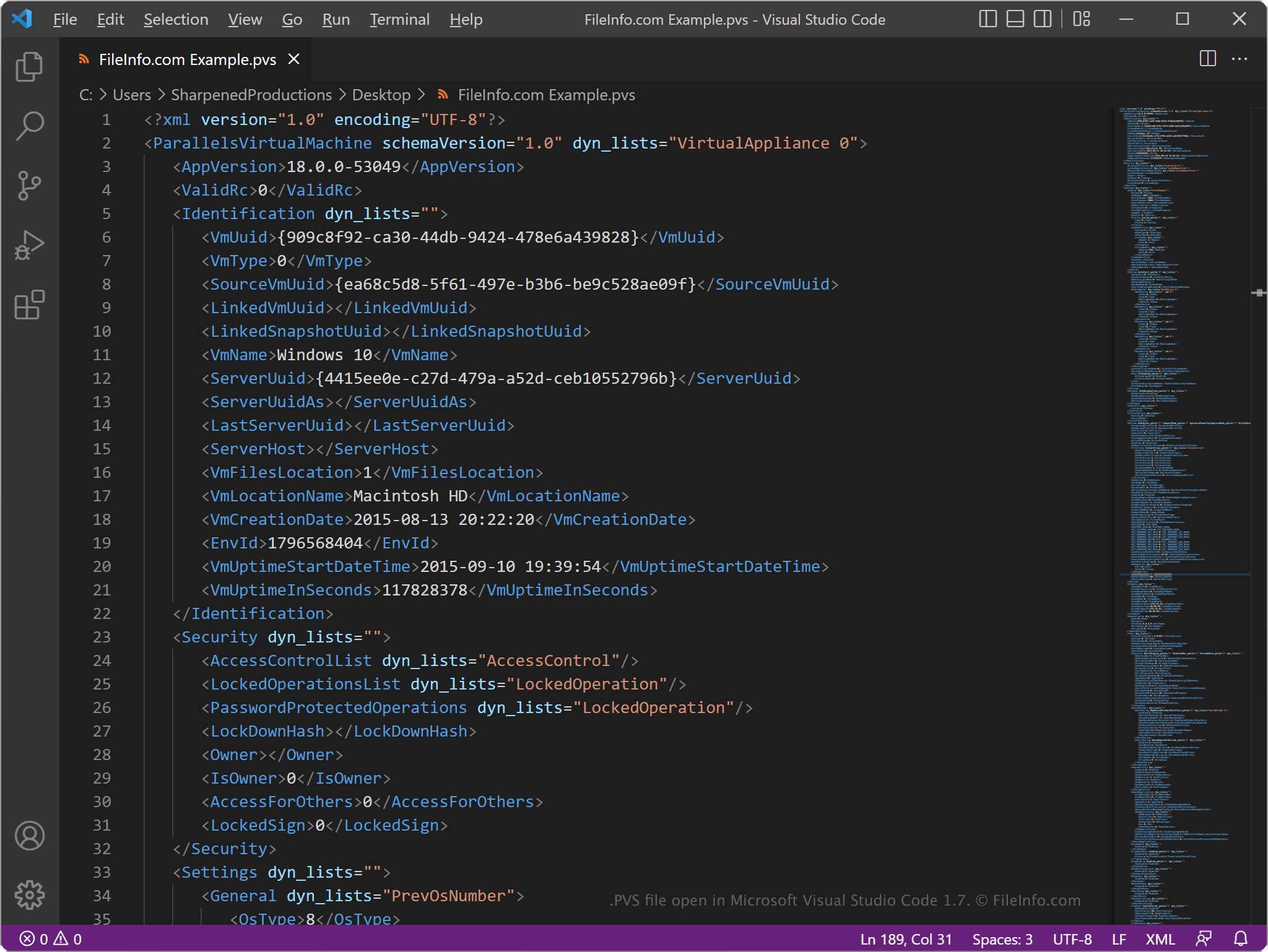
Protože soubory PVS ukládají informace jako prostý text, můžete je otevřít v textovém editoru, například v aplikaci Microsoft Notepad (Windows) nebo Apple TextEdit (Mac), případně v editoru zdrojového kódu. Aby textový editor soubor rozpoznal, možná budete muset změnit příponu souboru .pvs na .txt.
Po otevření v textovém editoru nebo editoru zdrojového kódu můžete v souboru PVS upravovat prvky a parametry. Pokud však soubor upravíte nesprávně, můžete neúmyslně způsobit, že VM nebude fungovat správně.