

.PVS Dateiendung
Parallels Desktop-Konfigurationsdatei
| Entwickler | Parallels |
| Beliebtheit |
3,5 | 4 Stimmen |
Was ist eine PVS-Datei?
Eine PVS-Datei ist eine Konfigurationsdatei für eine virtuelle Maschine (VM), die von Parallels Desktop for Mac erstellt wurde, einer Virtualisierungsanwendung, mit der Macs andere Betriebssysteme ausführen können. Sie ist in XML formatiert und speichert VM-Einstellungen wie den Namen der VM, den zugewiesenen Speicher, das Start- und Herunterfahrverhalten sowie die Hardwarekonfiguration.
Weitere Informationen

Wenn Sie in Parallels Desktop eine VM erstellen, erzeugt die Software eine PVM-Datei, in der alle erforderlichen Informationen für die VM gespeichert werden. Eine PVM-Datei ist ein macOS-Paket, das mehrere Dateien enthält, darunter die virtuelle Festplatte der VM (.HDD), Protokolldateien (.LOG), Datenträgerabbilder (.ISO) und Datendateien (.DAT). Innerhalb dieses Pakets erstellt Parallels außerdem eine config.pvs-Datei, in der alle Konfigurationseinstellungen für die VM gespeichert werden, etwa die Speicherzuweisung, Netzwerkoptionen und angeschlossenen Peripheriegeräte.
Speicherort von PVS-Dateien
Sie finden die PVS-Datei einer VM in ihrem PVM-Paket, das Parallels Desktop standardmäßig am folgenden Speicherort ablegt:
Macintosh HD/Users/[username]/Documents/Parallels/
Um den Inhalt anzuzeigen, klicken Sie im Finder mit der rechten Maustaste auf die PVM-Datei und wählen Sie . Dadurch werden die internen Dateien des Pakets angezeigt, darunter die config.pvs-Datei.
Häufige .PVS-Dateinamen
config.pvs - Standardname für PVS-Dateien in PVM-Dateien.
So öffnen Sie eine PVS-Datei
Sie sollten nicht versuchen, PVS-Dateien zu öffnen. Stattdessen lädt Parallels Desktop for Mac die Informationen in der PVS-Datei automatisch, wenn eine virtuelle Maschine ausgeführt wird. Sie können die in einer PVS-Datei gespeicherten Konfigurationseinstellungen anzeigen und ändern, indem Sie auswählen oder auf das Zahnradsymbol „Configuration“ klicken.
Öffnen einer PVS-Datei mit einem Texteditor
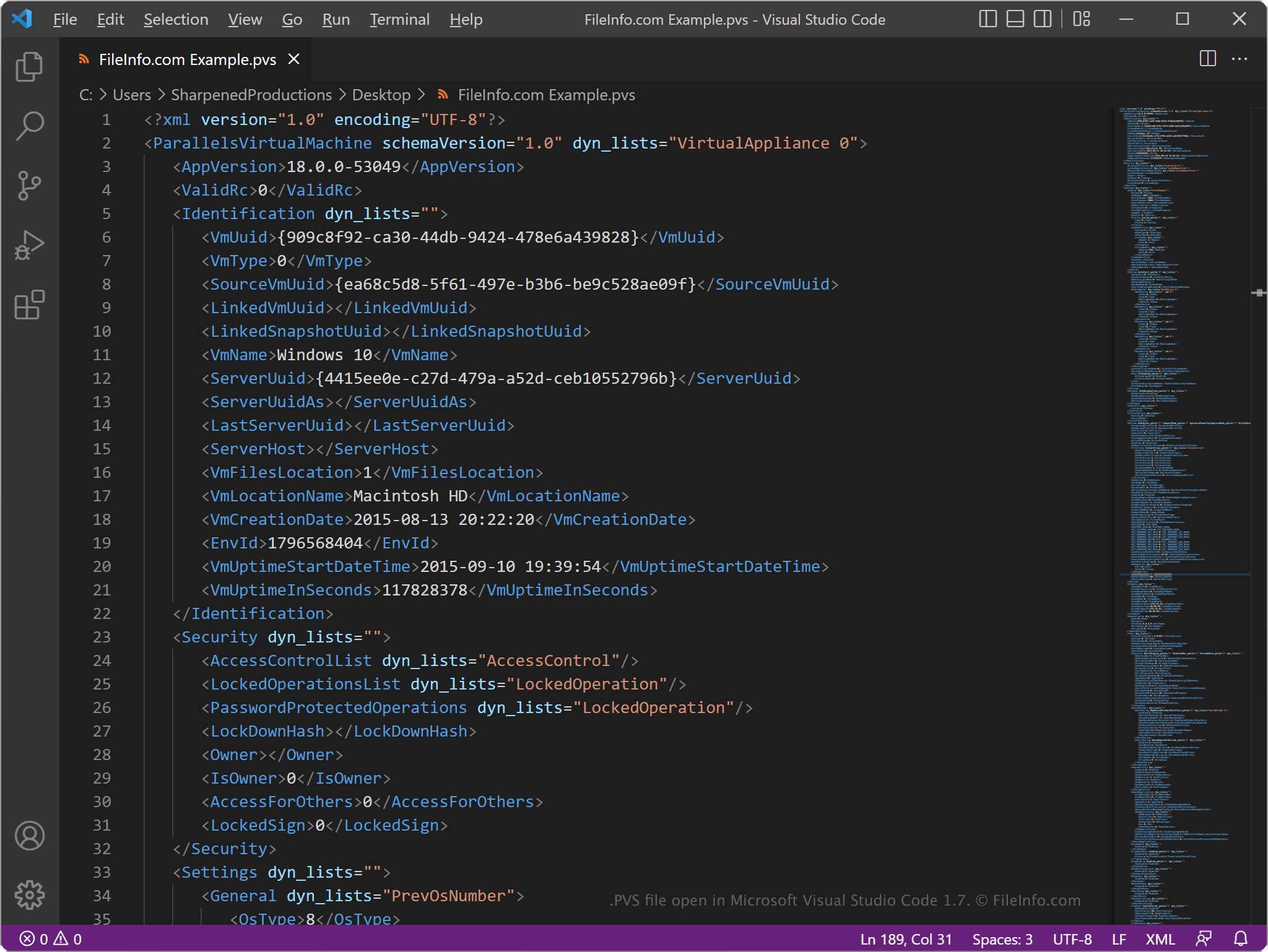
Da PVS-Dateien Informationen im Klartext speichern, können Sie sie mit einem Texteditor wie Microsoft Notepad (Windows) oder Apple TextEdit (Mac) oder mit einem Quelltexteditor öffnen. Möglicherweise müssen Sie die Dateierweiterung .pvs in .txt umbenennen, damit der Texteditor sie erkennt.
Wenn Sie die Datei in einem Texteditor oder Quelltexteditor öffnen, können Sie die Elemente und Parameter in der PVS-Datei ändern. Wenn Sie die Datei jedoch falsch bearbeiten, kann dies dazu führen, dass die VM möglicherweise nicht mehr ordnungsgemäß ausgeführt wird.