.PVS 파일 확장자

Parallels Desktop Configuration File

개발사 Parallels
인기도
3.5  |  4 투표
 

PVS 파일이란 무엇인가요?

A PVS file is a configuration file for a virtual machine (VM) created by Parallels Desktop for Mac, a virtualization application that allows Macs to run other operating systems. It is formatted in XML and stores VM settings such as the VM's name, assigned memory, startup and shutdown behavior, and hardware configuration.

추가 정보

Parallels Desktop for Mac 26에서 열린 .pvs 파일의 스크린샷
Parallels Desktop for Mac 26에서 열린 PVS 파일

When you create a VM in Parallels Desktop, the software generates a PVM file to store all the necessary information for the VM. A PVM file is a macOS package that contains multiple files, including the VM's virtual hard drive (.HDD), log files (.LOG), disk images (.ISO), and data files (.DAT). Within this package, Parallels also creates a config.pvs file, which stores all the configuration settings for the VM, such as memory allocation, network options, and connected peripherals.

Location of PVS files

You can find a VM's PVS file inside its PVM package, which Parallels Desktop saves by default in the following location:

Macintosh HD/​Users/​[username]/​Documents/​Parallels/​

To view the contents, right-click the PVM file in Finder and select Show Package Contents. This will display the package's internal files, including the config.pvs file.

일반적인 .PVS 파일 이름

config.pvs - Default name given to PVS files found within PVM files.

PVS 파일을 여는 방법

You should not attempt to open PVS files. Instead, Parallels Desktop for Mac automatically loads the information in the PVS file when running a virtual machine. You can view and modify the configuration settings saved in a PVS file by selecting Actions → Configure... or clicking the "Configuration" gear icon.

Opening a PVS file with a text editor

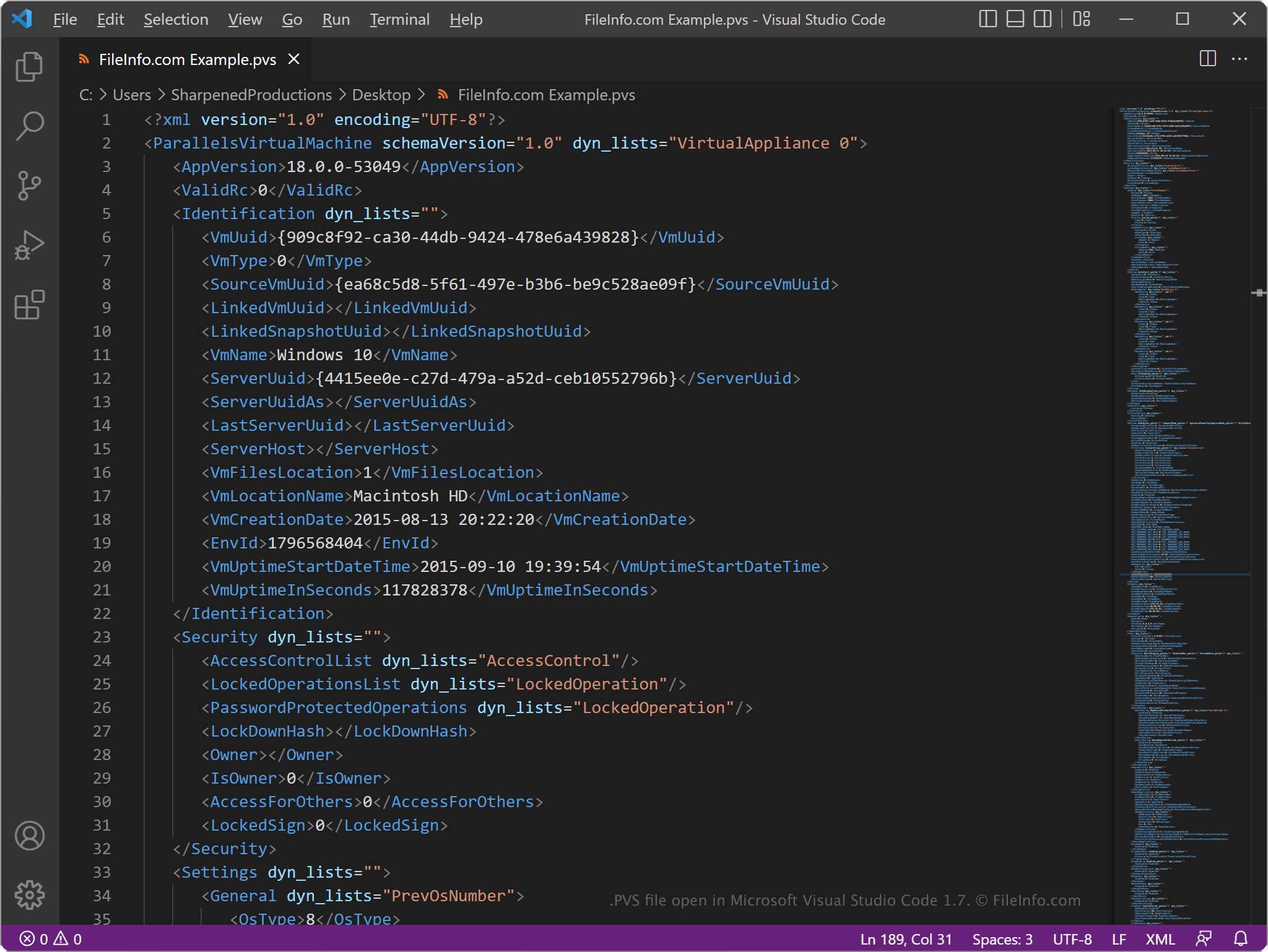
PVS file open in Microsoft Visual Studio Code

Since PVS files store information in plain text, you can open them with a text editor, such as Microsoft Notepad (Windows) or Apple TextEdit (Mac), or a source code editor. You may need to rename the .pvs file extension to .txt for the text editor to recognize it.

When opened in a text editor or source code editor, you can modify the elements and parameters in the PVS file. However, if you incorrectly edit the file, you may inadvertently cause the VM not to run correctly.

File Viewer Plus(으)로 400개 이상의 파일 형식을 여세요.무료 다운로드

PVS 파일을 여는 프로그램

Mac
카테고리: 설정
업데이트: 2025-08-28

검증자 FileInfo.com

FileInfo.com 팀 이 페이지에 나열된 Parallels Desktop Configuration 파일 형식과 Mac 앱을 독자적으로 조사했습니다. 저희의 목표는 100% 정확성이며, 검증한 파일 유형에 대한 정보만 게시합니다.

이 페이지에 추가하거나 업데이트할 내용을 제안하고 싶으시면 알려 주세요.