

.MCOLOR Extensão de arquivo
Arquivo de cores da interface do Mine-imator
| Desenvolvedor | David Norgren |
| Popularidade |
1,5 | 2 Votos |
O que é um arquivo MCOLOR?
Um arquivo MCOLOR é um arquivo de configurações criado pelo Mine-imator, um programa usado para criar vídeos animados com temas do Minecraft. Ele contém configurações de cores da interface gráfica do usuário do Mine-imator, incluindo cores de texto, botões, caixas, linha do tempo, alertas e destaques. Os arquivos MCOLOR são usados somente pelo Mine-imator.
Mais informações
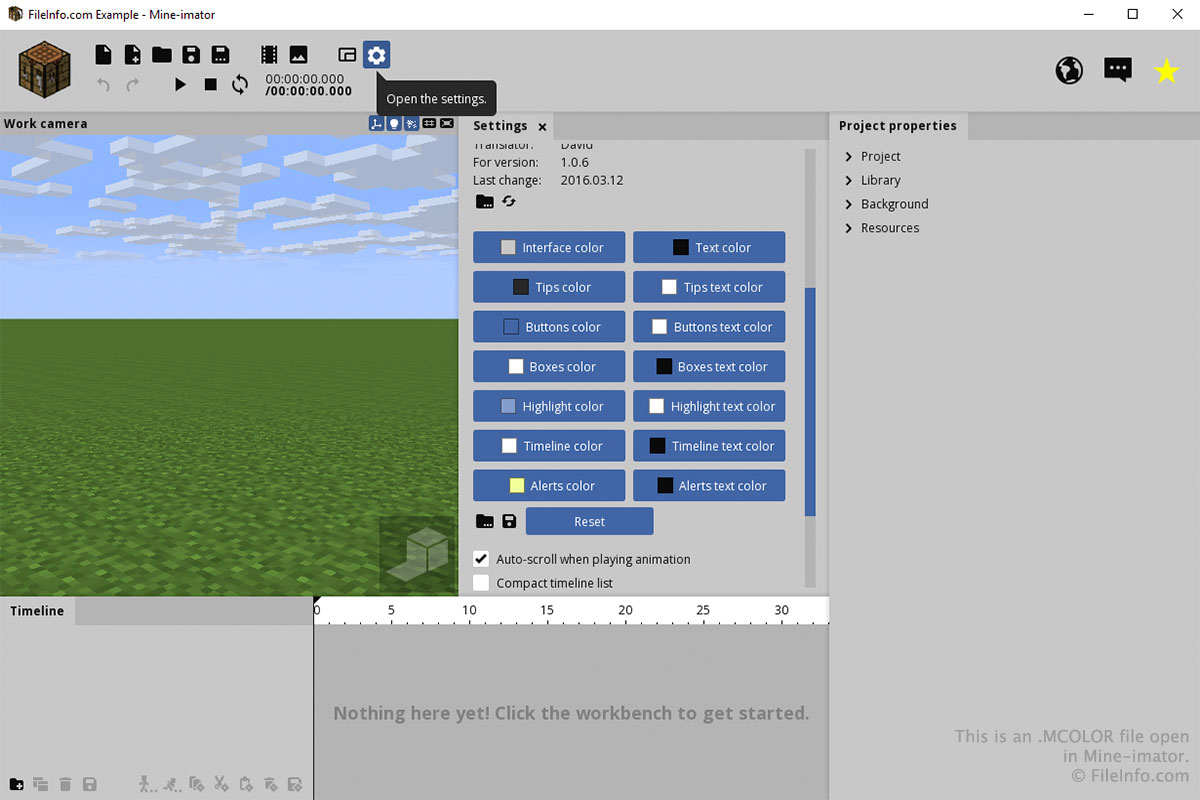
Você provavelmente só interagirá com um arquivo MCOLOR pela aba "Settings" do Mine-imator. Para criar ou abrir um arquivo MCOLOR, selecione o ícone de engrenagem "Settings" e role para baixo até "Interface color". Selecione o ícone de pasta para carregar um arquivo MCOLOR ou selecione o ícone de disquete para salvar um arquivo MCOLOR.
Você pode escolher as cores de cada parte da interface clicando nos botões da seção "Interface color" da aba "Settings". Depois de clicar em um botão, escolha a cor e clique em .