

.MCOLOR Bestandsextensie
Mine-imator-interfacekleurbestand
| Ontwikkelaar | David Norgren |
| Populariteit |
1,5 | 2 stemmen |
Wat is een MCOLOR-bestand?
Een MCOLOR-bestand is een instellingenbestand dat is gemaakt door Mine-imator, een programma waarmee je geanimeerde video's met een Minecraft-thema kunt maken. Het bevat GUI-kleurinstellingen voor Mine-imator, waaronder kleuren voor tekst, knoppen, vakken, de tijdlijn, meldingen en markeringen. MCOLOR-bestanden worden alleen gebruikt door Mine-imator.
Meer informatie
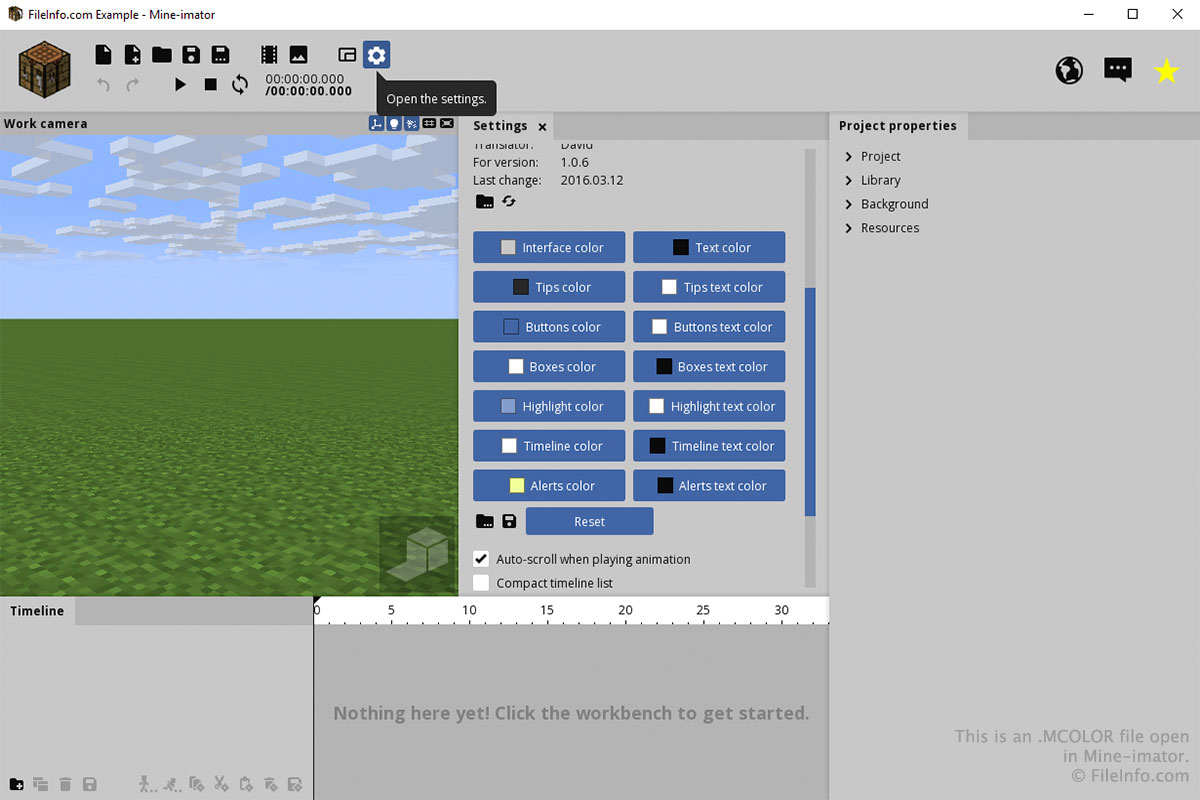
Je zult waarschijnlijk alleen met een MCOLOR-bestand werken via het tabblad "Instellingen" in Mine-imator. Om een MCOLOR-bestand te maken of te openen, selecteer je het tandwielpictogram voor "Instellingen" en scrol je omlaag naar "Interfacekleur". Selecteer het mappictogram om een MCOLOR-bestand te laden of selecteer het diskettepictogram om een MCOLOR-bestand op te slaan.
Je kunt de kleuren voor elk onderdeel van de interface kiezen door op de knoppen in het gedeelte "Interfacekleur" van het tabblad "Instellingen" te klikken. Nadat je op een knop hebt geklikt, kies je de kleur en klik je op .