.MCOLOR 파일 확장자

Mine-imator Interface Color File

개발사 David Norgren
인기도
1.5  |  2 투표
 

MCOLOR 파일이란 무엇인가요?

An MCOLOR file is a settings file created by Mine-imator, a program used to create Minecraft-themed animated videos. It contains GUI color settings for Mine-imator, which includes text, buttons, boxes, timeline, alerts, and highlight colors. MCOLOR files are only used by Mine-imator.

추가 정보

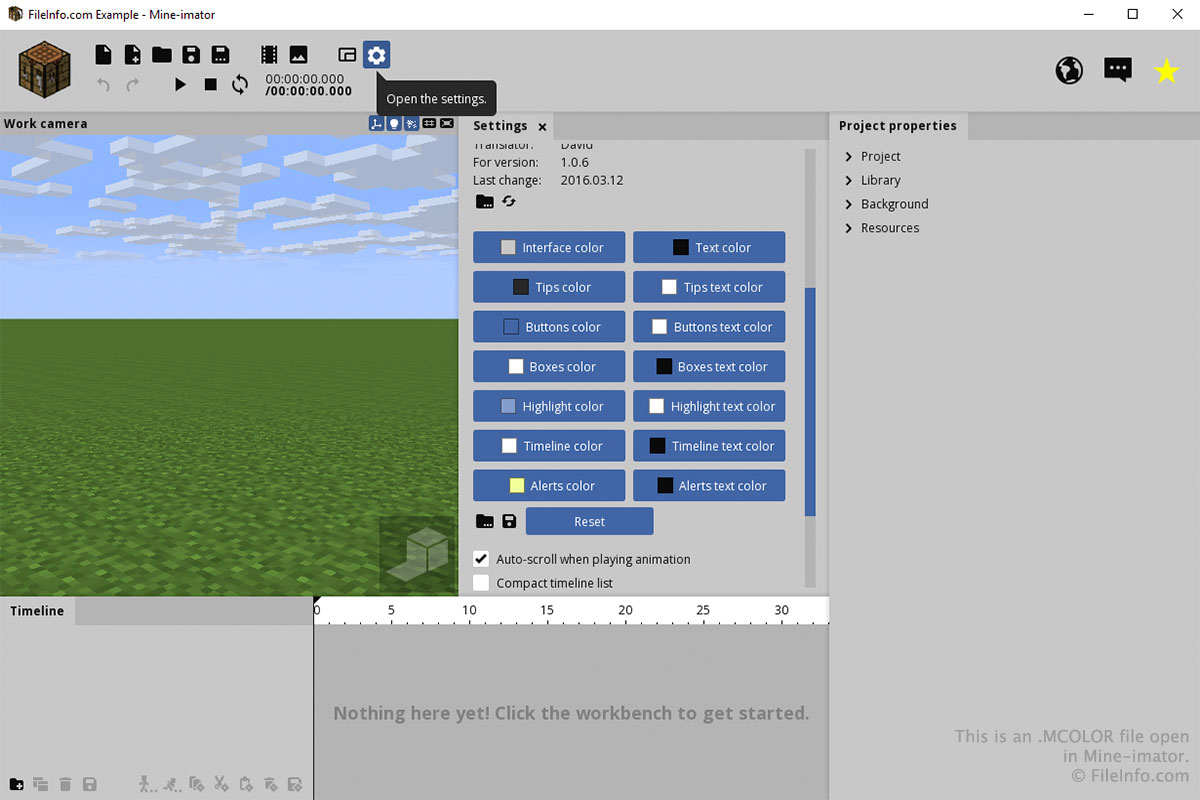
Mine-imator에서 열린 .mcolor 파일의 스크린샷
Mine-imator에서 열린 MCOLOR 파일

You will most likely only interact with an MCOLOR file through the "Settings" tab in Mine-imator. To create or open an MCOLOR file, select the "Settings" gear icon and scroll down to "Interface color". Select the folder icon to load an MCOLOR file or select the floppy disk icon to save an MCOLOR file.

You can choose the colors for each part of the interface by clicking the buttons in the "Interface color" section of the "Settings" tab. After clicking a button, choose the color and click OK.

File Viewer Plus(으)로 400개 이상의 파일 형식을 여세요.무료 다운로드

MCOLOR 파일을 여는 프로그램

Windows
카테고리: 설정
업데이트: 2017-11-13

검증자 FileInfo.com

FileInfo.com 팀 이 페이지에 나열된 Mine-imator Interface Color 파일 형식과 Windows 앱을 독자적으로 조사했습니다. 저희의 목표는 100% 정확성이며, 검증한 파일 유형에 대한 정보만 게시합니다.

이 페이지에 추가하거나 업데이트할 내용을 제안하고 싶으시면 알려 주세요.