.MCOLOR ファイル拡張子

Mine-imator Interface Color File

開発元 David Norgren
人気度
1.5  |  2 
 

MCOLORファイルとは?

An MCOLOR file is a settings file created by Mine-imator, a program used to create Minecraft-themed animated videos. It contains GUI color settings for Mine-imator, which includes text, buttons, boxes, timeline, alerts, and highlight colors. MCOLOR files are only used by Mine-imator.

詳細情報

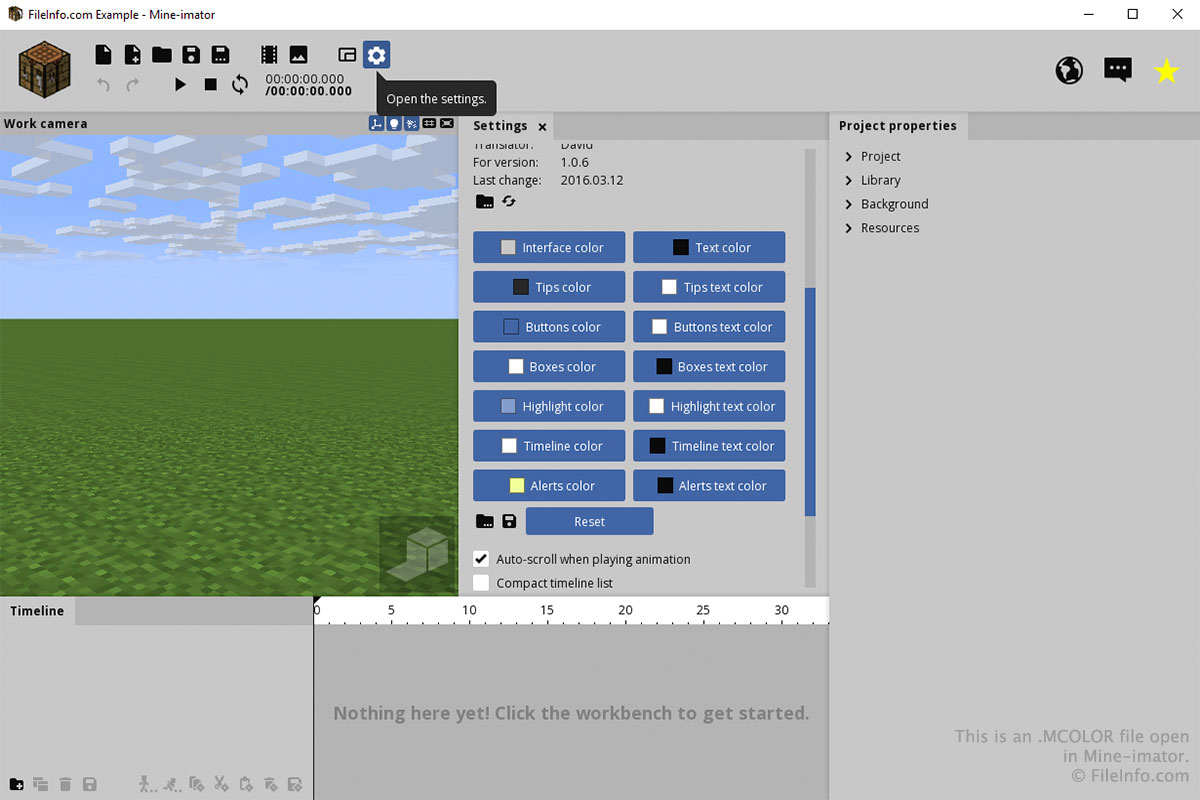
Mine-imatorで開いた.mcolorファイルのスクリーンショット
Mine-imatorで開いたMCOLORファイル

You will most likely only interact with an MCOLOR file through the "Settings" tab in Mine-imator. To create or open an MCOLOR file, select the "Settings" gear icon and scroll down to "Interface color". Select the folder icon to load an MCOLOR file or select the floppy disk icon to save an MCOLOR file.

You can choose the colors for each part of the interface by clicking the buttons in the "Interface color" section of the "Settings" tab. After clicking a button, choose the color and click OK.

File Viewer Plusで400種類以上のファイル形式を開けます。無料ダウンロード

MCOLORファイルを開くプログラム

Windows
カテゴリ: 設定
更新日: 2017-11-13

検証者 FileInfo.com

FileInfo.comチーム は、このページに掲載されているMine-imator Interface Colorファイル形式とWindowsアプリについて独自に調査しました。 私たちの目標は100%の正確性であり、検証済みのファイルタイプに関する情報のみを公開しています。

このページへの追加や更新をご提案いただける場合は、お知らせください。