

.CUR Extensão de arquivo
Imagem de cursor do Windows
| Desenvolvedor | N/D |
| Popularidade |
4,3 | 356 Votos |
O que é um arquivo CUR?
Um arquivo CUR é uma imagem de cursor do Microsoft Windows. Ele é usado para alterar a aparência do ponteiro do mouse do Windows. As imagens CUR típicas incluem setas (para uso geral), ampulhetas (para indicar quando um arquivo ou programa está carregando) e barras em I (para edição de texto).
Mais informações
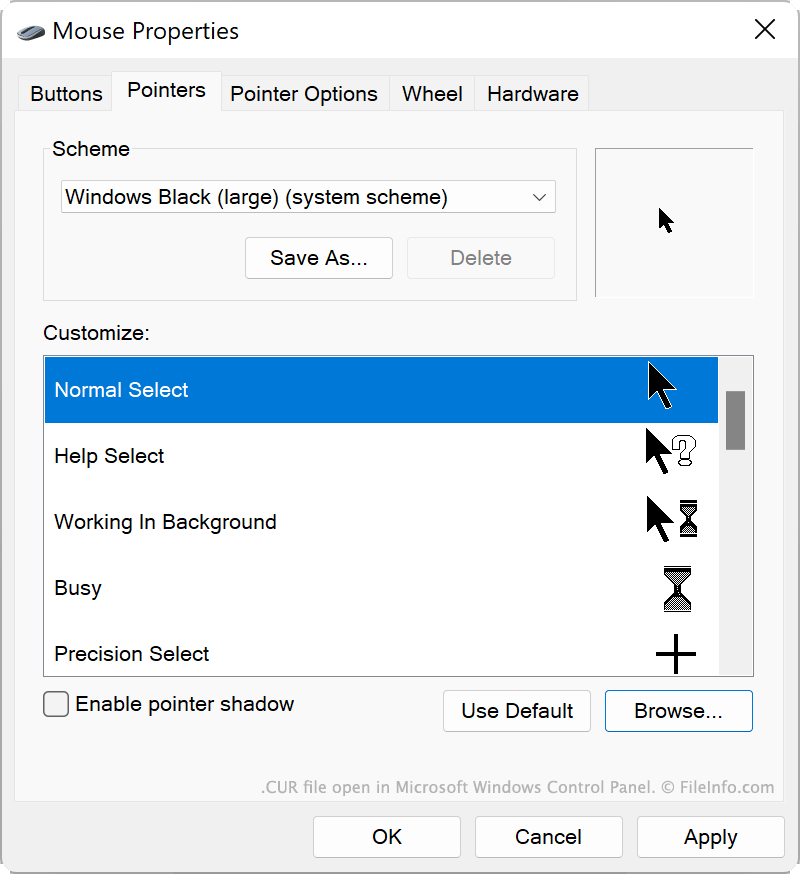
O Windows inclui vários arquivos CUR padrão que determinam a aparência do cursor em várias situações, como quando o sistema está ocupado, quando você está redimensionando uma janela ou quando está editando texto. Esses arquivos CUR são armazenados no seguinte local:
C:/Windows/Cursors
Você também pode instalar arquivos CUR personalizados, que pode ter criado ou baixado da Internet. Temas personalizados do Windows (arquivos .THEME) geralmente contêm arquivos CUR personalizados.
Como usar um arquivo CUR como imagem de cursor
Para usar um arquivo CUR como imagem de cursor do Windows:
- Abra o Painel de Controle do Windows e pesquise por "mouse."
- Selecione .
- Na janela Propriedades do Mouse, no menu Ponteiros, selecione a imagem do cursor que você deseja modificar.
- Clique em e navegue até o arquivo CUR e selecione-o.
- Clique em para aplicar suas alterações.
NOTA: Os arquivos CUR sempre contêm imagens de cursor estáticas. As imagens de cursor animadas são salvas como arquivos .ANI.
Como abrir um arquivo CUR
Você pode abrir um arquivo CUR com o Axialis CursorWorkshop (Windows), o RealWorld Cursor Editor (Windows) ou o Inkscape (multiplataforma) para visualizar e editar a imagem que ele contém.
Como converter um arquivo CUR
Você pode usar o Inkscape, o RealWorld Cursor Editor ou o Axialis CursorWorkshop para converter imagens CUR para outros formatos. Por exemplo, o Axialis CursorWorkshop pode converter imagens CUR para os seguintes formatos: