

.CUR Estensione file
Immagine del cursore di Windows
| Sviluppatore | N/D |
| Popolarità |
4,3 | 356 Voti |
Che cos'è un file CUR?
Un file CUR è un'immagine del cursore di Microsoft Windows. Viene utilizzato per modificare l'aspetto del puntatore del mouse di Windows. Le immagini CUR tipiche includono frecce (per l'uso generale), clessidre (per indicare quando un file o un programma è in fase di caricamento) e barre a I (per la modifica del testo).
Maggiori informazioni
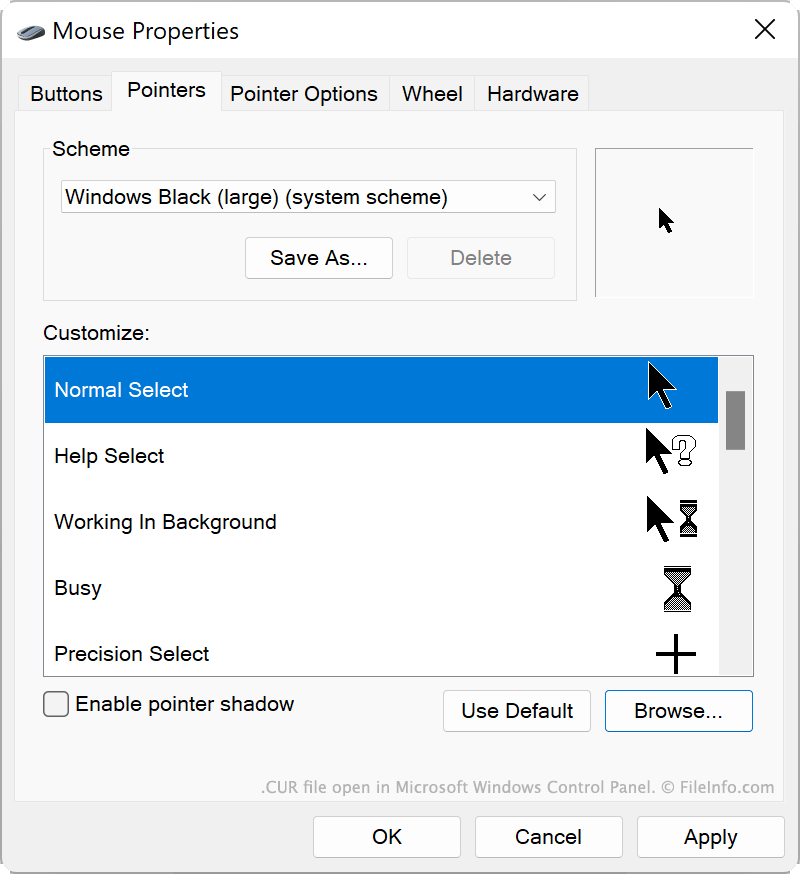
Windows include diversi file CUR predefiniti che determinano l'aspetto del cursore in vari scenari, ad esempio quando il sistema è occupato, quando ridimensioni una finestra o quando modifichi del testo. Questi file CUR sono memorizzati nel seguente percorso:
C:/Windows/Cursors
Puoi anche installare file CUR personalizzati, che potresti aver creato tu stesso o scaricato online. I temi di Windows personalizzati (file .THEME) contengono spesso file CUR personalizzati.
Come utilizzare un file CUR come immagine del cursore
Per utilizzare un file CUR come immagine del cursore di Windows:
- Apri il Pannello di controllo di Windows e cerca "mouse."
- Seleziona .
- Nel menu Puntatori della finestra Proprietà mouse, seleziona l'immagine del cursore che vuoi modificare.
- Fai clic su , quindi raggiungi e seleziona il file CUR.
- Fai clic su per applicare le modifiche.
NOTA: I file CUR contengono sempre immagini statiche del cursore. Le immagini animate del cursore vengono salvate come file .ANI.
Come aprire un file CUR
Puoi aprire un file CUR con Axialis CursorWorkshop (Windows), RealWorld Cursor Editor (Windows) o Inkscape (multipiattaforma) per visualizzare e modificare l'immagine che contiene.
Come convertire un file CUR
Puoi utilizzare Inkscape, RealWorld Cursor Editor o Axialis CursorWorkshop per convertire le immagini CUR in altri formati. Ad esempio, Axialis CursorWorkshop può convertire le immagini CUR nei seguenti formati: