

.CUR Rozszerzenie pliku
Obraz kursora systemu Windows
| Deweloper | Brak danych |
| Popularność |
4,3 | 356 Głosów |
Czym jest plik CUR?
Plik CUR to obraz kursora systemu Microsoft Windows. Służy do zmiany wyglądu wskaźnika myszy w systemie Windows. Typowe obrazy CUR obejmują strzałki (do ogólnego użytku), klepsydry (sygnalizujące ładowanie pliku lub programu) oraz wskaźniki w kształcie litery I (do edycji tekstu).
Więcej informacji
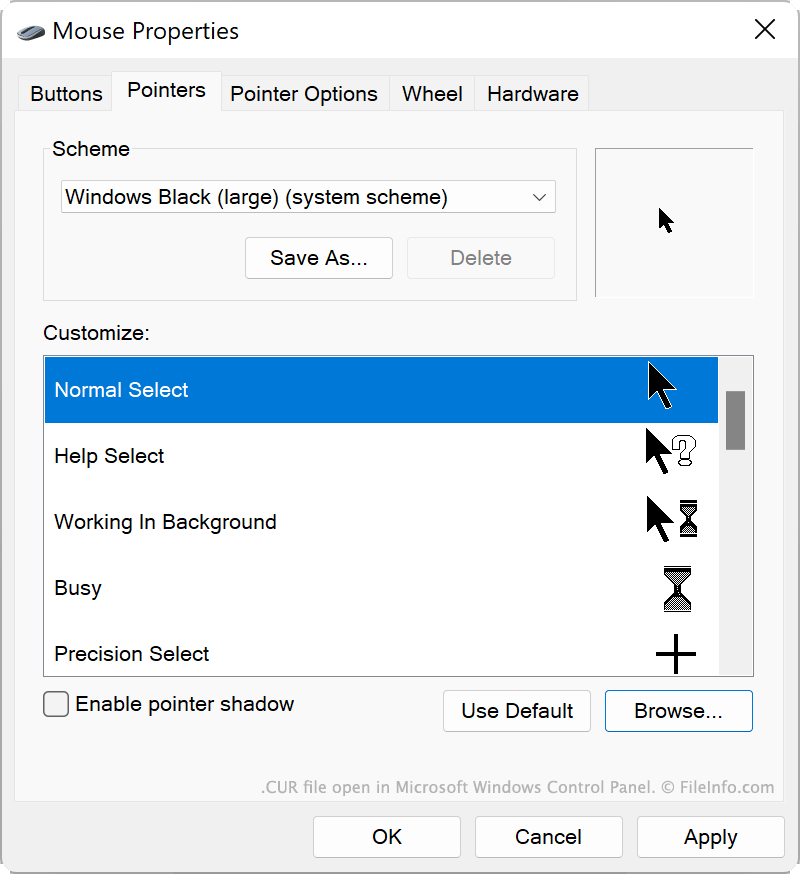
System Windows zawiera kilka domyślnych plików CUR, które określają wygląd kursora w różnych sytuacjach, na przykład gdy system jest zajęty, zmieniasz rozmiar okna lub edytujesz tekst. Te pliki CUR są przechowywane w następującej lokalizacji:
C:/Windows/Cursors
Możesz także zainstalować niestandardowe pliki CUR, które zostały utworzone przez Ciebie lub pobrane z internetu. Niestandardowe motywy systemu Windows (pliki .THEME) często zawierają niestandardowe pliki CUR.
Jak używać pliku CUR jako obrazu kursora
Aby użyć pliku CUR jako obrazu kursora systemu Windows:
- Otwórz Panel sterowania systemu Windows i wyszukaj hasło „mysz”.
- Wybierz opcję .
- W menu Wskaźniki okna Właściwości myszy wybierz obraz kursora, który chcesz zmodyfikować.
- Kliknij przycisk , a następnie przejdź do swojego pliku CUR i wybierz go.
- Kliknij przycisk , aby zastosować zmiany.
UWAGA: Pliki CUR zawsze zawierają statyczne obrazy kursorów. Animowane obrazy kursorów są zapisywane jako pliki .ANI.
Jak otworzyć plik CUR
Plik CUR możesz otworzyć w programach Axialis CursorWorkshop (Windows), RealWorld Cursor Editor (Windows) lub Inkscape (wieloplatformowy), aby wyświetlić zawarty w nim obraz i go edytować.
Jak przekonwertować plik CUR
Programów Inkscape, RealWorld Cursor Editor lub Axialis CursorWorkshop możesz użyć do konwersji obrazów CUR na inne formaty. Na przykład Axialis CursorWorkshop może konwertować obrazy CUR do następujących formatów: