

.CUR Přípona souboru
Obraz kurzoru Windows
| Vývojář | Neuvedeno |
| Popularita |
4,3 | 356 hlasů |
Co je soubor CUR?
Soubor CUR je obrázek kurzoru systému Microsoft Windows. Používá se ke změně vzhledu ukazatele myši ve Windows. Mezi běžné obrázky CUR patří šipky (pro obecné použití), přesýpací hodiny (znázorňující načítání souboru nebo programu) a svislé čáry (pro úpravu textu).
Další informace
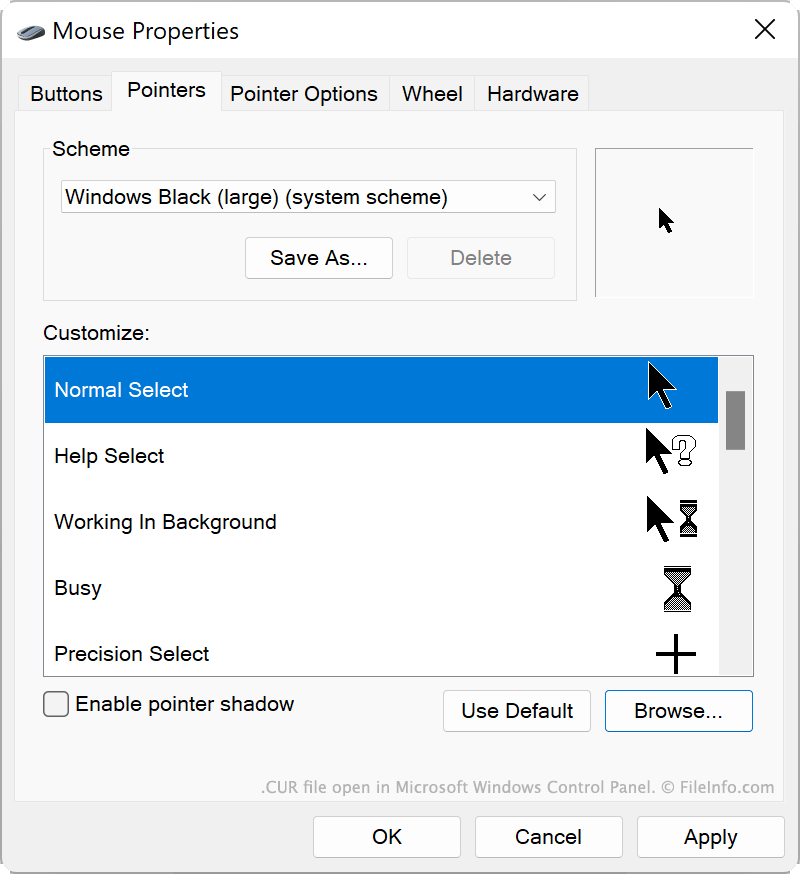
Windows obsahuje několik výchozích souborů CUR, které určují vzhled kurzoru v různých situacích, například když je systém zaneprázdněný, měníte velikost okna nebo upravujete text. Tyto soubory CUR jsou uloženy v následujícím umístění:
C:/Windows/Cursors
Můžete také nainstalovat vlastní soubory CUR, které jste sami vytvořili nebo stáhli z internetu. Vlastní motivy Windows (soubory .THEME) často obsahují vlastní soubory CUR.
Jak použít soubor CUR jako obrázek kurzoru
Chcete-li použít soubor CUR jako obrázek kurzoru Windows:
- Otevřete Ovládací panely Windows a vyhledejte „myš“.
- Vyberte .
- V nabídce Ukazatele v okně Vlastnosti myši vyberte obrázek kurzoru, který chcete změnit.
- Klikněte na , přejděte k souboru CUR a vyberte ho.
- Klikněte na , čímž změny použijete.
POZNÁMKA: Soubory CUR vždy obsahují statické obrázky kurzoru. Animované obrázky kurzoru se ukládají jako soubory .ANI.
Jak otevřít soubor CUR
Soubor CUR můžete otevřít v programech Axialis CursorWorkshop (Windows), RealWorld Cursor Editor (Windows) nebo Inkscape (pro více platforem) a zobrazit a upravit obrázek, který obsahuje.
Jak převést soubor CUR
K převodu obrázků CUR do jiných formátů můžete použít programy Inkscape, RealWorld Cursor Editor nebo Axialis CursorWorkshop. Axialis CursorWorkshop může například převádět obrázky CUR do následujících formátů: